
Inspiring
June 20, 2016
Answered

Software Simulation records outside red recording rectangle

  • June 20, 2016
  • 3 replies
  • 1795 views

Hello Community,

I am dealing with a situation I hope you can help me with.

While creating a training module in Captivate 9 I wanted to incorporate software sim slides.

Previously I was able to start the software sim and choose my source window, snap to window and record.

The alignment was perfect and I could create as much as I need.

Since last week for whatever reason Captivate has decided to ignore the red rectangle recording window.

It now records parts of other screens and apps that are open on them.

Snapping to window no longer snaps anything to the actual recording window (it snaps whatever source I choose to a small version of itself)

Basically I can no longer use the software sim in a way that records the actual item I need recording.

Has anyone had similar issues and found a solution?

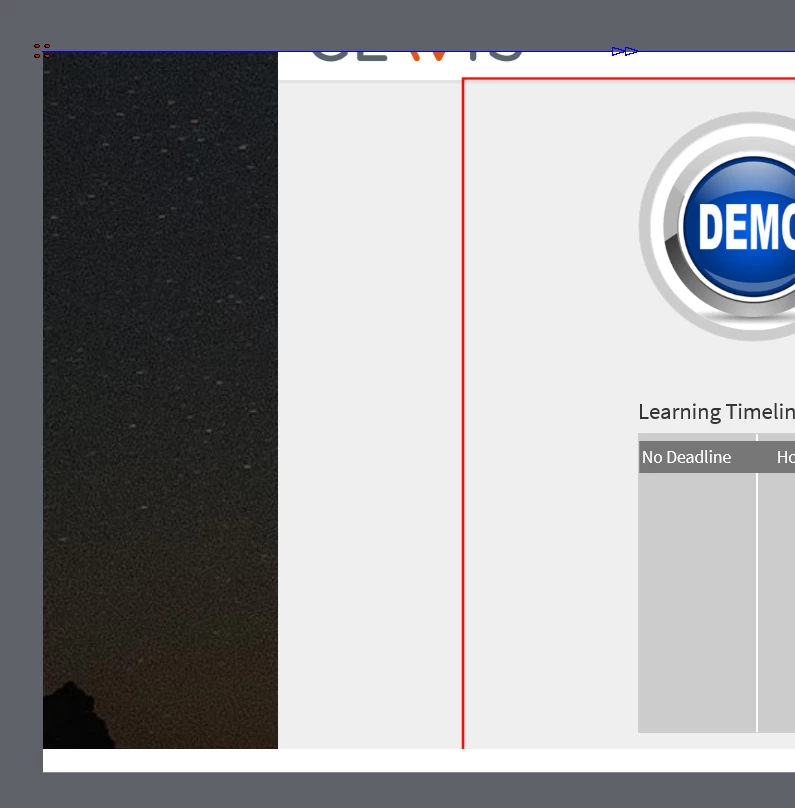
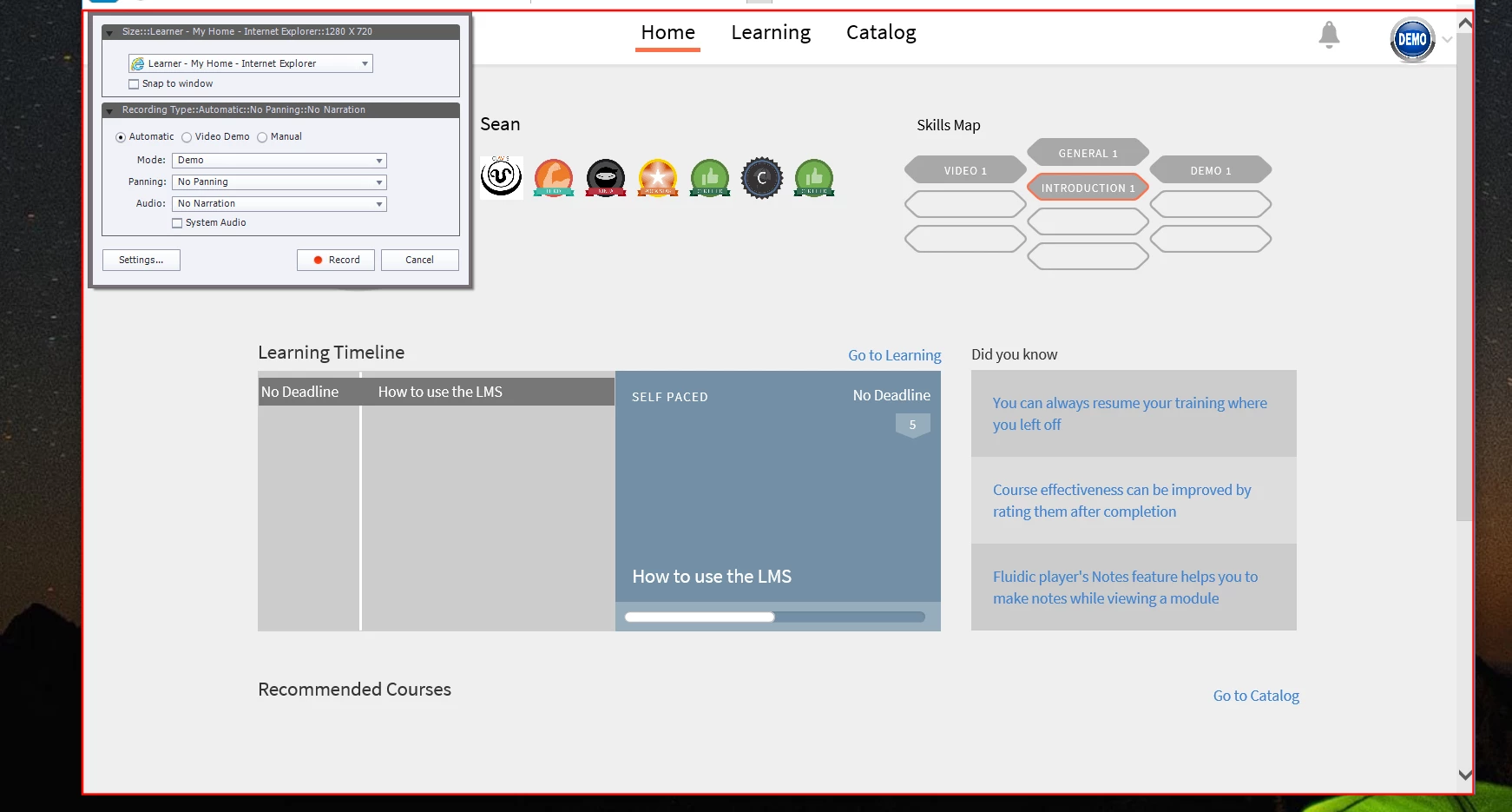
Added the recording window and the final result as it look on the slide after ending the software sim recording.

(The black sides I added to the recording window to show you guys I am selecting a browser as my recording only yet still the final slide aligns wrong and showcases the sides from other screens)
Using Captivate 9.0.1.320 & IE 11.420.10586.0 & Windows 10 Pro (v1151, build 10586.420)

Laptop is an Asus Zenbook (i7 2,6ghz, 16gb ram, geforce 960m with a ssd)

(Tried using different browsers and this did not help)

Any illumination into this situation is much appreciated and welcomed!

Sincerely,

Sean

    This topic has been closed for replies.
    Correct answer RodWard

    Can you make sure you are trying to capture from your primary monitor screen, and that your display is set at 100%?

    3 replies

    Participating Frequently
    July 13, 2017

    Although your issue is slightly different than mine, I think they may be related. My issue isn't solved yet either but I will keep you posted if you do the same.

    Thanks!

    julien25872486
    Participant
    February 20, 2018

    I am having the same issue described here in Captivate 2017.  Is there a solution to this issue?  I'm stuck.

    RodWard
    Community Expert
    RodWardCommunity ExpertCorrect answer
    Community Expert
    February 20, 2018

    Can you make sure you are trying to capture from your primary monitor screen, and that your display is set at 100%?

    Inspiring
    June 20, 2016

    No you are misreading everything.

    You asked me if anything changed.

    My answer: NO

    My answer extended: the last change made to my laptop was over 1 month ago when I installed Captivate9. Since then I have been able to record without issue until last week thursday/friday when the recording started to record outside the lines.

    My situation is NOT due to a software change on this system

    (not even updates, they all need manual permission and I have given none in weeks)

    SO in summary:

    Nothing changed on this laptop

    Nothing has been installed, configured or updated in over a month

    (last change to the laptop was me installing CP9 over a month ago)

    Still the recording window is being weird!

    Only thing I can think of was that last week Adobe had some issues with authentication to the creative cloud, but that should not affect my locally installed programs.

    Did that take away any confusion? (Because I really appreciate the help)

    Lilybiri
    Legend
    June 20, 2016

    Sorry for misinterpreting.

    Captivate is not included in the Creative Cloud, so I doubt that could be the culprit. If Captivate is also a subscription license, and your Adobe ID was not recognized, this should normally not lead to the kind of problems that you have. I'm out of ideas at this moment, thought this was due to corruption. You are using the latest version 9.0.1.320 I presume? Were you capturing the software simulation in a normal or in a responsive project?

    Inspiring
    June 20, 2016

    Nothing different than before, nothing has changed on the system or how I work, I am all up to date with the latest versions of everything Adobe.

    Tis not an easy situation nor is there an easy solution it seems.

    It is just very strange the way it is happening on my laptop.

    Adobe might not like me as the two issues I am having are both just extremely strange and do not seem to have a simple fix.

    Inspiring
    June 20, 2016

    I tried to play around with the snap to window situation and I have half good news and that is that the recording does in fact only record the window I want it to.

    The bad news is that the bright red recording rectangle remains right smack in the middle of my screen.

    I have added a little bit of my slide after I press END for the recording to show you the bright red straight through my final recording.

    Any help is much much appreciated.

    Sincerely,

    Sean

    Lilybiri
    Legend
    June 20, 2016

    If nothing changed recently about your hardware or software, I would suggest to try to clear the Preferences in case Captivate has corrupted. You'll find a CleanPreferences file to run in the subfolder Utils of the Captivate installation folder. Run the one appropriate for your OS, while CP is closed. However you'll lose customisation. In case you want to preserve customisation, have a look at this blog post:

    Captivate 8.0.1 Install? Keep your Customisation! - Captivate blog

    BTW are you using the latest version 9.0.1.320? Since you are on Win, do you launch CP with 'Run as Administrator'? r

    Inspiring
    June 20, 2016

    What I am using:

    Using Captivate 9.0.1.320 & IE 11.420.10586.0 & Windows 10 Pro (v1151, build 10586.420)

    Laptop is an Asus Zenbook (i7 2,6ghz, 16gb ram, geforce 960m with a ssd)

    Every time I run Captivate 9 I allow full access with admin user/pass before it starts the program itself.

    (Little popup window appears for this)

    I will try to clean the preferences and see if that helps me.