


Participant
December 5, 2022
Question

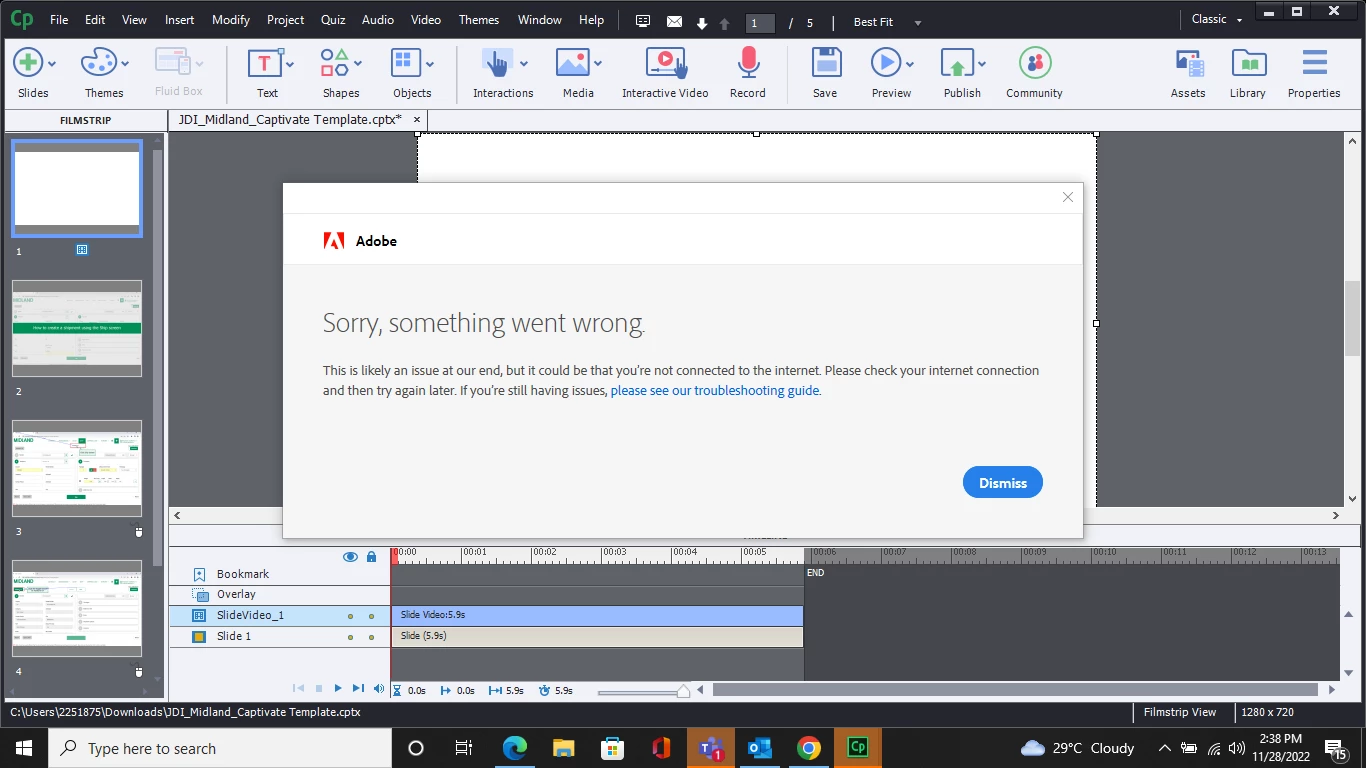
Sorry, something went wrong, you are not connectd 2 the internet error preventing Captivate start up
  • December 5, 2022
  • 1 reply
  • 549 views

Hi team!

Every time I open Captivate, the log-in pop-up above appears. Upon entering the login ID, it displays the above message and the application closes automatically. Please help us resolve this issue at the earliest. We have referred to the following links but we are still unable to resolve the issues:

https://helpx.adobe.com/x-productkb/policy-pricing/activation-network-issues.html#:~:text=%5BSolution%5D%20Fix%20Connection%20to%20Adobe%201%20Test%20your,the%20GlobalSign%20Root%20CA%20certificate.%20...%20See%20More.

https://helpx.adobe.com/download-install/kb/common-network-connectivity-issues.html#:~:text=Fix%20connectivity%20issues%20for%20Adobe%20apps%201%20Check,connection%20errors%20Fix%20errors%20installing%20Creative%20Cloud%20apps


    This topic has been closed for replies.

    1 reply

    Lilybiri
    Legend
    December 5, 2022

    Are you connected to the WWW? Reason for that is that some features in Captivate require to be online.


    Participant
    December 6, 2022

    Hi,

    We are connected to the internet. We have referred to the trouble shooring guide as well but the issue still persists. Please suggest if there is anything else that we can try from our end. Thank you!

    Lilybiri
    Legend
    December 6, 2022

    I have seen those links, which are for CC applications and are not always functional for Captivate which is not included in the CC apps.

    Do you have a CC license as well? If yes, try to log out of the CC app while Captivate is closed, than log in to the CC app again and open Captivate. It is a way to refresh the synchornisation with the Adobe fonts eventually used in Captivate. It is just a guess.

    I don't think Captivate itself is corrupted, but you could have also a look at my blog post: https://blog.lilybiri.com/tips-for-troubleshooting

    BTW: which exact version of CP are you using? You find the full version number under Help, About Captivate.