
Participant
June 11, 2018
Question

Sound cutting out

  • June 11, 2018
  • 1 reply
  • 249 views

Captivate 2017

I am having issues with the sound cutting out when previewed and published. It will play normally and then the sound will just stop while the slide continues. It also will not start at the beginning of the lesson and I have to click the back button first for the sound to even start.

I have also recently started to receive the message below when I open a published Captivate.
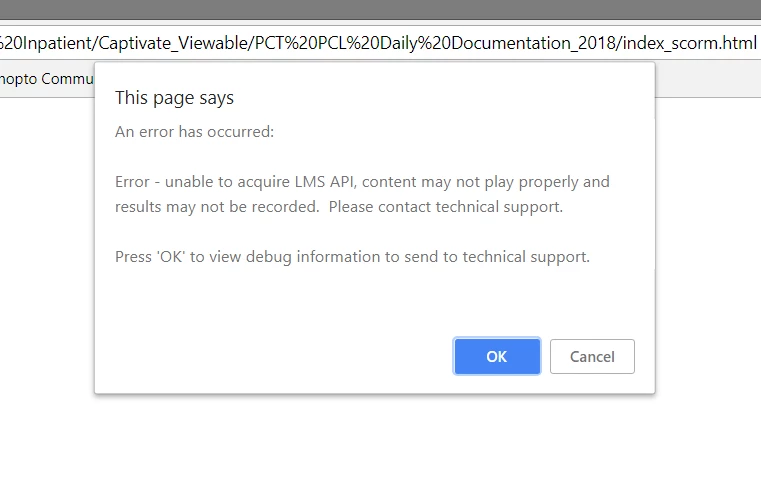
I record in Audition and then place the audio in the slides. I have not had an issue like this previously. Any help is appreciated.

Thanks.

    This topic has been closed for replies.

    1 reply

    RodWard
    Community Expert
    Community Expert
    June 12, 2018

    The 'error' message you are seeing is because you have published your project with SCORM reporting turned on and it is trying to find the LMS (unsuccessfully).

    Your issue with the audio not starting at the beginning of the module is likely due to a recent change to many browsers where audio will not automatically start until the learner interacts with the lesson, e.g. clicks a button.  There are many recent threads on this forum abou this new behaviour.  Search the web for issues with browsers and audio.  It's a common topic now.

    Participant
    June 12, 2018

    Thanks! I am still having an issue with the sound just cutting out mid-slide or sometimes not starting up again after a text entry box. It worked fine for me this last time in Internet explorer but 2 coworkers tested it and the sound cut out both for them. They both used Internet explorer also.