margaritam62748980
Participant
September 17, 2016
Question

speech agents not available on my pc

  • September 17, 2016
  • 2 replies
  • 318 views

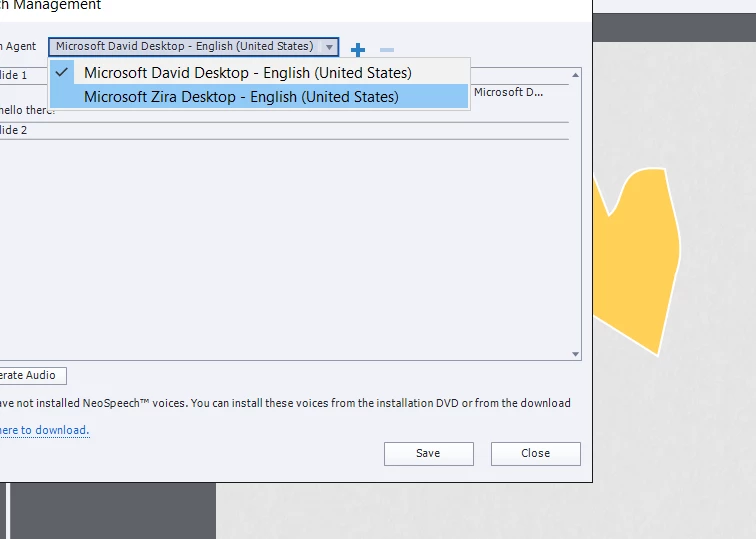
Hi! Why when i want to add a text to speech agent there are only two options from Microsoft. where is Julie and the rest 6 agents? How do I add them? Is it because i work on Windows?

This topic has been closed for replies.

2 replies

BDuckWorks
Inspiring
September 26, 2016

You can also download the installers directly:

Use this link to download and install Captivate 8, TTS voices and other downloadable assets:

Adobe Captivate 8 Direct Download Links: Free Trials with no Akamai | ProDesignTools

Or follow these links directly:

Adobe Captivate comes in both 32-bit and 64-bit versions…  64-bit offers higher performance but choose the 32-bit flavor if you’re unsure what your Windows computer is.


Captivate 8.0.1 – Windows 32-bit (1.4 GB):   File 1   File 2

Captivate 8.0.1 – Windows 64-bit (1.4 GB):   File 1   File 2

Captivate 8 – Downloadable Assets – Windows (1.4 GB):   File 1

Captivate 8 – NeoSpeech Text–to-Speech Voices – Windows (1.7 GB):   32-bit or 64-bit


Captivate 8.0.1 – Mac (2.2 GB):   File 1

Captivate 8 – Downloadable Assets – Mac (1.4 GB):   File 1

Captivate 8 – NeoSpeech Text–to-Speech Voices – Mac (1.7 GB):   Voices for Mac


See the complete system requirements for Captivate 8 to make sure your computer is ready before proceeding with installation.

Captiv8r
Legend
September 17, 2016

Hi there

It's because there are additional speech agents available (key word there) but you have to download and install them before Captivate will recognize and use them. Note the link in your screen capture.

Cheers... Rick