
Answered
Speech Agents not showing up
Hi,
I want to add the TTS agents to Adobe Captivate. I've downloaded, extracted and installed the 'Captivate_2019_x64_Neo_Content_LS21.exe' file from https://helpx.adobe.com/africa/captivate/kb/captivate-text-speech-converters.html. No TTS agents showed up, only existing Windows agents.
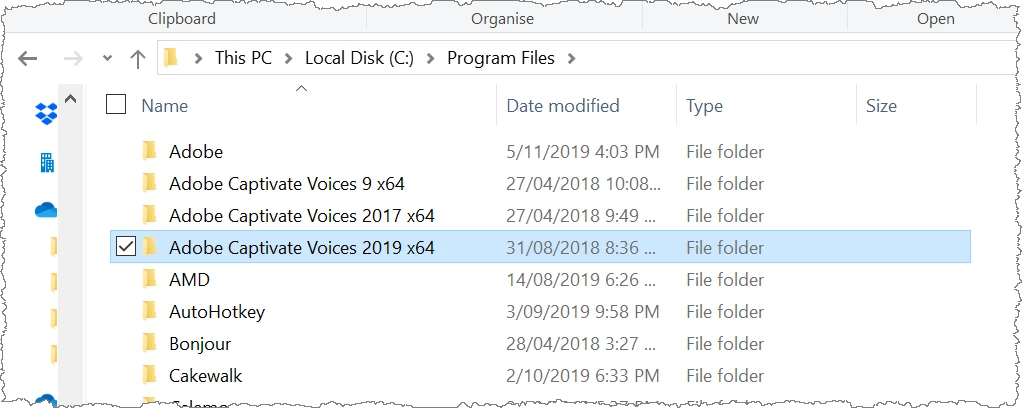
I think the error occurs because of my installation location. I have little space available on my C: drive so I installed Captivate to D:\Program Files\Adobe\Adobe Captivate 2019 x64\. Now when I choose D:\Program Files\Adobe\ or D:\Program Files\Adobe\Adobe Captivate 2019 x64\ as my installation location for the TTS installer it installs it to D:\Program Files\Adobe\Adobe Captivate Voices 2019 x64\.
What I've tried:
I've made sure that I run the extracted installs.
Restarted Computer.
Restarted Computer.
Run Captivate as Administrator.
Ran CleanPreferencesWin.bat.
I've copied the VT folder into the Adobe Captivate root folder.
More Details:
Adobe Captivate 2019 11.2.1.499
Windows 10 Pro Build 18362
Can you please assist me to get the Speech Agents to show up?



 AdChoices