Participating Frequently
July 16, 2010
Question

Status of slide views (suspend_data) not honored on revisit. CP5

  • July 16, 2010
  • 3 replies
  • 1279 views

I have tried Captivate 2-5.  Captivate 5 is a great improvement.

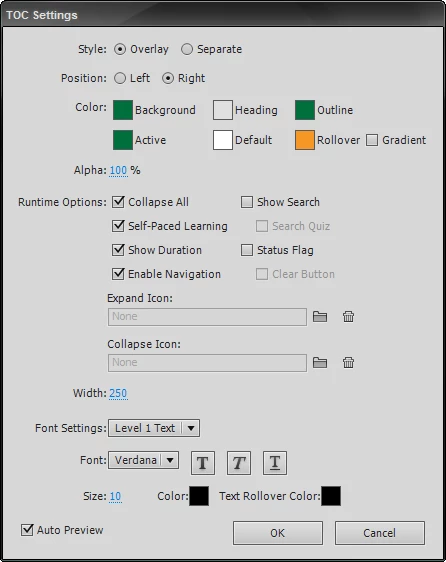
The content that we create is primarily educational lectures, so there are no interactive elements or quiz slides in each project.  The main thing we are focused on is a successful view of all (or selective, if it were possible) slides.  A user can see the slides that they have watched in the TOC with a green check to the right.  This status is pushed to the LMS in the "suspend_data" field.  HOWEVER, this information is NOT brought back in when a user revisits the Captivate presentation.  It does resume where they left off, and it appears to honor the completion of the previous slides.  It just doesn't show the user that the previous slides were viewed with the same green check beside the slide name in the TOC.

Does anyone, including Adobe Support, have any idea how to address this issue?  I would if I could, but I don't think I can tell Captivate to populate the slide status based on the correct/existing "suspend_data".

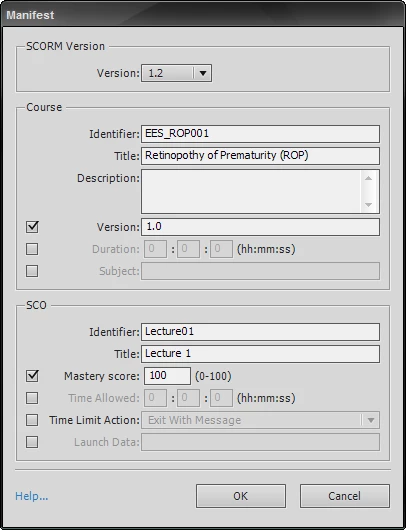
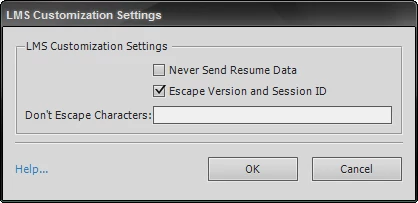
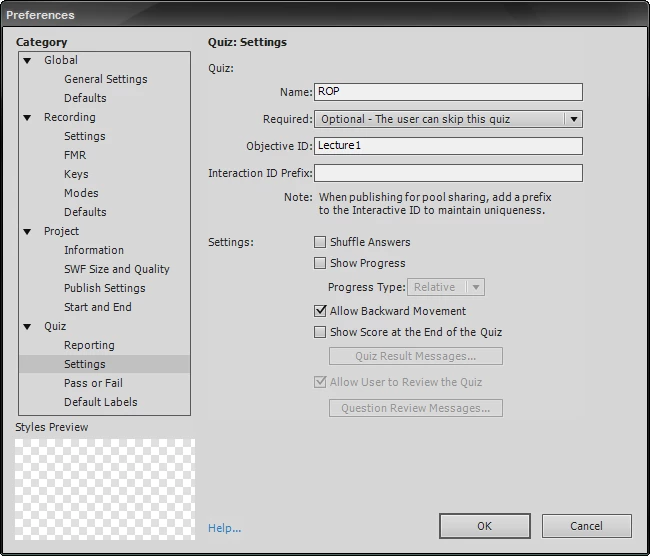
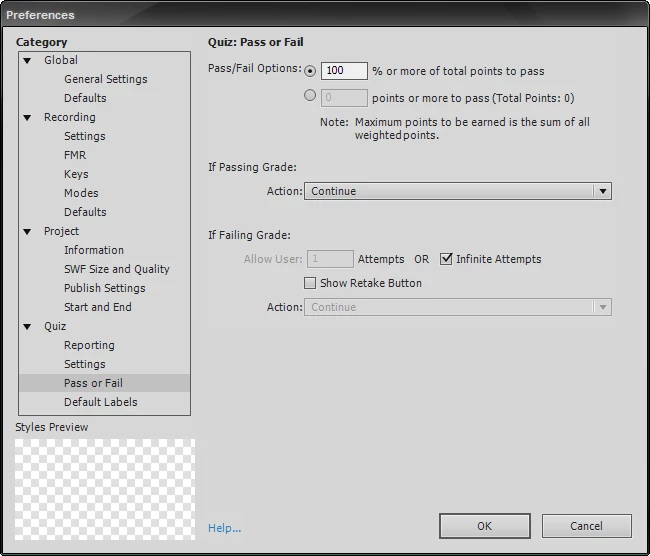
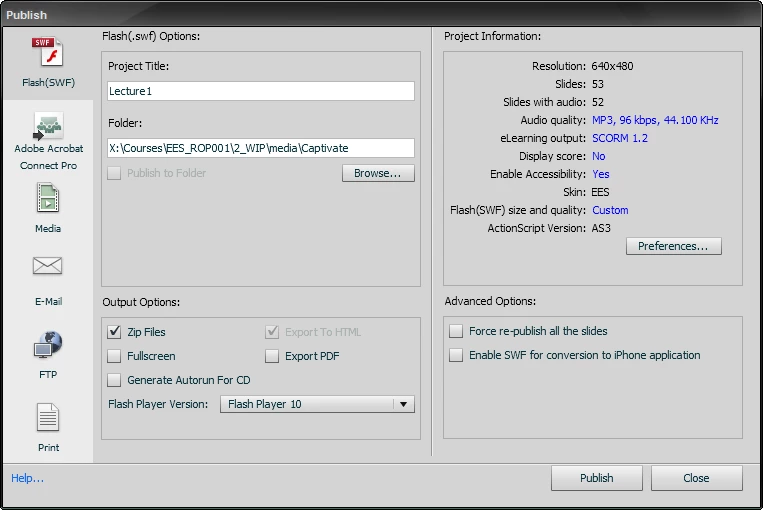
Here are my SCORM-related settings for a CP presentation:
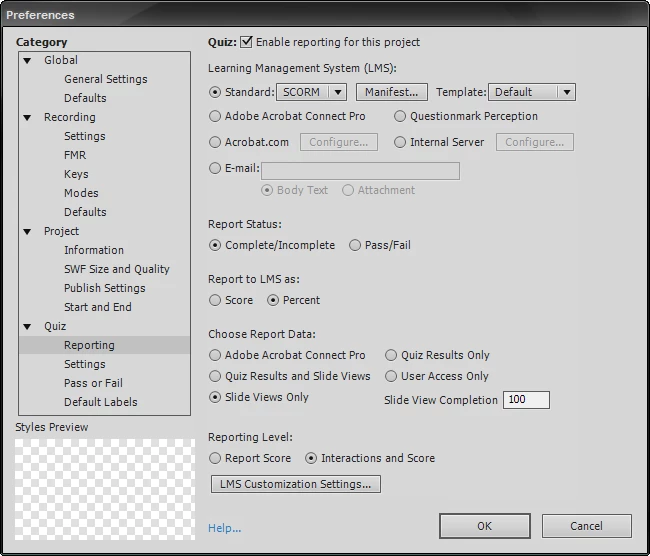
If I make any discoveries I will follow-up to this message, but I suspect that this behavior is beyond my control.

Thanks,

Chad

This topic has been closed for replies.

3 replies

Participating Frequently
July 19, 2010

Okay, things are getting more odd.  Even with the "Self-Paced Learning" option checked (in the TOC Settings), and with all of the above SCORM settings, the lesson_location variable that holds the resume bookmark is not being set properly and/or not being retrieved properly.  This WAS working on Friday, so I am very, very confused.

July 20, 2010

Hi,

Self Paced Learning is for non-LMS scenarios where you need bookmarking. In case you publish Cp project for LMS then Self Paced Learning is switched off.

Currently, there is no way to set viewed status for slides on TOC if content is published for LMS.

Please file a feature request for the same so that it gets into future versions of Adobe Captivate.

https://www.adobe.com/cfusion/mmform/index.cfm?name=wishform&product=5

Thanks,

Deepak

Participating Frequently
July 20, 2010

Is there a reference of available Javascript variables/objects in Captivate?

If it doesn't have something for the TOC status flags, I might be able to put an alternate HTML version of the TOC that reads the suspend_data from the LMS.  I'm not sure how Captivate encodes this information, so knowing how to decode this field would be essential.  Any insight would be much appreciated.

For example, what would I do to put CP suspend_data information into an array:

C1Enone$nP1Enone$nP1Enone$nP1Enone$nP1Enone$nP0Enone$nP111BA001EAA~$nS*Lhw_X001AAB2DnilDnilDnilDnilBB~$nS*40y_X001AAB2DnilDnilDnilDnilCC~$nS*pR0_X001AAB2DnilDnilDnilDnilDD~$nS*AY0_X001AAB2DnilDnilDnilDnilEABAABAABAABA

I am guessing that the "1Enone" means viewed, and "0Enone" means not viewed, but parsing this might not be so straight-forward.

Participating Frequently
July 19, 2010

This is a basic example of what I'm talking about.  I am still considering the addition of a JavaScript call that fires when the SWF is opened/loaded that sets the status, if at all possible.  If anyone has a reference of variables/functions available in a Captivate 5 project I would be quite greatful.

Thanks,

Chad

Participating Frequently
July 19, 2010

I wonder:

  1. Is the status flag for each slide accessible via JavaScript in the Captivate project?
  2. Can I populate that status by accessing the suspend_data variable that appears to be available once the published content (SWF) is loaded?

This seems like a real hack...   something that Captivate should be doing on its own.

Thanks,

Chad