Inspiring
January 15, 2013
Question

Stop Motion path from blurring images

  • January 15, 2013
  • 1 reply
  • 493 views

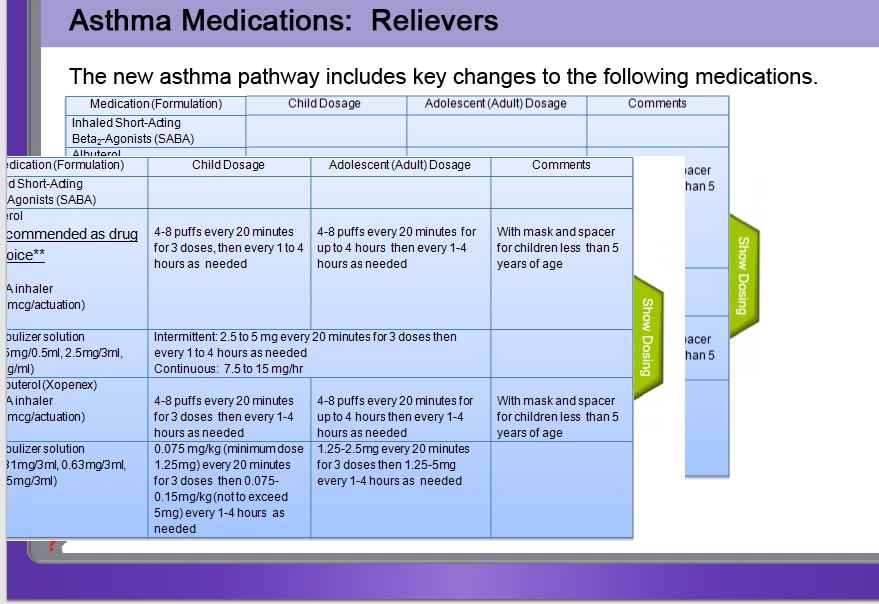
Motion path is blurring images.  The table on TOP did not have a motion path.  You can see that it is clear.  The Dosage and Comments columns BEHIND did have a motion path applied.  As you can see the same image is blurry when the motion path was applied, but it is not blurry if no movement was applied.

Thoughts?
    This topic has been closed for replies.

    1 reply

    Inspiring
    January 16, 2013

    I'm not really sure why this is happening, but it may be because the motion path functionality converts the image to a Movieclip and sets the quality of that to "photo" instead of "lossless". Probably not much you can do to avoid that unfortunately.

    Try inserting your image as a .png file as they are higher quality normally. Another alternative is to overlay the image with an extra copy of your image once the animation has finished.


    www.cpguru.com - Adobe Captivate Widgets, Tutorials, Tips and Tricks and much more..

    Inspiring
    January 16, 2013

    THanks for the advice!  If it bugs me enough I'll just have the pic appear after the animation.  Thanks again!

    Maybe one day they will change that, so it isn't blurry!