Stopping audio when returning to slide
I had previously asked this question and this was your reply:
This is a possibility:
- Create a user variable (a boolean), with a default value of 0. I will label it v_visit
- Find a way to toggle that variable to 1 when you are on the slide. Since you didn't explain how the navigation is working (do you have buttons to go to the other slides?) cannot give you explanation, maybe with the button if you have it, maybe On Exit for the slide, or combined with the conditional action On Enter (but then you'll need two decisions, first one a mimicked standard action that only assigns the value 1 to v_visit)
- Create a conditional advanced (or shared if you are on CP8) action:
- IF v_visib is equal to 1
Assign cpCmndMute with 1
Continue
ELSE
Continue
- IF v_visib is equal to 1
Problem is that you'll have to unmute when entering each slide that is not that particular slide, which could be done with a simple action: "Assign cpCmndMute
Unfortunately either I did not do what you said correctly or it didn’t work. Please remember I am using Captivate 5.5. I have attached a copy of the screen that is causing me problems.
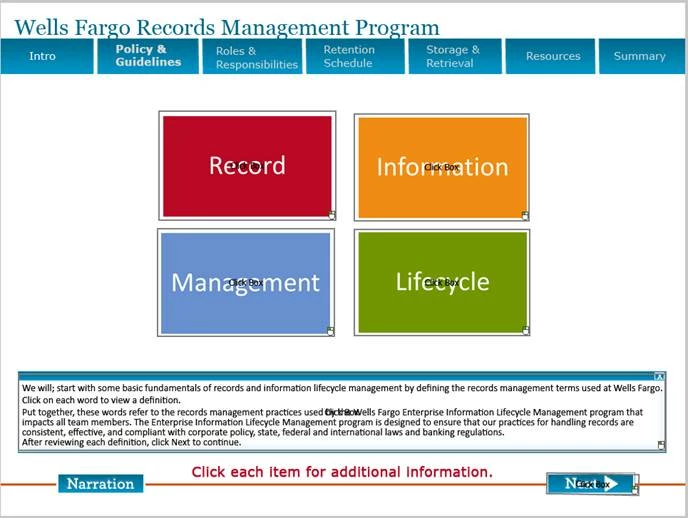
The user can click on each of the boxes (Record, Information, Management or Lifecycle) and they will be taken to a screen with additional information, for example:
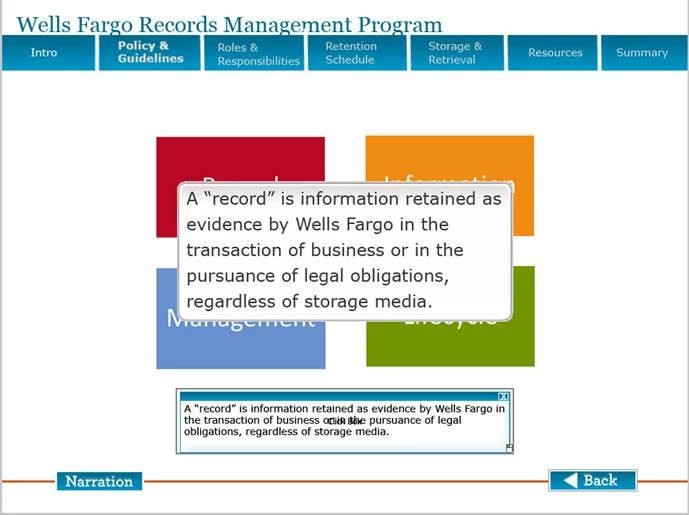
The user would then click “Back” to the first screen I displayed. I do not want the user to keep hearing the same recording over and over.
The Narration button when clicked displays the text in the text box. If the user clicks the box it will hide the box. The user can continue to get the addition information until they click “Next” which jumps them to another slide.
I hope by including these two slides, it clears up what I am trying to do. I have a couple other situations just like this in this project. If I can get this one to work, I believe I will be able to modify the others to work as well.
Any and all help is much appreciated.
 AdChoices