
Participating Frequently
June 24, 2019
Question

Stutter / jitter with motion paths (HTML5)

  • June 24, 2019
  • 2 replies
  • 691 views

Hi,

on some slides I have an issue with motion paths in Adobe Captivate 2019, 11.5.0.476. The problem persists already since several versions, but I cannot find a common denominator/reason.

On some slides the motion effect is not fluid but stutters/jerks during execution. The number of elements and the duration of effects seem to be irrelevant. While the issue occurs in Firefox, Edge and Chrome (on different PCs), it is slightly better in Chrome. In the preview and flash export everything works fine, but obviously I do not want to use flash anymore

Here is a download link to a small .cptx file and the corresponding HTML5 output (hope this is allowed): http://www.mediafire.com/file/uqvnn3bee1avxt5/Upload_Adobe_Forum.zip/file

It is a non-responsive project in which I was able to reproduce the problem, though I still do not understand the cause. On the slide with the issue the motion effects start successively. Here a trimmed screenshot of this first slide:
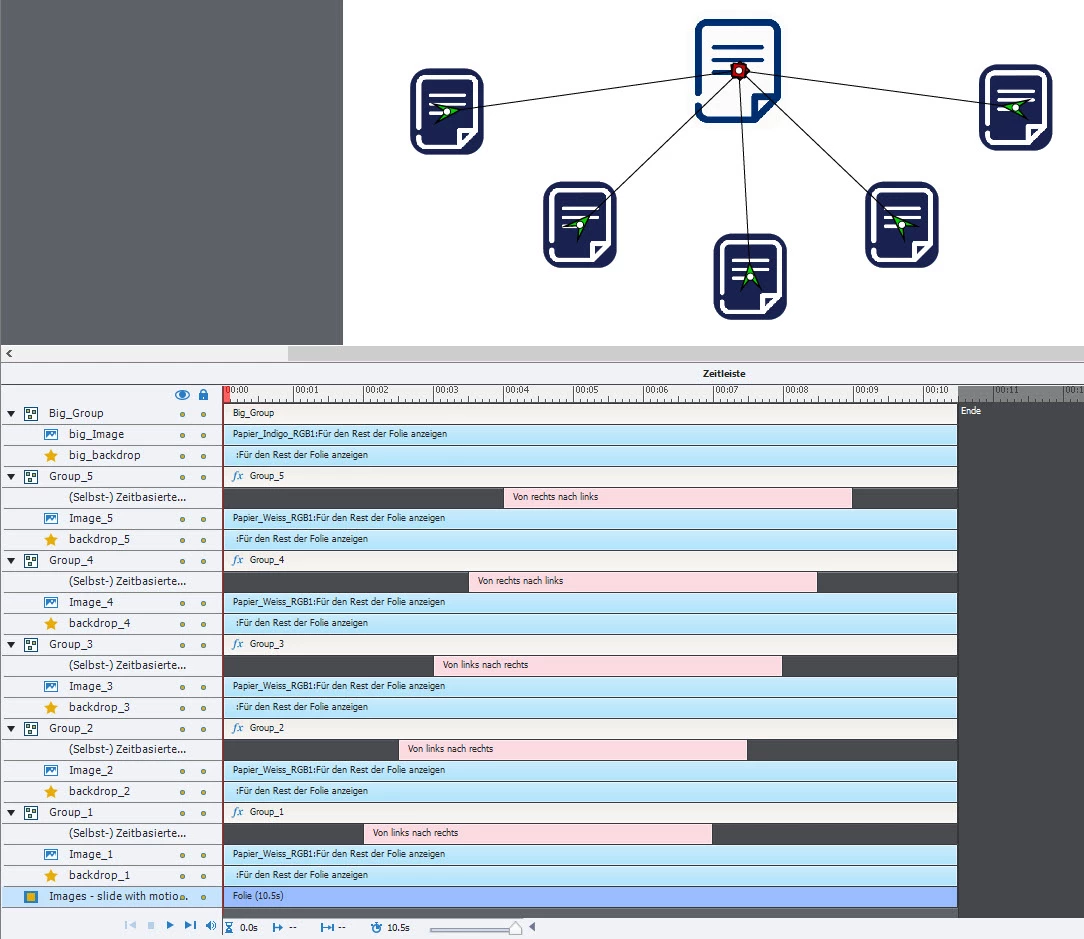
On a copy of this slide the effects start at the same time and the problem is barely noticeable (slight delay at the beginning of the animation).

While I found other threads concerning HTML5 motion effects, those did not match this description. I hope somebody can help, since this is quite frustrating. Thanks in advance!

This topic has been closed for replies.

2 replies

Lilybiri
Legend
June 24, 2019

You use a German version and it is clearly a non-responsive project since you are using groups. However I have no idea about the version you are using.

The duration of the effects has been increased a lot, compared with the original default duration. Do you have the same result when that duration is shorter, even when overlapping effects are present?  Are those default entrance effects? Would like to try to dig bit deeper.

I have created sometimes long duration effects, but in that case I would create a custom motion path, maybe that is the reason I am not that aware of issues. On this older post I use a motion effect which is very long:

Game

Sorry, but I don't download files.

Participating Frequently
June 24, 2019

I am currently using Adobe Captivate 2019, 11.5.0.476. However the issue already occurred in prior versions.

The problem seems to be independent of the duration of effects. I increased the length in this example to show that the animation is not “jumpy” because of a short duration. The effects are standard motion effects (“from left to right”), only the coordinates are changed.

It seems to stutter at the start of the motion effects. I replaced the png with jpg files and also lowered the resolution without success. I had other slides with more elements and the same effects without this issue (which is why I fail to spot a common cause yet).

Fully support the notion of not downloading unfamiliar content, only uploaded it because I see no other way here for myself. Maybe someone has a safe way for himself of downloading my content, e. g. a sandbox / virtual machine or I can send it to someone from the Adobe team.

Lilybiri
Legend
June 24, 2019

You may have misundestood: I thought the duration too long for a one-component motion path.

Yes, you could contact Adobe staff, I'm just a user.

Inspiring
June 24, 2019

No fix from me, sorry

Just the statement that I am experiencing the same issues, except that my impression is that the number of motion path animations on the slide does actually matter. Seems to be getting worse the longer the slide keeps playing and the more effects are triggered. Also, seems to be worse if the effects overlap in time, rather then successively one after another (though this doesn't work flawless either).