



Styling bullet lists - CSS entities or images as the bullet
Initially I was making pretty complex bullet-list-looking things using images next to text captions. 8 objects to make a 4-point bullet list. Absolute nightmare for responiveness and a pain to build.
I wanted my bullet lists to look like this, to match the designs I was provided:
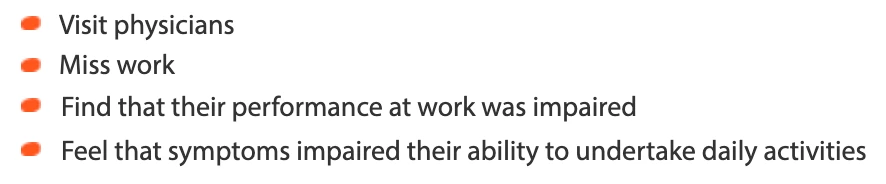
I devised a way to use CSS entities by injecting CSS into the head using an execute javascript action on the first slide of my projects, as such:
$('head').append('<style>
    [id*="_BLD"] ul li span.cp-liFirstLine::before {
        content: "\\\\\\\\2B2C";
        font-size: 0.8em;
        color: #E84D0E;
        display: inline-block;
        width: 1.3em;
        margin-left: -1.3em;
    }
    [id*="_BLD"] ul li ul li span.cp-liFirstLine::before {
        content: "\\\\\\\\2B2D";
        font-size: 0.8em;
        color: #E84D0E;
        display: inline-block;
        width: 1.3em;
        margin-left: -1.3em;}
    [id*="_BLD"]  span.cp-numbering {
        display: none !important;
    }
    [id*="_BLD"] ul li span.cp-liFirstLine,
    [id*="_BLD"] ul li ul li span.cp-liFirstLine {
        padding-left: 1.9em;
    }
</style>');
You have to not have any line breaks in this, so here's the above without those:
$('head').append('<style>[id*="_BLD"] ul li span.cp-liFirstLine::before {content: "\\\\\\\\2B2C"; font-size: 0.8em; color: #E84D0E; display: inline-block; width: 1.3em; margin-left: -1.3em;} [id*="_BLD"] ul li ul li span.cp-liFirstLine::before {content: "\\\\\\\\2B2D"; font-size: 0.8em; color: #E84D0E; display: inline-block; width: 1.3em; margin-left: -1.3em;} [id*="_BLD"] span.cp-numbering {display: none !important;} [id*="_BLD"] ul li span.cp-liFirstLine, [id*="_BLD"] ul li ul li span.cp-liFirstLine {padding-left: 1.9em;}</style>');
Then when adding a text caption or smart shape where you want any included bulleted list to pick up the above styles, simply add "_BLD" to its ID. The above will work with lists to 2 levels using a different CSS entity for each. I really love the 8 slashes in order to output a single slash in the code.
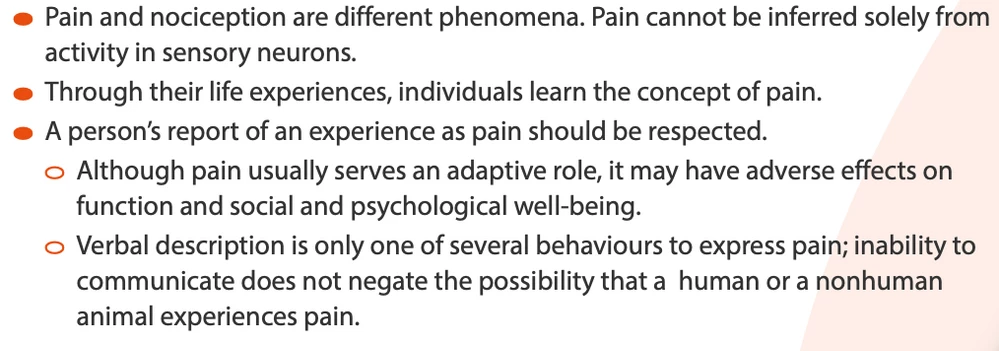
This should provide a start to being able to use any image you like as the bullet if there isn't a suitable entity. The outcome? Here's a bullet list using the above method, to 2 levels:
 AdChoices