
anni_k76761249
Known Participant
February 11, 2019
Answered

SVG convert as a button in Captivate

  • February 11, 2019
  • 1 reply
  • 753 views

Hello folks! I need your help  again

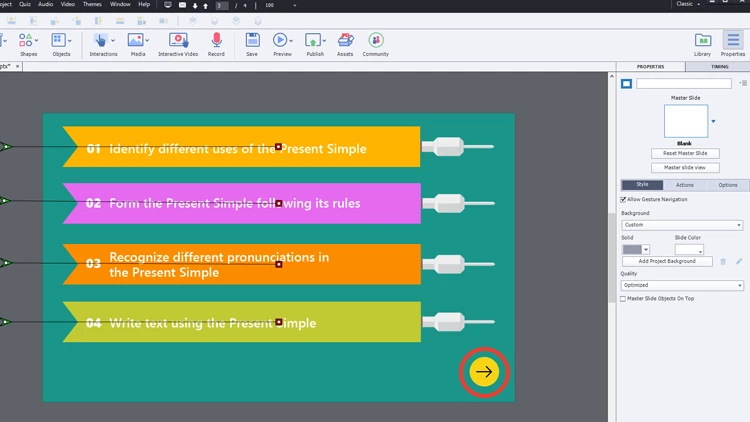
I make button "Next" in adobe illustrator (yellow ellipse with black arrow)  and save as svg, after import in my project (please see attached  Next.png)
Now I want this svg use as button and give different states. Is it possible? Just I can't find in setting "Use as a buutton" when click on my svg button.
Thanks a lot !

This topic has been closed for replies.
Correct answer Lilybiri

No, sorry. You can fill a shape with a bitmap image and use it as a button.

But a SVG cannot be used, one of my first feature requests since CP6.

Only way is to convert the SVG to a GIF (if possible) or a PNG (maybe PNG8).

May I invite you to log a feature request as well? Here is the link to the form:

Adobe Captivate

1 reply

Lilybiri
LilybiriCorrect answer
Legend
February 11, 2019

No, sorry. You can fill a shape with a bitmap image and use it as a button.

But a SVG cannot be used, one of my first feature requests since CP6.

Only way is to convert the SVG to a GIF (if possible) or a PNG (maybe PNG8).

May I invite you to log a feature request as well? Here is the link to the form:

Adobe Captivate

anni_k76761249
Known Participant
February 11, 2019

Thank You very much