
Inspiring
September 19, 2019
Question

SVG not appearing correctly in Preview

  • September 19, 2019
  • 2 replies
  • 297 views

Hi All,


I've taken over an Adobe Captivate project from a colleague and am getting a strange result regarding SVG images. I have created a smart shape bottom and for testing when I rollover the state is changed to display an SVG tick.


In the "State View" it appears correctly:
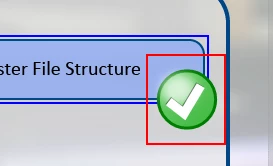
and when I run the "Preview / HTML5 in Browser" is appears correctly as well:
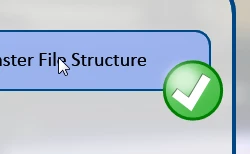
But when I run as "Preview / Next 5 slides or Prohect, etc." the SVG comes up incorrectly.
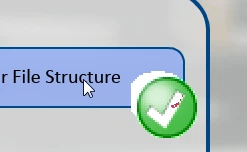
 

Was wondering does anyone know why this is the case?


Many thanks

Phil.


    This topic has been closed for replies.

    2 replies

    Lilybiri
    Legend
    September 19, 2019

    As long as some companies insist on using SWF output because they continue using outdated LMS's and/or have the power to impose old versions of browsers, Captivate will not take away SWF output. However I hope that the team will make it possible for non-responsive projects to have the possibility to have also HTML5 preview 'From this slide', or for 'Next x slides', as is the case for responsive projects.

    Lilybiri
    Legend
    September 19, 2019

    Some essential information is missing: do you refer to a NON-responsive or a responsive project?

    If it is a non-responsive project with HTML5 output all Preview methods except F11 (Preview HTML in Browser) use a temporary SWF output and can give a totally wrong idea of the final output. Especially SVG's.

    NavmasterAuthor
    Inspiring
    September 19, 2019
    Hi, Thanks for the reply. It is a non-responsive project. Just wondering when Adobe end flash support with Captivate move to use HTML in all outputs?