
Question
Text Box Entry Functionality Error - Captivate 2019
Hello,
We are recording TRAINING simulation in Captivate 2019, and finding an issue with Text Entry Boxes.
Functionality/Req: The user enters a text in search box on a web page and clicks button after entering text. We want the user to type in what they want in the text box to search. For some reason, the TEB functionality not works while running the project. The simulation doesn’t give an option for user to enter text in Training mode. It selects by default what is used while recording.
What could be the issue? Please help with solution to fix it
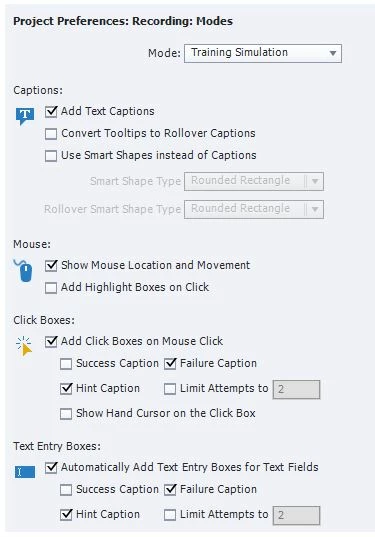
We have selected option in preferences (see below).


 AdChoices