Participant
February 18, 2017
Question

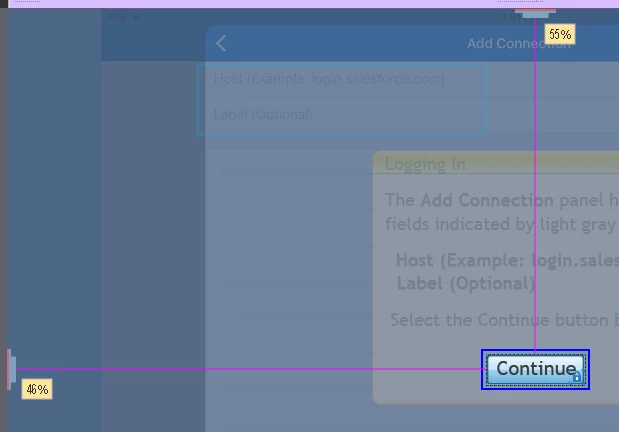
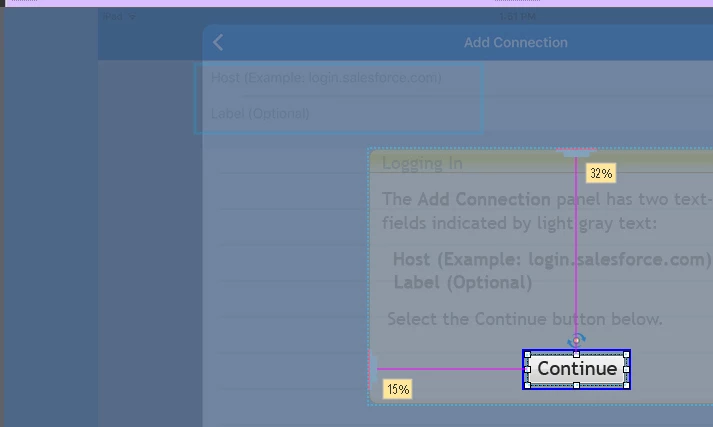
Text Button States in responsive differently positioned

  • February 18, 2017
  • 1 reply
  • 108 views

I'm using a Text Button on top of a caption. In the desktop view, I positioned it relative to the caption and applied this position to 2 other views.

The Down and Rollover states of the button remain relative to the frame, and not to the caption. This results in similar efect but not similar cause toother threads.

Tried other tricks from those other discussions to no avail.

Captivate 9.02.437
This topic has been closed for replies.

1 reply

Lilybiri
Legend
February 18, 2017

I tried to reproduce your problem, but didn't succee. Because  that type of  buttons is more limited in formatting I personally never use them (they also don't appear in any included Captivate theme). It was possible for me to position the text button relative to a shape and to a text caption. That positioning was transferred to all states, in all breakpoint views. From your screenshots I see that those are taken in editing mode.

When you installed the latest patch (to upgrade to 4.0.2.437) did you follow the release notes? I'm using the same version, it is bit weird that the rollover and down states do position correctly for me