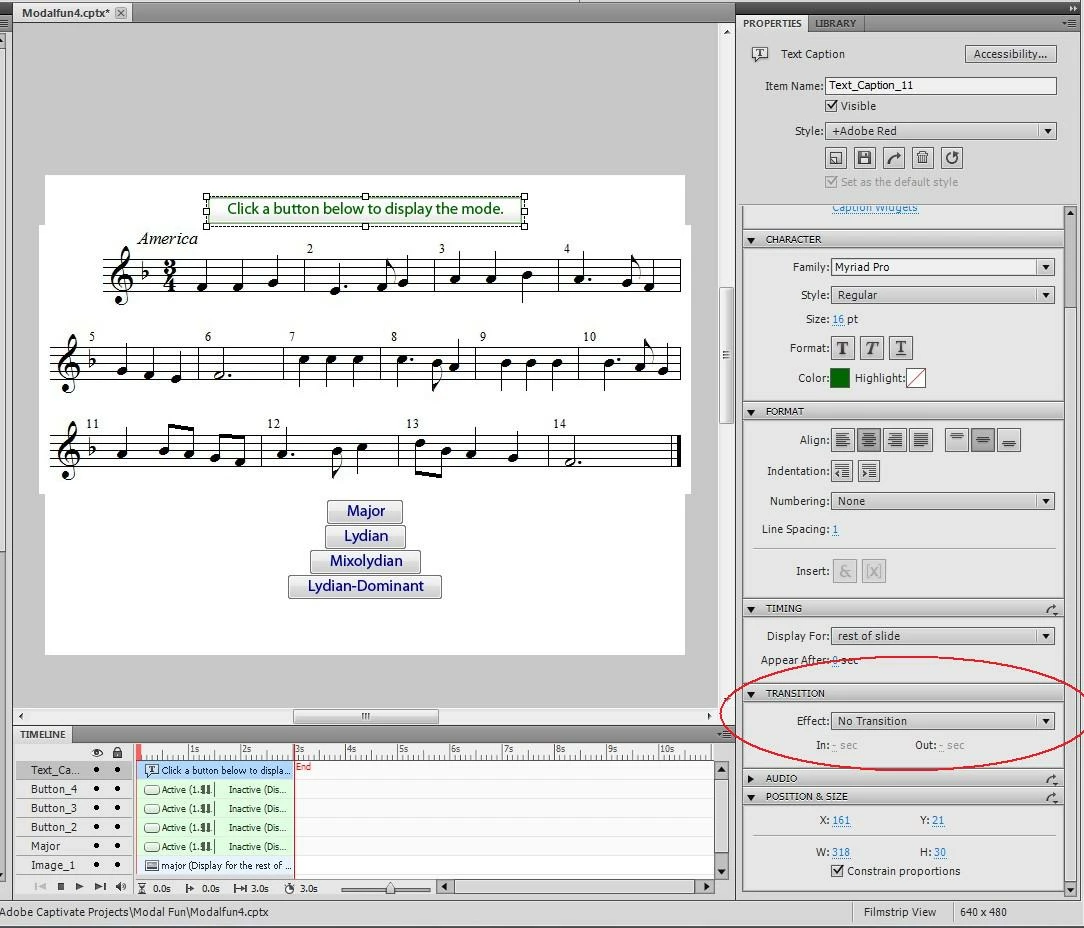
Text Caption Transition--"Apply to All" is missing
Hello,
I just upgraded to Cp 5 (from 3) and love it, love it, love it.
I will be doing a demo at a conference next week (i.e., "Here is how you build a simple music listening exercise in Captivate...") and I want to demonstrate the "Apply to All" feature, but it seems to be missing for text captions. (The icon that appears in the upper-right corner for most other properties is not there in the text-caption transitions panel.)
I know I can probably set this globally in "Preferences" but the point is that I want to demonstrate the features of the program. So I "build" the project for the audience, then say "okay, if you don't like the transitions on the text captions, here's how you go back and change them all..." Except it seems that you can't. Screen shot is attached; any wisdom from fellow forumites is much appreciated!
JR
 AdChoices