


Answered
Text Captions Not Capturing System Labels
Hello!
I'm trying to record a software simulation using Captivate 2019.
The issue I'm running into is that the text captions generated after each click don't register the application I'm recording in. Regardless of what I click, the generated text caption just says "Select," so I have to manually edit every single caption. For example, in the screenshot below, I hoped the automatically generated text caption would read "Select My Profile," instead of just "Select."
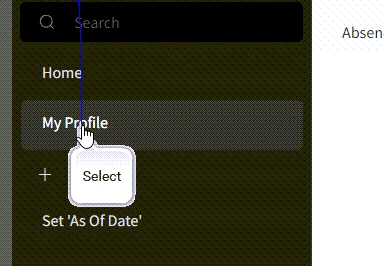
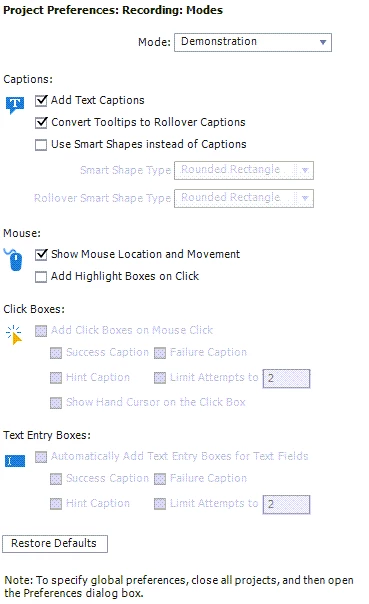
I'm recording the simulation in Chrome, and I've run into this issue across every website I've tried. Here are my recording settings, if that helps:
Thank you!!

 AdChoices