
griffeeney
Participant
April 14, 2016
Question

Text Disappearing

  • April 14, 2016
  • 1 reply
  • 304 views

Hello,

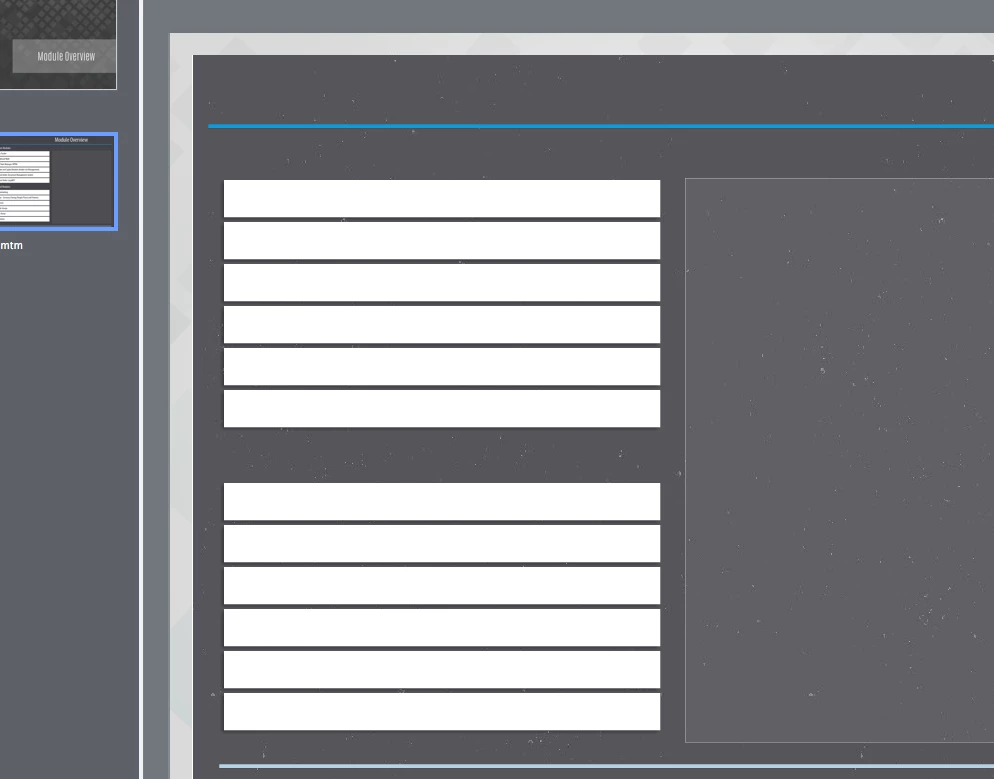
I am using Captivate 9.0.1.320 on a Mac book pro. I have started building a course and every time i close it and reopen it all of my text disappears. It does not matter if its a text box or a smart shape with text. When I try to double click to open the text box Captivate closes on its own. I have included a screen shot as you can see in the film strip view you can see the text that was put on the stage and you can see that the stage slide is showing blank.

Does anyone have any thoughts as to what I might do or is anyone else seeing this happening? Thanks in advance.
    This topic has been closed for replies.

    1 reply

    Lilybiri
    Legend
    April 14, 2016

    Can you clear the cache?

    griffeeney
    Participant
    April 14, 2016

    Hello,

    Yes I have cleared the cache. I am currently attempting to reinstall Version 9, to see if that helps. I also have active versions of Captivate 6,7, and 8. Do you think that that may be causing a problem as well?

    Lilybiri
    Legend
    April 14, 2016

    I have 5.5, 7, 8 and 9 on this system. If you installed everything correctly each time: did you clean the Preferences? Did you delete the Layouts folder?