

gkeogh
Inspiring
September 23, 2019
Question

text disappears when scaling window

  • September 23, 2019
  • 2 replies
  • 1185 views

Hi all,

Having a strange problem with Captivate 2019 (11.5.1.499)

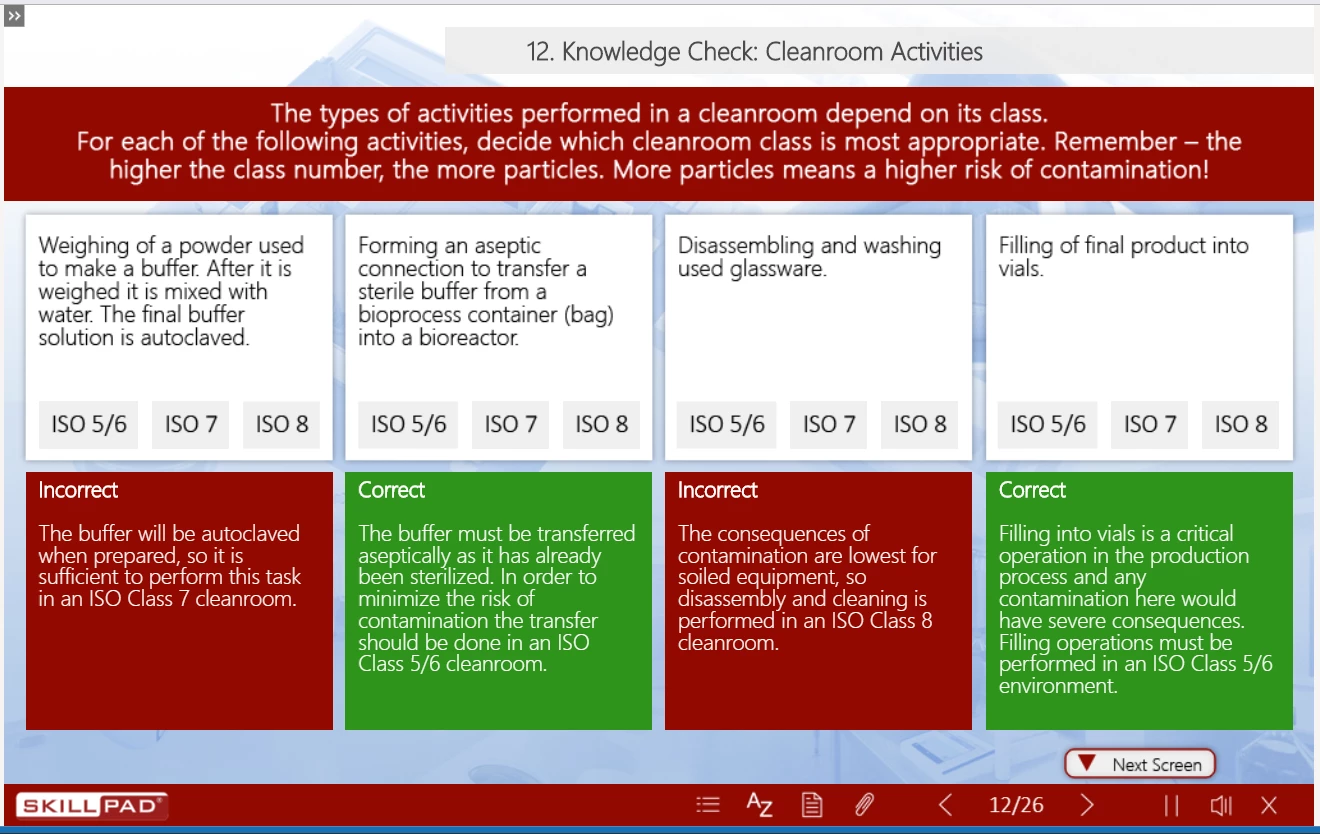
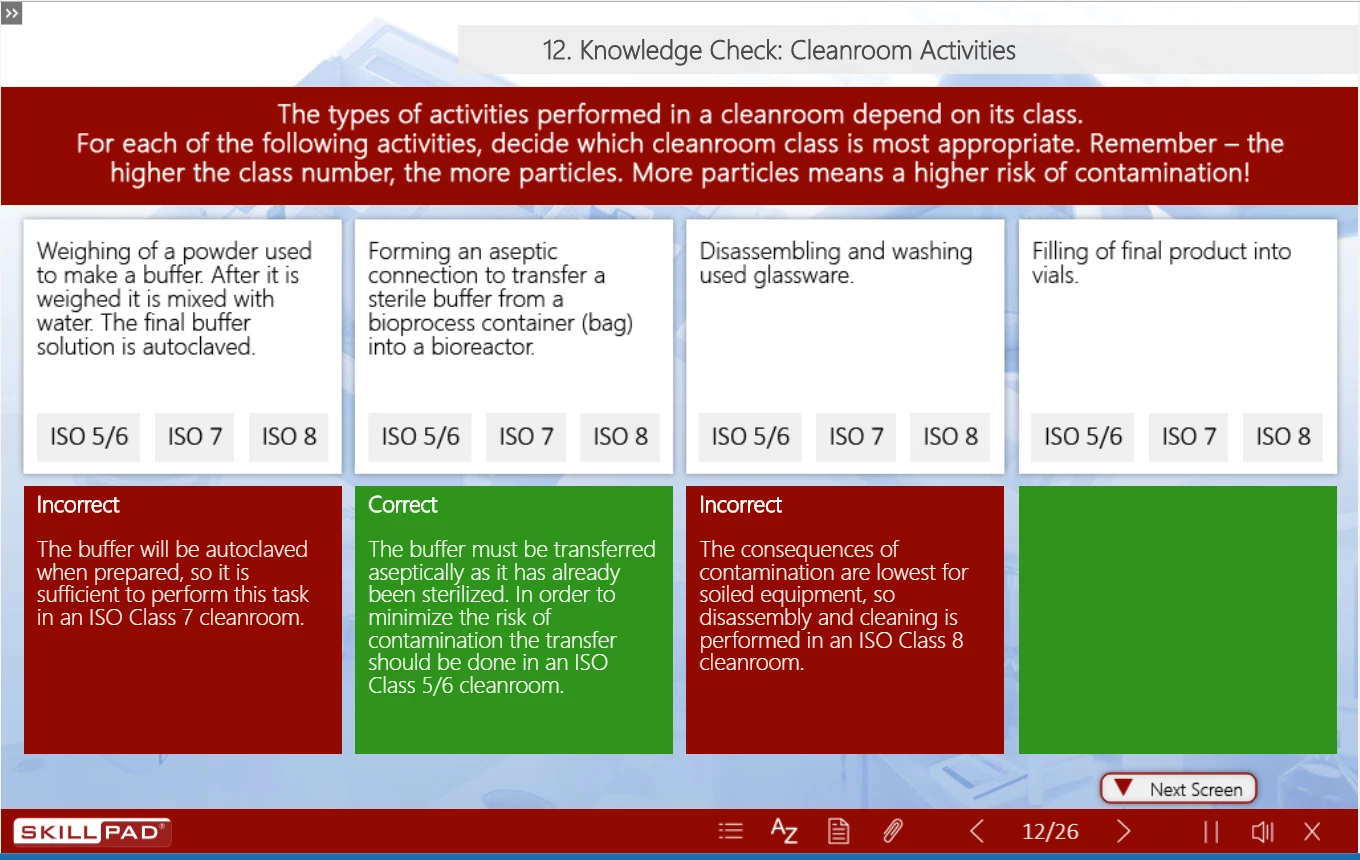
I have a number of text boxes on screen, when the user scales the window the text in the last text box on the right disappears at a certain scale. this is happening on a number of screens with similar layouts and its always the last text box on the right?


This is as it should look,
 

Drag the window size a few pixels bigger and I get this (see last green box is now empty)
Any ideas greatly appreciated!

Thanks

Gary


    This topic has been closed for replies.

    2 replies

    Lilybiri
    Legend
    September 23, 2019

    You don't see the expand icon appearing, becaue the text no longer fits in the container?

    Which font are you using?  Is this happening after publishing and uploading to a webserver or LMS?

    gkeogh
    gkeoghAuthor
    Inspiring
    September 24, 2019
    Thanks for your input (again) Lieve :). Its only happening in the published version, not in captivate editing mode. I am testing a SCORM 1.2 version in ScormCloud. Font is SEGOE UI.
    Lilybiri
    Legend
    September 25, 2019
    Segoe is a system font, not a websafe font (I know that it is used by MS in Paint 3D and other apps). Could you test if it also happens with a websafe or Adobe font?
    Stagprime2687219
    Legend
    September 23, 2019

    I have seen this several times in my own projects. In some cases - I suspect that it has to do with resizing the box and the text within the box at different amounts - I see your last box has a little more text in it than the others.

    That is a speculation but I cannot help but wonder if there was either less text or more box to begin with that the issue would go away...?


    In my projects - I often no longer produce scaling output. Using CTRL +/-  or CTRL+Scroll Wheel will often be sufficient. I have not experienced the issue when deselecting the scaling option.

    gkeogh
    gkeoghAuthor
    Inspiring
    September 24, 2019

    Thanks for the help Stagprime. I have tried adding just 2 lines of text into the box and it still disappears? Unfortunately it's a customer requirement to have "Scalable HTML content" enabled.

    Stagprime2687219
    Legend
    September 24, 2019

    An idea just popped into my head if you're willing to try it. Sorry - I do not currently have a project with this issue or I would test it myself first. It appears that you have some marginal padding on the boxes. I still think there may be some kind of scaling difference between box and text and wondered if the margins might be coming into play somehow. I hate to put you on a wild goose chase as I am not sure it will work but it is a thought if you wish to entertain it.