Participating Frequently
June 21, 2016
Answered

Text-Editing for Responsive Views

  • June 21, 2016
  • 4 replies
  • 517 views

Hi there,

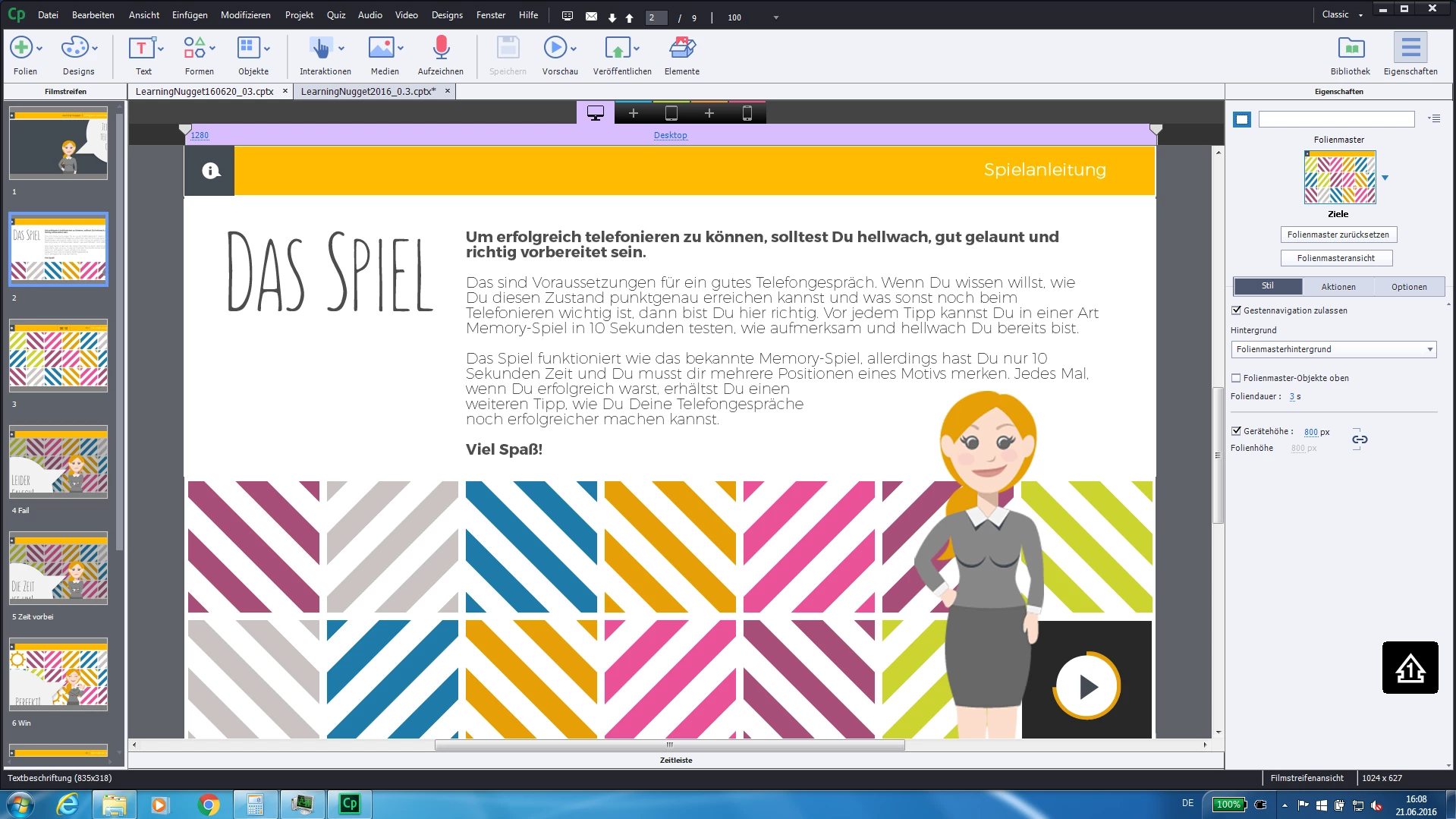
Captivate does some weird stuff at the moment. The worst is currently that it isn't possible to edit texts. Maybe the problem is, that it is a responsive project or something else, but I can not believe that Captivate isn't able to do like I edited my texts. Look at my screenshots and you will see what I mean...Open for any ideas...
    This topic has been closed for replies.
    Correct answer RodWard

    If you're publishing to Responsive HTML5 for mobiles you should really be sticking ONLY with web-safe fonts.

    I'd try putting each part of the text in a separate text object.  Might make it easier to control.

    4 replies

    August 11, 2016

    I look forward to this response too, as I have changed the text on the computer break point, and then it hasn't replicated to the mobile portrait break point, yet updated for all of the others..... very strange.

    Paul Wilson CTDP
    Community Expert
    Community Expert
    August 11, 2016

    If you right click on the object containing the text you can select Apply text and text properties to all views. You will have to adjust your font sizes or the position of the object containing the text but this simple step will get all your text and text formating in sync across all the break points. When I learned this function along with the similar Apply position properties to all views, responsive design seemed a little easier.


    Someday all eLearning will be responsive design, but that day is not today. 

    Paul Wilson, CTDP
    August 11, 2016

    Thanks that is great

    Participating Frequently
    June 21, 2016

    Like RodWard said: the heading text isn't separate and in bold and the two words are the end are not bolded. It is all the same Text-Object. I figured out that if I change the font in Verdana (original is Montserrat), the preview shows the boldings, but the headline is still not separated...

    RodWard
    Community Expert
    RodWardCommunity ExpertCorrect answer
    Community Expert
    June 21, 2016

    If you're publishing to Responsive HTML5 for mobiles you should really be sticking ONLY with web-safe fonts.

    I'd try putting each part of the text in a separate text object.  Might make it easier to control.

    Participating Frequently
    June 21, 2016

    I guess you are right. Thank you very much.

    RodWard
    Community Expert
    Community Expert
    June 21, 2016

    If you're talking about where the second screenshot doesn't show the heading text separate and in bold and the two words are the end are not bolded...can I ask:  Is all this text in the same text object or have you tried separating them into different text containers. (Shapes or captions)

    Lilybiri
    Legend
    June 21, 2016

    What do you want to show? I don't understand: is Captivate freezing?