
Participating Frequently
April 20, 2016
Question

Text Entry Box showing through Lightbox (Captivate 9)

  • April 20, 2016
  • 3 replies
  • 405 views

Good morning, all.

I've done some looking around here on this issue and I've seen people have some difficulty with interactive elements that are supposed to be "covered" by non-interactive elements like a lightbox.  I'm hoping you more experienced users can confirm my understanding and offer a plausible work-around.  I'm working with a responsive project.

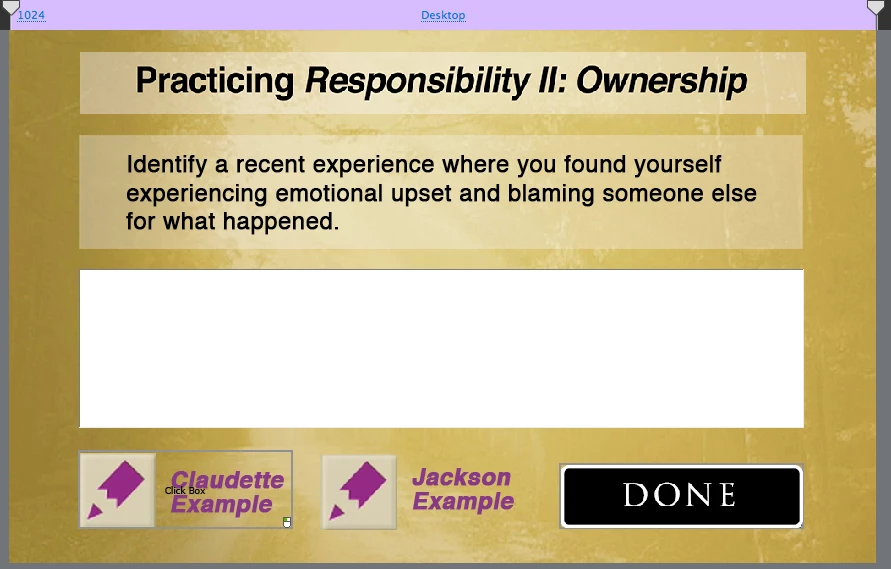
This is how the slide looks on the stage without the lightbox over it:
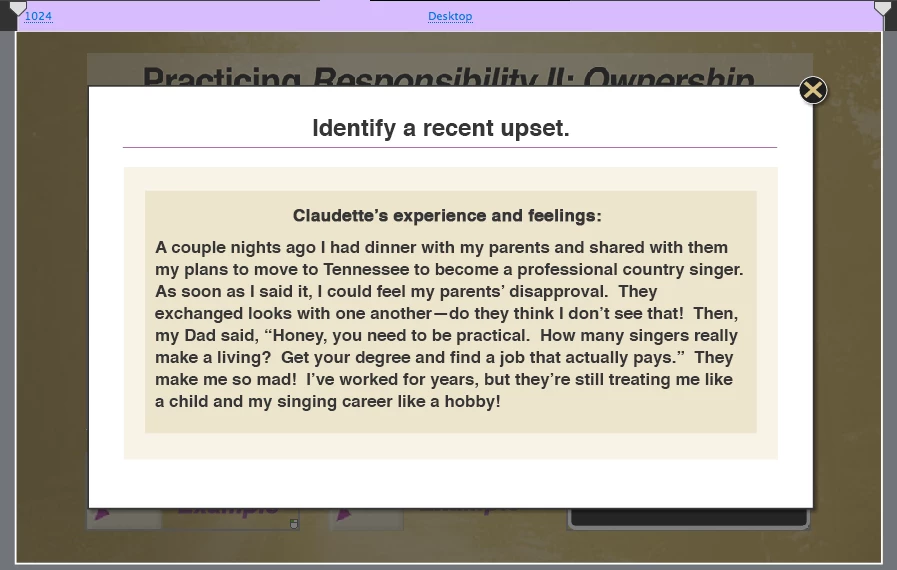
And here it is with the lightbox, again on the stage:
But when Previewed, the lightbox come up like this:
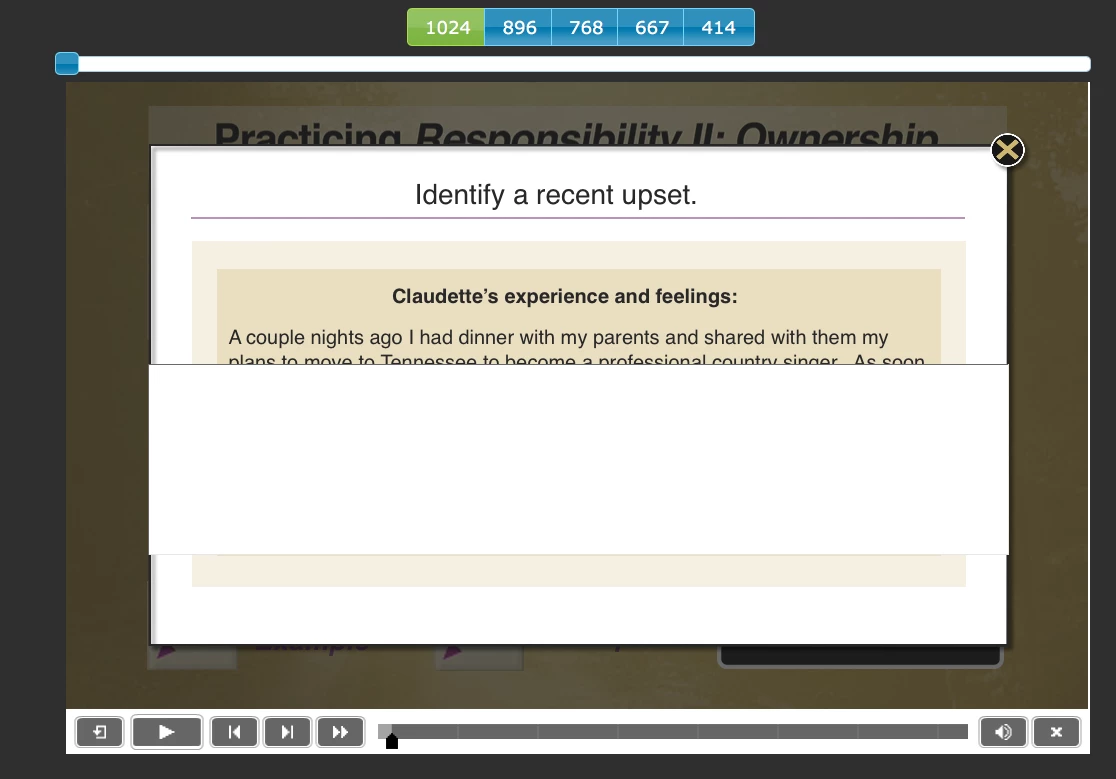
According to the timeline, it should be behind the lightbox.  I noticed that from a functional standpoint it is; I can't type into the text field when the lightbox is up.  But obviously visually that's the case anyway. (Do forgive the variance in the timings--this slide is very much a work in progress.)
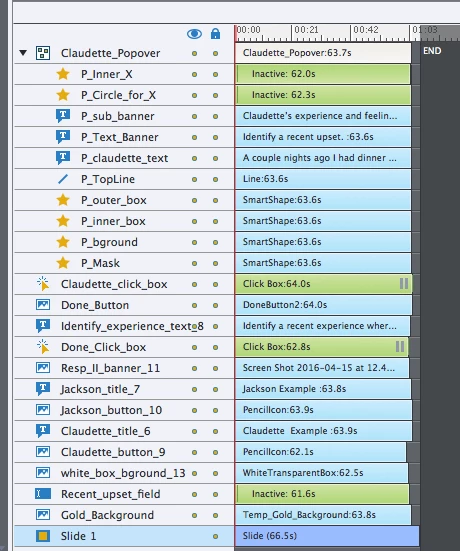
"Recent_upset_field" is the offending element, and as you can see it's only in front of the background; the lightbox (here called a "popover") is well in front.  Except in the preview

Is this scenario fixable on this slide?  I had planned to build a second lightbox to correspond with the second button below the text field, and then overlay it onto the other one and use a shared action for them to appear separately in the same position if the user clicked their respective buttons.

If the text entry field won't behave I realize I could try to "fake" a lightbox by creating a duplicate-looking slide that uses a white box in the place of a text entry box.  The challenge I see with that is the need to retain the information in the text entry box if the learner started typing, clicked the button to trigger the lightbox, then wanted to return to the text entry box to continue their entry.  I'm new to the software so I don't know how the variable would behave in that scenario.

As always, your thoughts and insights are appreciated.  Thank you!

This topic has been closed for replies.

3 replies

BDuckWorks
Inspiring
October 31, 2016

The layering of objects over an interaction has been a longstanding challenge.

I've accomplished a similar effect by adding a slide with a screen capture of the interaction displayed in preview mode, adding in the lightbox effect over it, then only managing the logic of displaying the lightbox on the previous slide. (The first two images of your post would be separate slides.)

Captivates complexity can often be offset by adding another slide and managing the logic needed to navigate, there are others on the forum who will spend hours programming the 'Advanced Actions' logic needed to manage the navigation.

Participating Frequently
April 22, 2016

To Posterity:

If anyone experiences this later, the issue indeed is that the interactive element refuses to be "covered" by a non-interactive element.  One solve was to create a lightbox-appearing new slide that had a plain white rectangle in the place of the text box.  The close button of the "lightbox" had a "return to last slide visited." The variable of the text box was unchanged from when the learner had been there last.  So the illusion was seamless.

Except in this case, because there was also audio to be played on entry of the original slide.  (I hadn't added yet when I asked the initial question.)  Because the audio was launched when the slide was visited, re-visiting the slide after closing the fake lightbox re-retriggered the audio.

So the solve in my case is to create an advanced action for the lightbox button that not only "shows" the lightbox but also "hides" the text entry box.  Conversely, the close button for the lightbox also "shows" thew text entry box again, and again the learner's in-process entry is preserved.  Haven't had difficulty with it since.

Lilybiri
Legend
April 22, 2016

I didn't fully understand your question, but have published a lot about creation of lightboxes. This is one:

Playing with Captivate 9 - Captivate blog

Participating Frequently
April 21, 2016

It looks like I answered my own questions--I'll update tomorrow for anyone else facing this issue in the future.