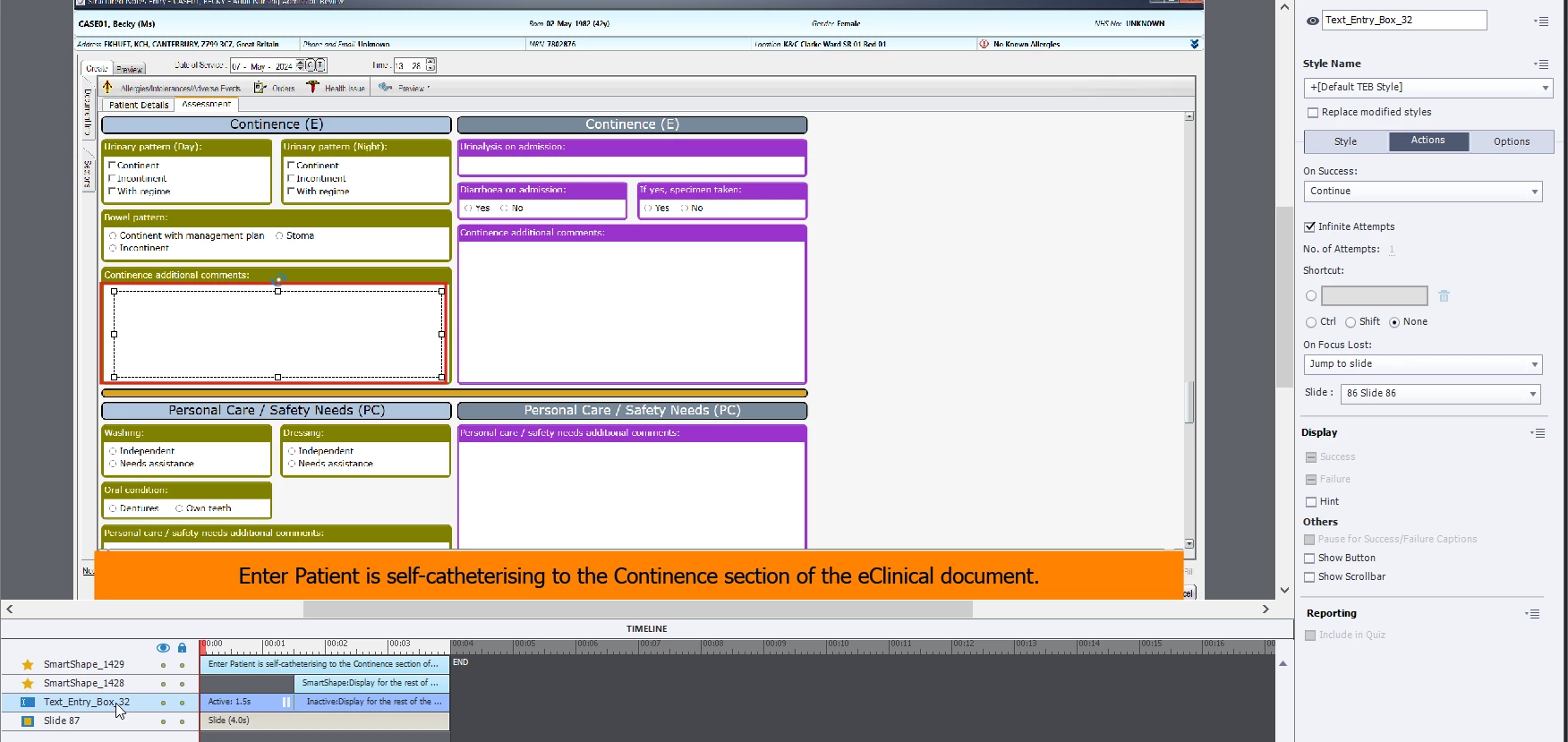
The timeline on your slide is paused at 1.5 seconds in by the pausing point of the TEB. If the user clicks outside the TEB field then your On Focus Lost action will execute and jump the user to slide 86. But if you have turned off backward movement in Quiz Settings then that might not be allowed to work.
There does not appear to be any other interactive object on this slide, Is there is another one somewhere earlier in the project that is set to play for Rest of Project? Is there any interactive object on the Master Slide attached to this slide? They could be influencing playback.
I would suggest you either have your On Focus Lost action set to None, or else turn it off altogether. By default, unless there is something else on that slide which can respond to a mouse click, your users should be able to interact with the TEB until they take some action that can trigger continued timeline play or another action.
So, once the user enters text into the box, how were you intending for them to get to another slide? By default Captivate does not trigger any action just by entering text into a TEB. That's why there is usually a Submit button attached to the box so that the user can click something to unpause the timeline.




 AdChoices