
Participant
July 1, 2015
Answered

Text Formating

  • July 1, 2015
  • 3 replies
  • 273 views

Dear Community,

I'm experiencing a weird display issue with text captions.

For background, I'm running Mac OS X Yosemite and Adobe Captivate v8 latest update.

My slides are setup in the following way:

Smart shape as a background and a Text Caption on TOP of it.  I tried with adding text in the smart shape but end up with the same issue. Here is a screenshot from my project:
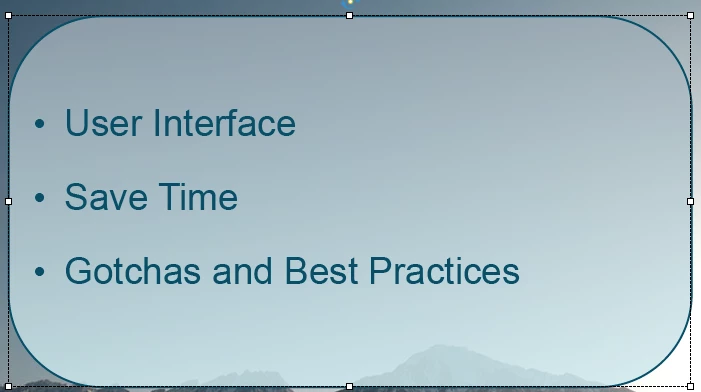
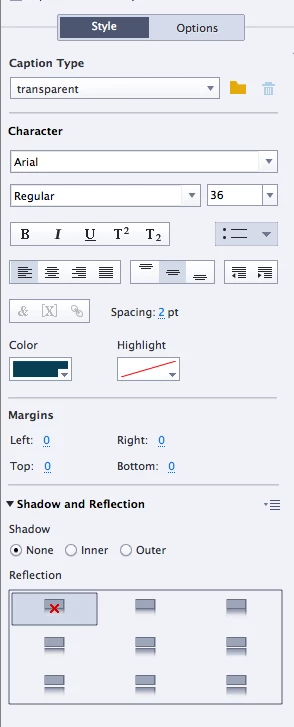
and here is the output i get across all browsers:
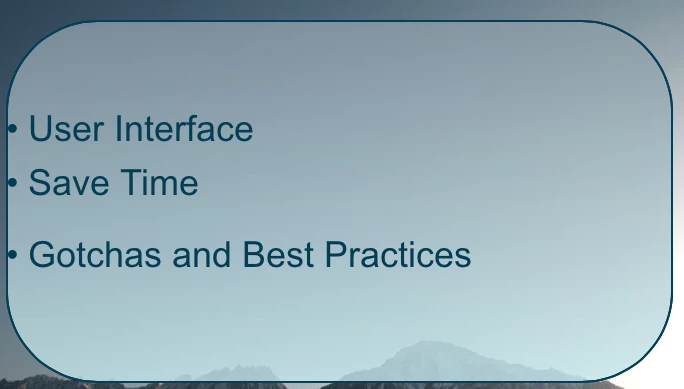
It looks like the text is not being centered and there is a weird spacing between point 1 and 2.

Did any1 had a similar issue already?

How to deal with it?

Thanks!

-Szymon

    This topic has been closed for replies.
    Correct answer BDuckWorks

    I would check to see if there are extra characters, or special characters, in the text. Your example of an extra line is rather noticeable, I've fought with characters that resulted in an extra half-space that went unnoticed until review with stakeholders! Not good!

    I've gone to the trouble of pasting text into textEdit, or another plain text editor (I.E. NOT MS Word!), the copy and paste into Captivate. An alternate for this small set of characters is to retype it all in Captivate.

    3 replies

    szymon_jAuthor
    Participant
    July 2, 2015

    Thank you both for your inputs!

    What i ended up doing is finding the bullet point char "•" and copy pasting it.

    It seems when i use the Bullet point feature from Captivate it screws up the formatting

    Best Regards, SZymon

    TLCMediaDesign
    Inspiring
    July 1, 2015

    Try selecting each of the bullets separately and unsure the point spacing is the same for all.

    BDuckWorks
    BDuckWorksCorrect answer
    Inspiring
    July 1, 2015

    I would check to see if there are extra characters, or special characters, in the text. Your example of an extra line is rather noticeable, I've fought with characters that resulted in an extra half-space that went unnoticed until review with stakeholders! Not good!

    I've gone to the trouble of pasting text into textEdit, or another plain text editor (I.E. NOT MS Word!), the copy and paste into Captivate. An alternate for this small set of characters is to retype it all in Captivate.