
Known Participant
May 4, 2018
Question

Text - IE vs Chrome

  • May 4, 2018
  • 2 replies
  • 420 views

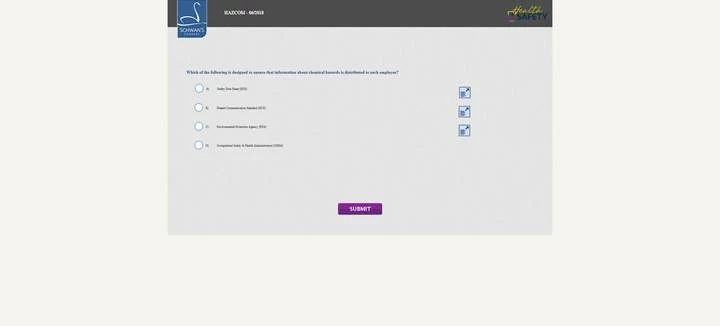
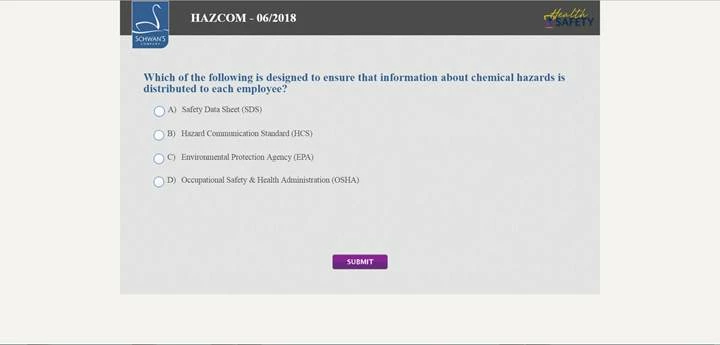
Wonder if anyone has any advice. My clients users are primarily using IE 11 and lower and for some reason when they view this simple responsive quiz course we created, the text looks very small in IE - but looks great in Chrome. Is there something I can change to make the text look better in IE?

IE
Chrome
    This topic has been closed for replies.

    2 replies

    Paul Wilson CTDP
    Community Expert
    Community Expert
    May 4, 2018

    One issue that comes to mind is the obsolescence of Internet Explorer 11. You should strongly encourage that they deploy a newer browser. HTML5 is a newer standard and there are scores associated with how well each browser handles HTML5 commands and coding. IE11 scores very low. The current version of Chrome gets a score of 528 while IE11 is the lowest currently tested at 312.

    https://html5test.com/results/desktop.html

    Paul Wilson, CTDP
    RodWard
    Community Expert
    Community Expert
    May 4, 2018

    Check the display percentage set for the browser.  It might be set to less than 100%.  In your screenshots not only does the text look smaller in IE but so does the stage size.  So it could be that you're not really comparing apples for apples.

    kuraziAuthor
    Known Participant
    May 4, 2018

    Thanks for the feedback. I checked and both browsers were set to 100%- so its not the browser in this case.

    kuraziAuthor
    Known Participant
    May 4, 2018

    Also, is there a way to make those icons go away? They are pretty useless, considering we can see the text.