
Participating Frequently
June 30, 2016
Question

text in state changes from blue to white

  • June 30, 2016
  • 1 reply
  • 200 views

I created a drag-and-drop interaction with 4 text captions that need to be matched up with their correct images. Each text box has a second state where the language is in English; Spanish is the default state (FIG 1). The first slide of the course has buttons for English or Spanish which execute an advanced action to show or hide slide objects according to the language selected (FIG 2). The advanced action is set to change the state of the 4 text captions if the user selects English, otherwise to leave the state as is so the default Spanish is displayed (FIG 3).

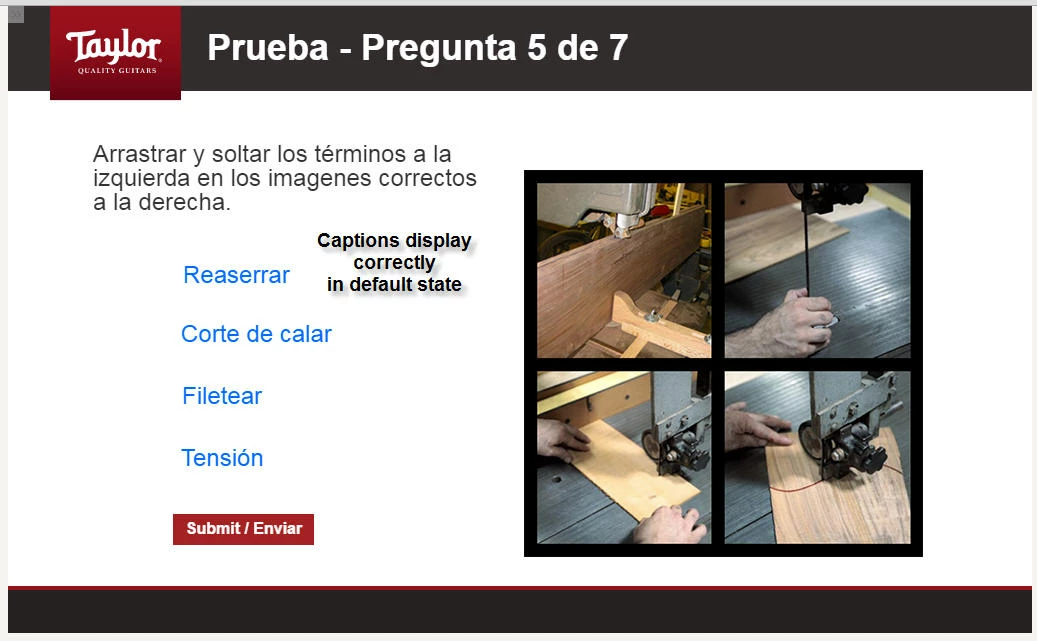
Everything works as intended except that when the slide with the dual-state text captions load, when the user has selected English, the state of the text captions changes to English but the font is white or invisible so it disappears into the background (FIG 4). The captions are actually there, and become visible if the user clicks on them (FIG 5); and they function correctly in the drag-and-drop interaction.  (When Spanish is selected, the captions stay in default state and are visible, as expected - FIG. 6).

I'm totally stumped by this and would appreciate any insight that anyone can give, thank you.

Gerald M. Kowalski

Training Specialist

Taylor Guitars

El Cajon, CA

FIG. 1
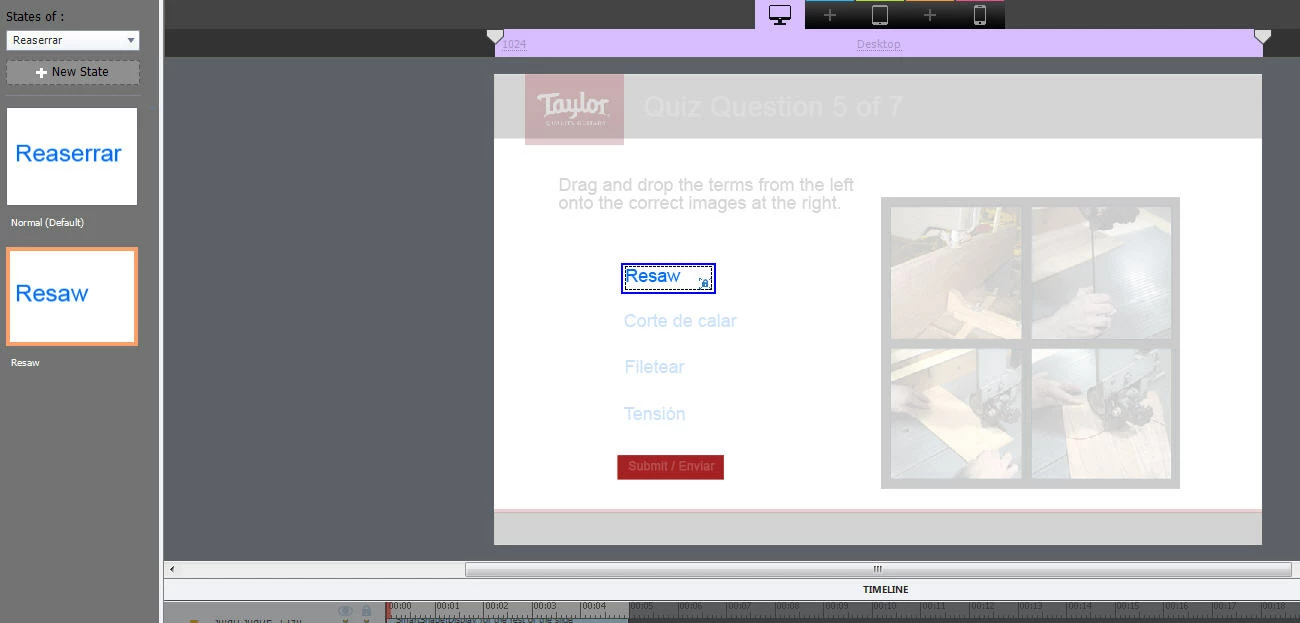
FIG. 2

FIG. 3

FIG. 4
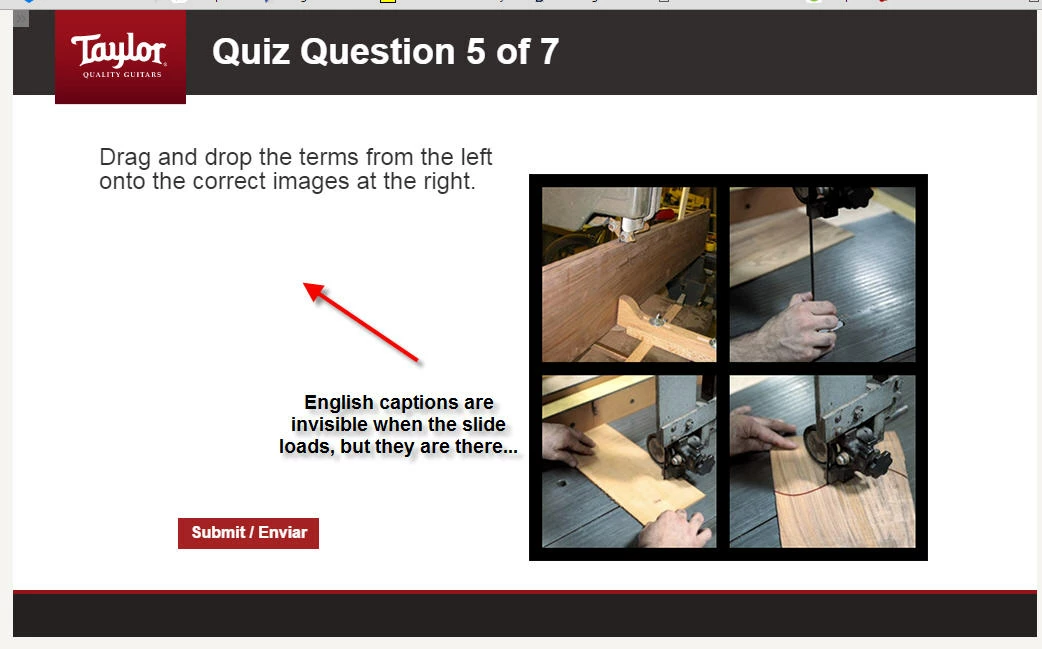
FIG. 5
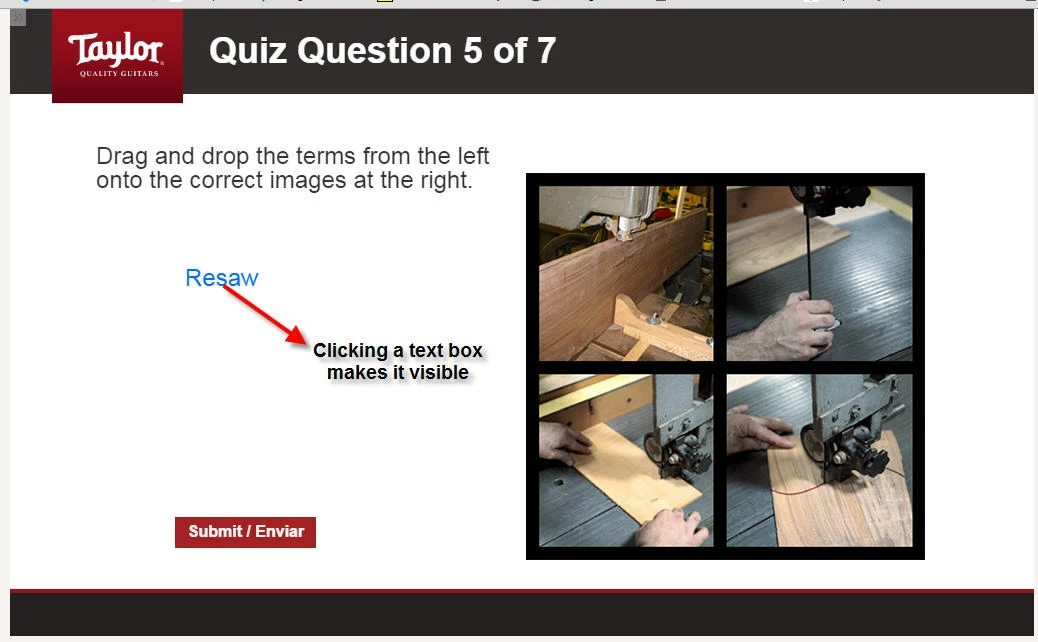
FIG. 6
    This topic has been closed for replies.

    1 reply

    RodWard
    Community Expert
    Community Expert
    July 1, 2016

    This could be a bug due to using Object States,  I have also seen similar behavior recently with a Menu slide with buttons that were supposed to change to a different state when that section of the course had been completed.  Sometimes they worked fine and other times they didn't.  As you found, sometimes you had to interact with the object before it would show the state that had been set with the action triggered by the On Slide Enter event.  I got the feeling that Object States might still have a few issues to be worked out.

    In the end, if this is holding up your project unnecessarily, I would suggest NOT using states but just have separate objects for each language and use the conditional actions to hide or show them based on the value of the language variable.

    (PS: I just LOOOVE Taylor guitars! Keep up the great work building them to sound the way they do.)

    gerkowAuthor
    Participating Frequently
    July 21, 2016

    Hi Rod, thank you for your response (the one and only that I have received) to my post. And sorry I'm so long in replying, just got back from summer vacation.

    I think I'm locked into using states because each text caption has to serve as the correct object to drag and drop onto the image, regardless of whether the language is Spanish or English.

    As I write this it occurs to me that maybe drag-and-drop functionality allows more than one object to be correct when dropped onto the image. I'll look into that and see if I can make it work that way.

    Thanks again for your response, and come see us next time you're in the San Diego area.

    -GK