Participating Frequently
March 25, 2013
Question

Text in text captions disappearing.

  • March 25, 2013
  • 1 reply
  • 1328 views

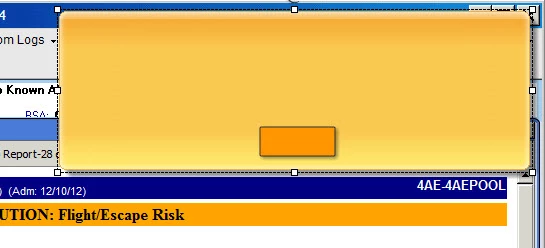
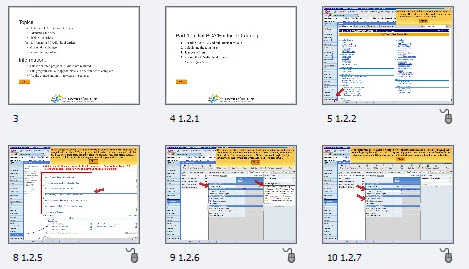
I am using Captivate 6. When I save and close my project and then re-open it, the text inside my text captions disappears. I can still see the text caption box, but there is no text. It is also happening with buttons. I can see the text on the thumbnails in my filmstrip, but the captions on my stage are blank. Sometimes the text reappears if I click on the text box, but other times Captivate just shuts down all together (with no warning). I've been having a lot of trouble with Captivate 6 (compared to previous versions) and I thought maybe some of my issues were related to the fact that I was saving and publishing my projects on a network drive. I started and saved this one on my hard drive and still, I'm having this same problem with the text captions. Any thoughts?
This topic has been closed for replies.

1 reply

Lilybiri
Legend
March 25, 2013

Hello and welcome to the forum

Could you clear the cache? And do you have the patched version 6.0.1.240?

If  you do not have a lot of customization, you could try to delete the Preferences folder. You can use the batch file to be found in Utils under the installation folder of Captivate. Be sure CP is closed first, when reopening a fresh folder will be created with default settings. You can try to rename the original folder, to re-import some customized settings, but it will not work for everything.

Lilybiri

bperk301Author
Participating Frequently
March 25, 2013

Hello, and thanks for your reply.

I have cleared my cache and I am using 6.0.1.240. I have never tried to delete the Preferences folder, could you tell me more about how to do that? I wasn't able to locate the Preferences folder. I did find the batch file, but nothing happened when I tried to open it.

Thanks.

Captiv8r
Legend
March 25, 2013

Hi there

While nothing may have appeared to happen when you tried to open the batch file, it may have actually ran. Hopefully you closed Captivate before running it. If not, close Captivate and try running it again. Then restart Captivate. If the batch file worked, you should notice that there are no recent projects listed on the start page.

Cheers... Rick