


Participant
May 24, 2022
Question

Text Not Transitioning Automatically on Layout Previews

  • May 24, 2022
  • 1 reply
  • 324 views

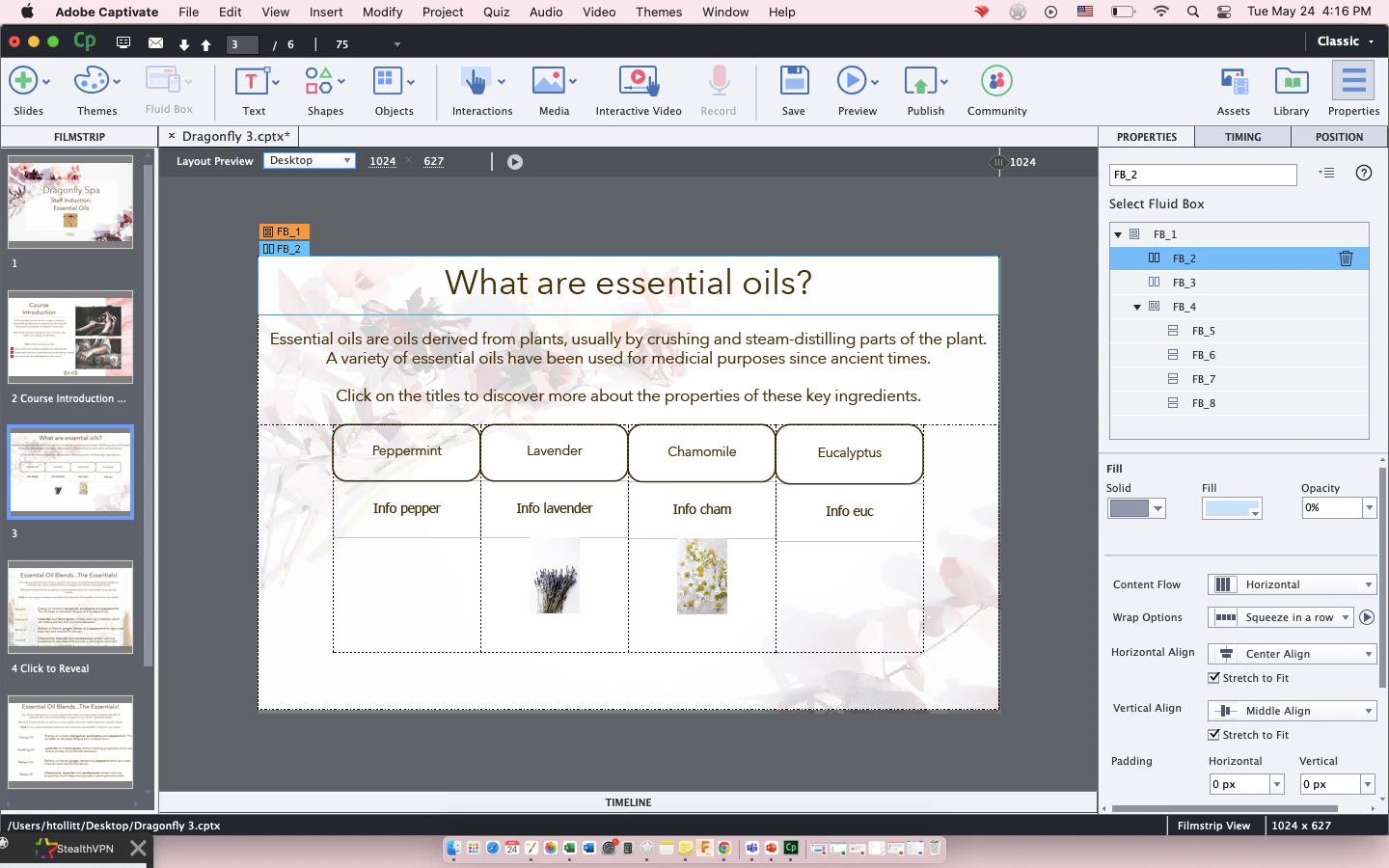
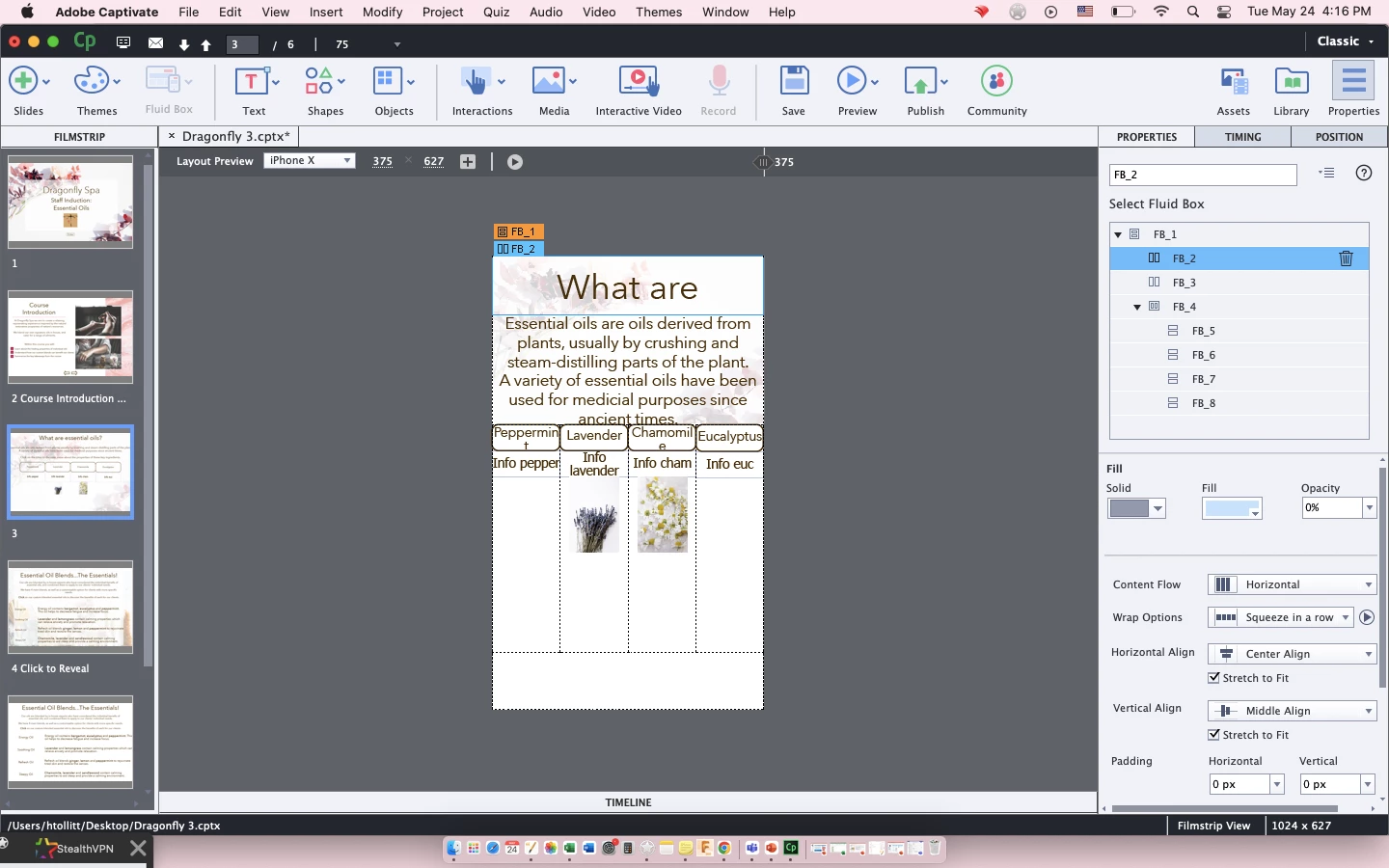
I have created fluid boxes and added text as shapes on a responsive project. The text size is suitable for desktop view. When I change to other layout previews such as IPhone X and Ipad, the text size remains and does not adjust to be suitable for the other previews.


Please can someone help me to figure this out? I have a included 2 screenshots of the correct desktop view and the incorrect Iphone X view.


Thanks in advance. 


Matt
    This topic has been closed for replies.

    1 reply

    Lilybiri
    Legend
    May 24, 2022

    On the screenshots I am unable to see the font size for the desktop version, nor the minimum font size. That minimum font size is by default set to 14pt, but it is recommended to lower that size.

    Moreover I am not sure that the text containers are in the fluid box, because I cannot see the timeline. You selected FB2 which is that title fluid box, would have been more relevant to see FB4.

    mattjam1Author
    Participant
    May 24, 2022

    Thanks for your response.


    I've now changed the minimum font size to 10, but the problem remains.


    I've included screenshots showing the minimum font size as well a screenshot with fluid box FB4 selected in both desktop and IPhone X previews. 


    Thanks again.

    Lilybiri
    Legend
    May 24, 2022

    Please, the most important view to allow me to see if the objects are IN the fluid box, is the Timeline panel.