its26699960
Participant
October 10, 2017
Question

Text to speech doesn´t work for longer texts

  • October 10, 2017
  • 3 replies
  • 160 views

Adobe Captivate 2017.

While using text to speech function, it generates audio properly just for shorter texts (for about 200-300 words).

For the longer ones (about 700 or more words) Adobe doesn´t generate any audio and fails with this error message:
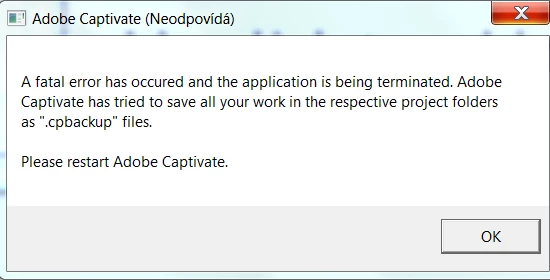
thanks in advance for any ideas...

This topic has been closed for replies.

3 replies

its26699960
Participant
October 17, 2017

i have checked that, but system resources are ok. My colleagues normally work on same laptops with no issues....

its26699960
Participant
October 11, 2017

Thanks for a reaction...your suggestion is completely right, but sometimes, i need to create long texts, as i use adobe captivate to generate an whole audio for a video story (eg. in VideoScribe), where I´m alowed to upload just one file, not many of them...

my work flow is from slide notes.

System limitation - you mean limitation of Windows  2010??

Lilybiri
Legend
October 11, 2017

Imwas talking about system resources. I suspect that conversion needs a lot of resources, audio files tend to be big files. You can stitch dire things smaller audio together either in Captivate or with an audio application like Audition or Audacity.

Lilybiri
Legend
October 10, 2017

I haven't see this problem yet, could be linked to system limitation. As a workaround: why not split up the text, and generate only part of the sentences? What is your work flow: from slide notes?