They get updated silently most of the time and you will see that reflected in a small banner displayed across the ones that have been updated since you last looked.
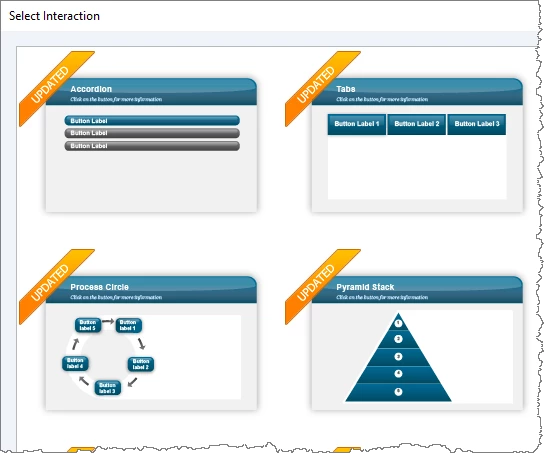
However, if you happen to be in a corporate network situation sometimes these silent updates get blocked and you need to have someone with full Admin Privileges log onto your PC in order to get them.
The original learning interaction files that got installed with Captivate are stored down in the Program Files directory with Captivate in the Gallery folder. But there are COPIES of these Learning Interactions in another folder buried in the Public User Profile here:
C:\Users\Public\Documents\Adobe\eLearning Assets\Interactions_10_0
Its these copies of the Learning Interactions that you are actually seeing when you open the Learning Interactions dialog in Captivate.
To force an update, you need to go into the folder where the copies are and delete them all then reboot Captivate again. When it sees the copies are missing it will go to the Adobe website and download the latest versions.
It's possible that your issue might be resolved by updating the Timer Learning Interaction. It makes no sense to me that just adding audio would cause your issue. There has to be some kind of conflict going on. The Timer learning interaction is just a static widget and should not be pausing the timeline unless there is either something wrong with the widget (e.g. corrupted file) or else there is something about your slide that we haven't discovered yet (e.g. slide is corrupted).
I think I might have figured out my problem. I've just tested the learning TWICE and it's working, going to test a few more times JUST to make 100% sure (there are multiple videos so I want to ensure the timeline plays all the way through for all of them)
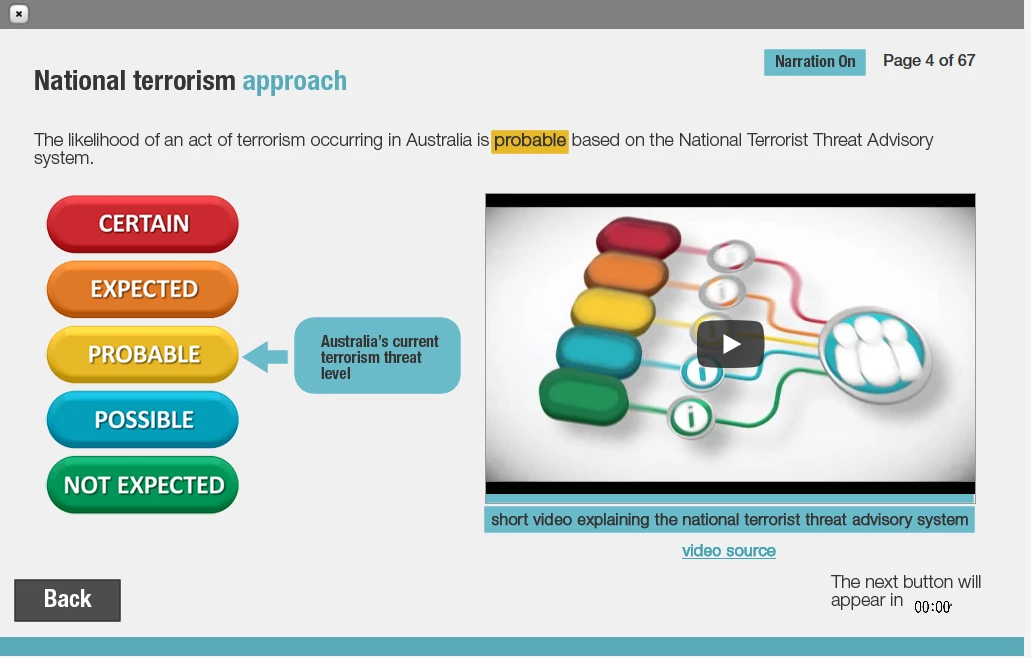
When I added the audio, I also added a 'Narration on / off' button to the learning. The button was set to 'appear across rest of project' BUT it also had a pause attached to it at 51 seconds (which I didn't realise was there)
I've just removed the 'pause' on the narration on / off button which I added in at the same time that I added the audio in to the eLearning (I didn't make the connection AT ALL).
Now the timeline seems to be playing just fine.
What a silly (but easy) mistake to make!!!
So the pause must reset for every slide that the button appears on, because the timeline was pausing for all of the slides that had a timer, but now appears to be working.
Thank you SO much for all of your help. I think that removing that pause might have fixed it. Will let you know if for some reason it mucks up again.
Michelle


 AdChoices