
matthewm86786765
Inspiring
August 18, 2016
Question

Timeline Playbar (Red Play Bar Needle Issue)

  • August 18, 2016
  • 2 replies
  • 353 views

I have Captivate 6 and 7. I am not sure if this is a known issue or is an issue, but at times for whatever reason, the play bar needle or whatever it is called does not allow me to back track/rewind to a previous section or go forward on the slide. It will play through stop to finish by pressing the play button on the timeline. When this does happen, I get little red lines when the play bar has this issue as I circled. The only fix I have is having to restart Captivate. Any ideas?
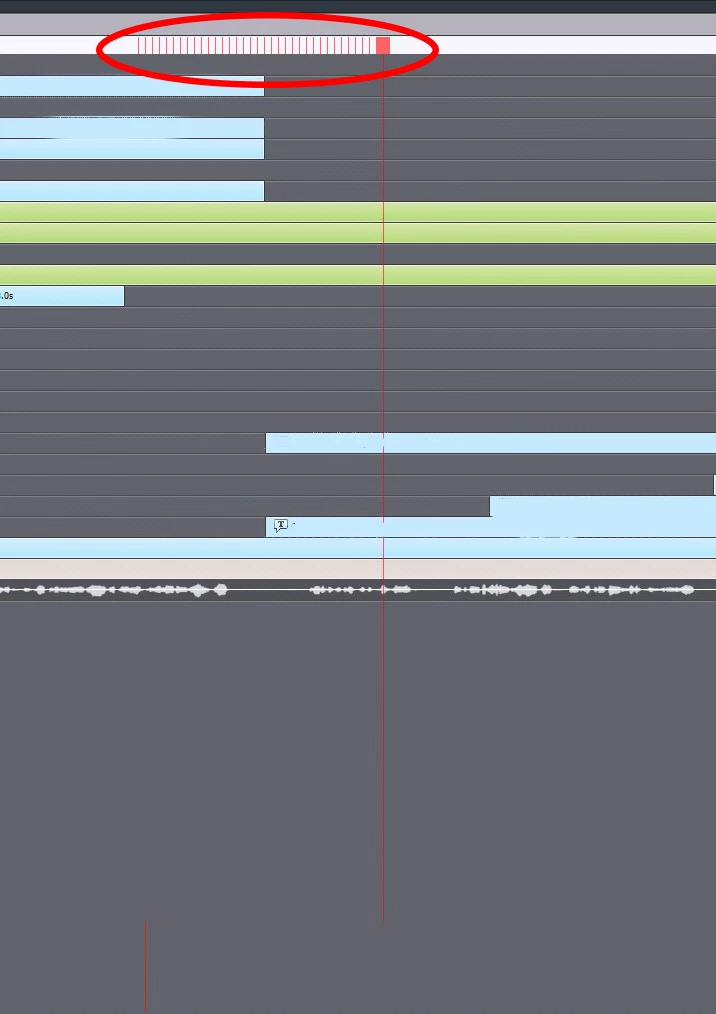
Thanks,

This topic has been closed for replies.

2 replies

Known Participant
August 19, 2016

I had a similar issue yesterday. I even restarted the program and the issue remained. In my efforts to correct the problem, I started playing with the "zoom" of the timeline. To my surprise, the playhead flashed off and on as I zoomed in and out! I finally found a place on the zoom where the timeline numbers reappeared and I was able to move the playhead again. Seems like a weird glitch!

Lilybiri
Legend
August 19, 2016

Yes, some glitches with timeline not refreshing have been around since a while. Sometimes resetting the workspace, or changing workspace (only possible for CP8/9 if you use Expert UI) helps, sometimes moving anything like you did with the Zoom helps, but I could't find any consistency in 'remediation'. Especially with CP8 I tried to restart CP (and system) couple of times a day.

matthewm86786765
Inspiring
August 19, 2016

I see. Curious did you try to copy the slide or slides to a new project to see if that resolved the issue?

BDuckWorks
Inspiring
August 18, 2016

I'd ask how much free RAM and hard drive space exist on the machine?

This sounds like the drive is full, or you're running out of RAM.

matthewm86786765
Inspiring
August 18, 2016

I have a quite powerful system. I have 32 GB of RAM and 467 GM free disk space. This issue has happened on occasion on other computers and with Captivate 6 as well. Any other ideas?

Lilybiri
Legend
August 19, 2016

Do you clear the cache regularly? I am not sure if you talked about 467MB of space  which is not that much. The cache folder fills up very quickly. Captivate 6 was more susceptible to this kind of issues, but CP7 was very stable. I never had one crash with CP7 and I'm using Captivate many hours a day.  I hope you are running the 64-bit version?