


Known Participant
April 5, 2022
Question

Timeline Sync and Timing Issues

  • April 5, 2022
  • 2 replies
  • 1255 views

Hello,

Captivate 2019, Build 11.5.5.553.

I have been fighting this issue for hours - literally. I have a slide with 81 seconds of audio and two pauses (Click to continue). As you move along the timeline, the synchronization between the audio and the slide objects gets further and further out of sync. I've seen this before but not to this extent.

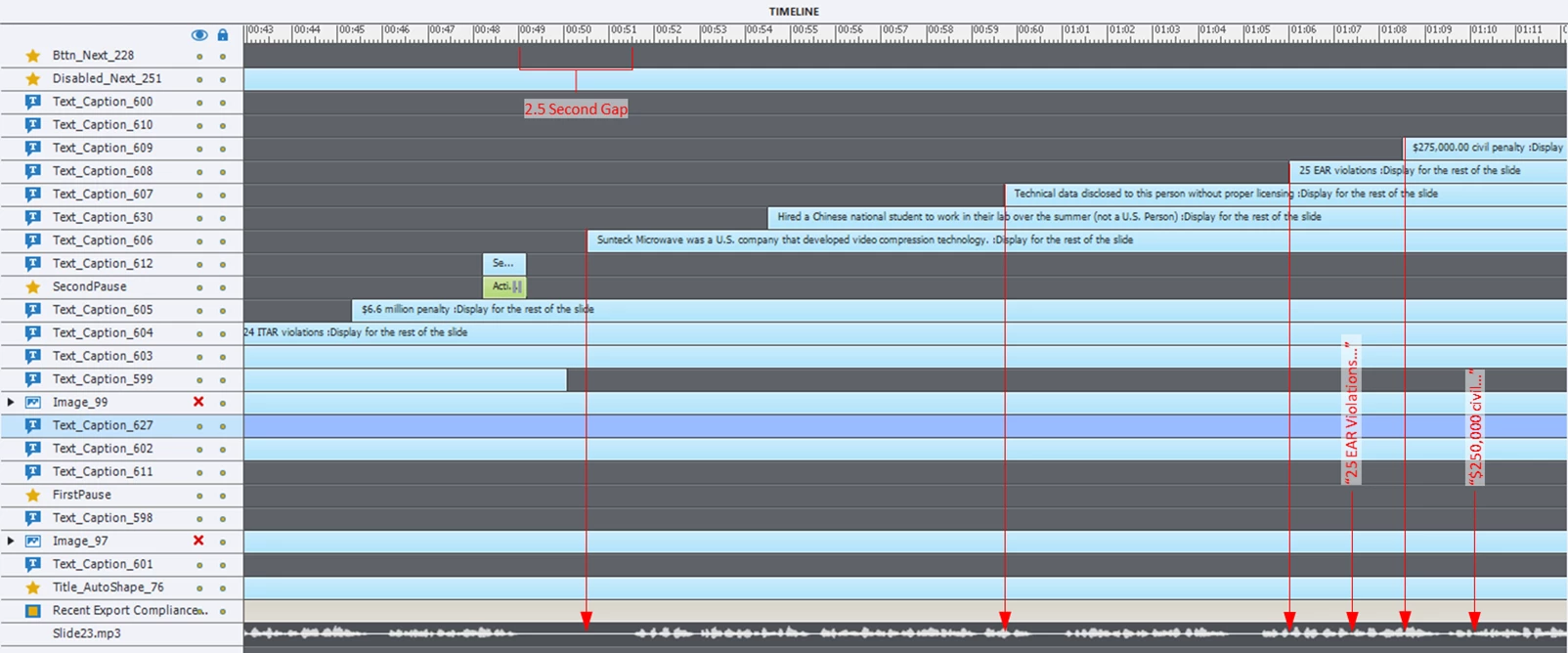
I had to add a 2.5 second gap to prevent the audio from continuing at the second pause and then after that, I had to shift objects to the left to ensure they appear at the right time in sync with the audio. I had to make these adjustments after publishing because it is even worse on the LMS, so I'm basically guessing where to drag the start of each object. 

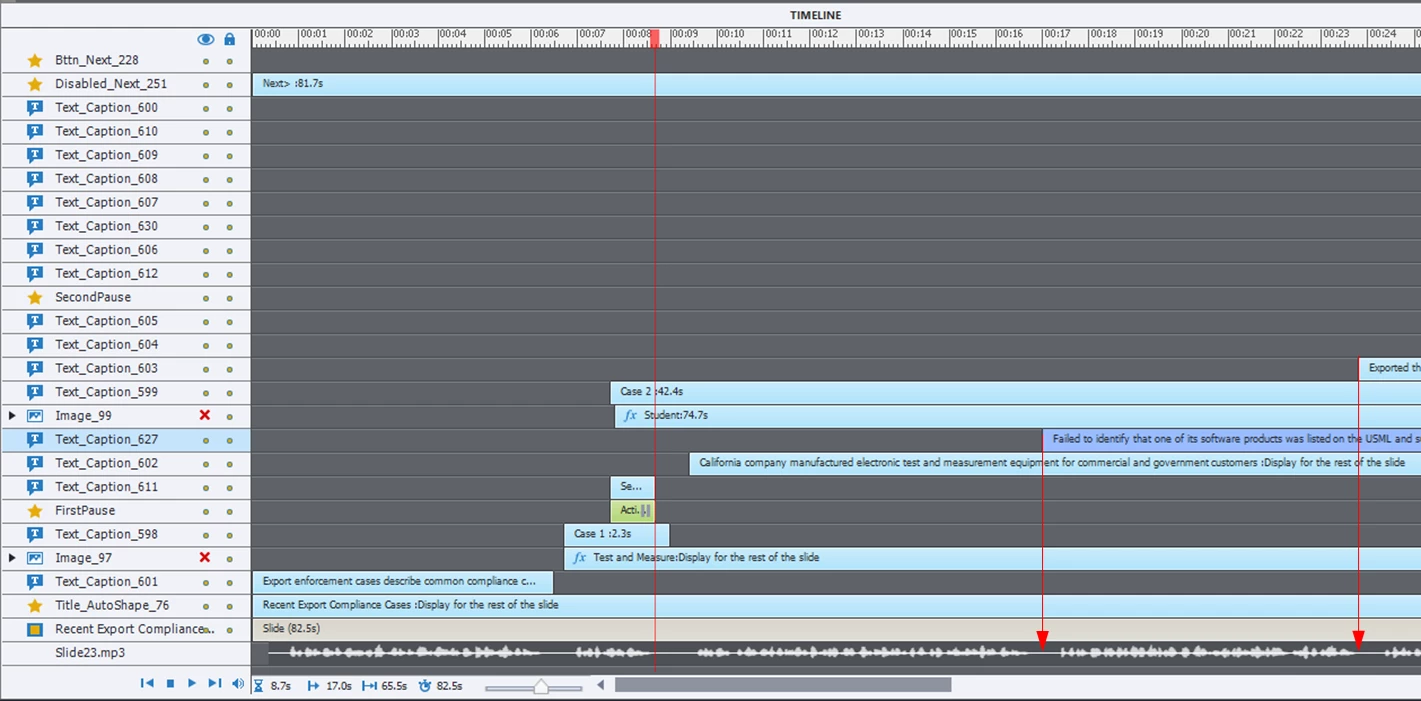
As you can see in the two images, after the first pause, I was able to align my timeline objects with the gaps in the audio. Starting with and after the second pause the gap in synchronization increases.

First pause
Second pause
Is this common and are their any solutions? I did get it working and it's published for the next training campaign - it's frustrating that you cannot trust the timeline picture.


    This topic has been closed for replies.

    2 replies

    Paul Wilson CTDP
    Community Expert
    Community Expert
    April 5, 2022

    Just a suggestion — Why not divide this into three slides and then you wouldn't have to worry about pausing the slide partway through? Create your first slide with just the audio necessary for that slide. Duplicate that slide and add the second clip of audio and the objects you want to appear. Finally, on the third slide, you have the remaining objects and audio. Slides are cheap. I sometimes use many slides in place of what appears like a single slide to the learner. It can also be helpful if you are concerned about 508 compliance as well.

    Paul Wilson, CTDP
    B_P_HAuthor
    Known Participant
    April 6, 2022

    Paul,

    I thought about that after spendind far too much time on this issue. I need to practice what I preach - I often provide that exact feedback to my IDs to split up slides. That said - is this a common problem with Captivate?

    Thank you as always for your guidance.

    Ben

    Paul Wilson CTDP
    Community Expert
    Community Expert
    April 6, 2022

    Judging by the screenshots of your timeline there is a lot going on on this slide. I don't know if it's a problem with Captivate per se but I know that my strategy of keeping slides relatively simple or distributing content across many slides rather than just one seems to help me avoid some of these types of issues. Best of luck.

    Paul Wilson, CTDP
    Lilybiri
    Legend
    April 5, 2022

    Pausing points of interactive objects do not pause slide audio by default. Can you check the Properties panel of those buttons and check the Options tab. Did you check the option to pause slide audio when paused?


    More in this blog:

    Pausing Timeline and Audio clips - eLearning (adobe.com)

    B_P_HAuthor
    Known Participant
    April 5, 2022

    Yes the pause points are set to stop slide audio - the pauses work fine.

    Lilybiri
    Legend
    April 6, 2022

    The loss of synchronisation happens a lot in Captivate. Audio files tend to be very large, and for HTML output they need to be generated on each slide. You already coped with that by leaving a gap at the start. however after each pausing point there can be a delay, especially in such a very long slide. Did you try to keep the audio file size as low as possible with acceptable quality?