
yeamunaxm33648285
Known Participant
March 20, 2018
Question

TimerWidget Captivate 2017

  • March 20, 2018
  • 2 replies
  • 860 views

Hi everyone!

I'm trying to make a timer on my quiz that when the time's up it will jump to a failure slide.

I'm using Captivate 2017 for creating this Quiz.

The learners are able to retake the quiz as many times as they need if they failed the quiz.

They must within 1 hour time to get the passing score (80%).

Slide 1-Welcome

Quiz Slide 2-7

Slide 8 - Results (Retake button or Continue appears)

Slide 9 - Completed

This is how I set the settings in CP:
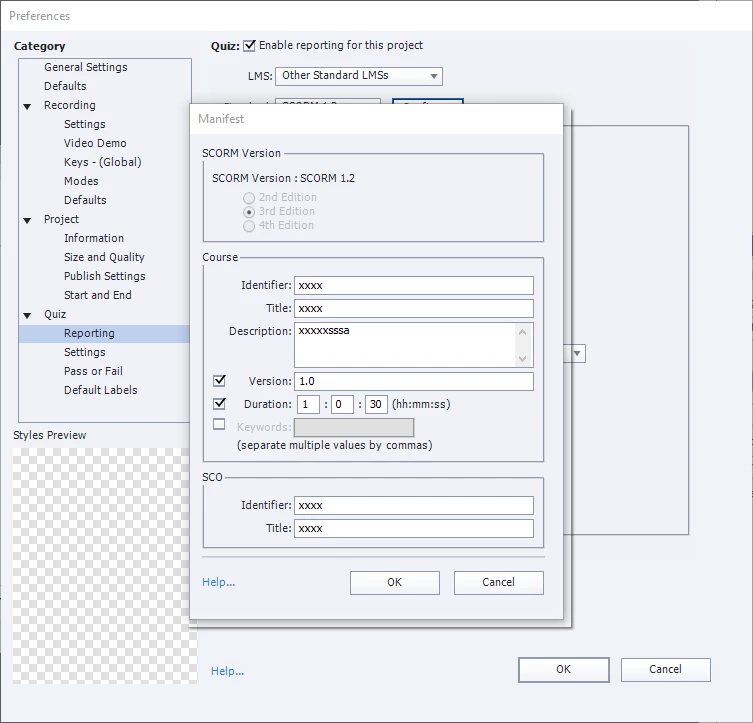
Click Project –> Variables –> Choose User –> Add New -> Name : mytimer and Value : 1

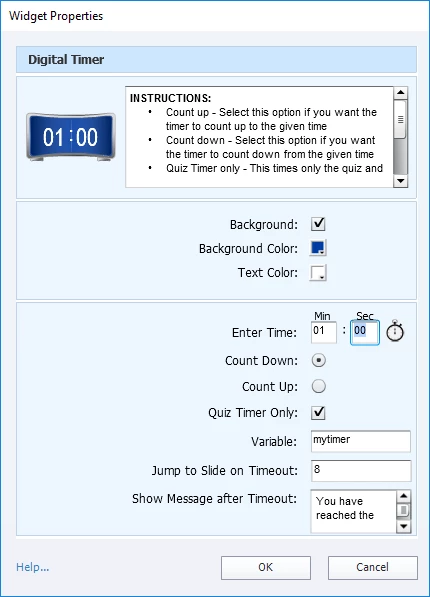
Go to Question Slide 1 and Click Insert Widget. Choose DigitalTimer and it will open up the Timer Widget Properties.

Set for Rest of Project.
Issue Found:

If fail: Learner able to retake, but the time doesn't restart. Digital Timer appears blank when retake. How to solve this?

This topic has been closed for replies.

2 replies

Participant
March 27, 2018

Hi Anyone,

I'm having the same issue on this for Captivate 7. Does anyone know the solution for this. Thanks. Much appreciated.

Lilybiri
Legend
March 27, 2018

;  Sorry, no support from me for CP7 anymore

Participant
March 27, 2018

Hi Lilybiri,

Thanks for your response. Do you have the solution if its for captivate 2017? It would really help with the project I am currently undertaking. Thanks in advance.

Lilybiri
Legend
March 20, 2018

I once figured it out for a client, but it was for CP9. The behavior of that widget is different depending on the output. Which output do you want: SWF or HTML?

yeamunaxm33648285
Known Participant
March 20, 2018

HI...Must be HTML

Lilybiri
Legend
March 20, 2018

Will see if I can double-check on CP2017, never trust if a workflow works again in a new version.