Question
TOC - Change font colour in heading
Captivate V5.5
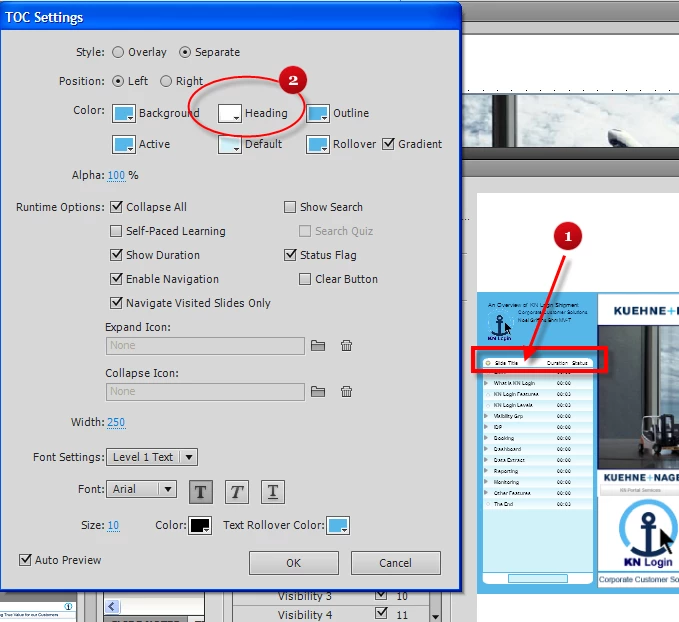
I want to change to colour of the font in the TOC header (item 1 below).
I can change the background colour of the heading using item 2 below - but from where do I change the heading font colour ?
I need to do this as I want the TOC heading in a dark blue (company colour) and so need a light font in order to be able to read it.
Noel
 AdChoices