
Participant
March 1, 2016
Question

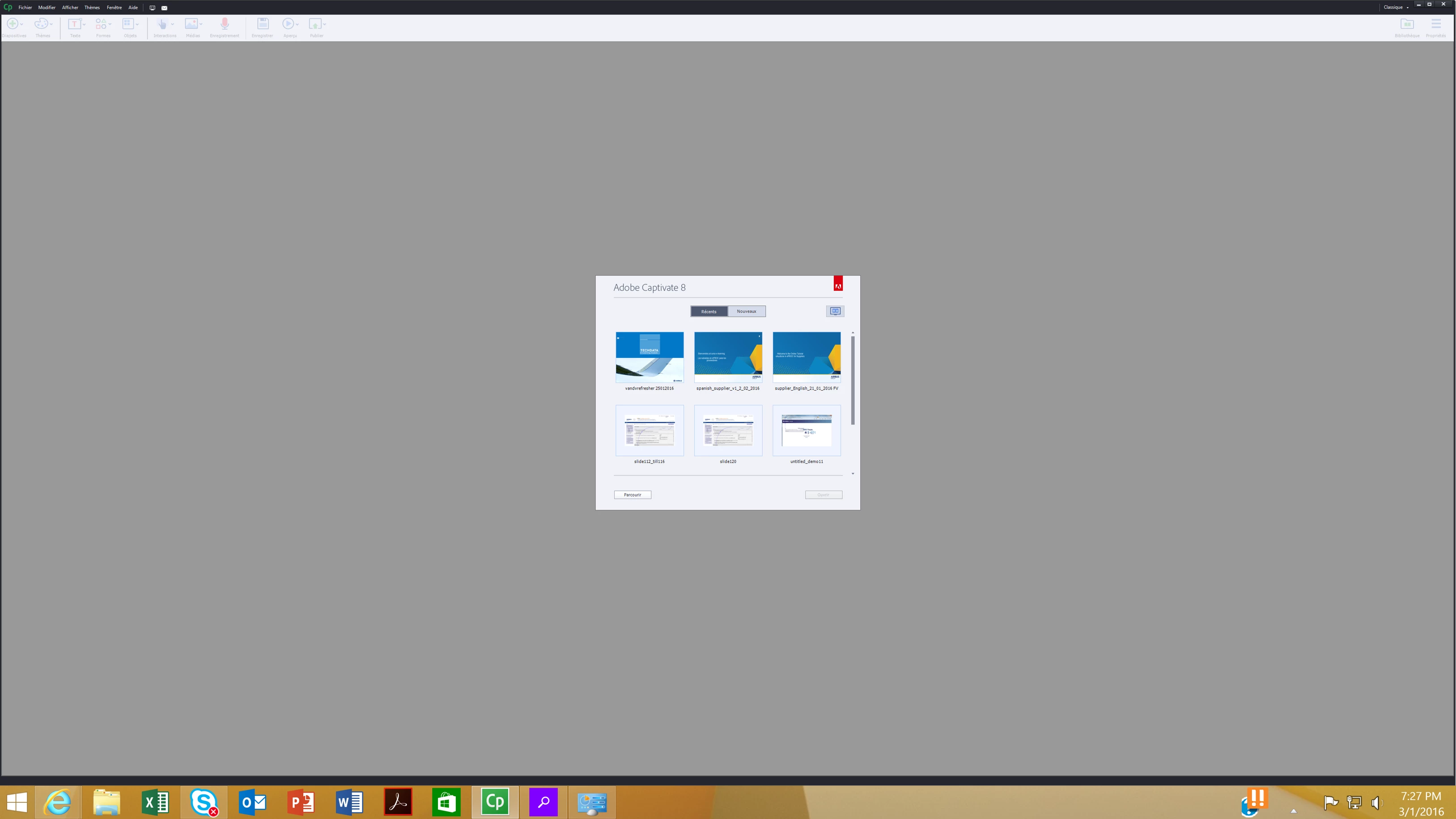
Toolbar/taskbar icons are too small (CP8+Win10)

  • March 1, 2016
  • 2 replies
  • 685 views

Hi,

we're using brand new HO IPS UHD screens - 3840*2160

Since the CP¨8 toolbar/taskbar are ridiculously small and make the soft usage impossible

Changing screen resolution did not help, windows magnifier is no an option..and I've the feeling that i'm not the only one having this issue.

has anyone an idea? below a screen of the current status

Thanks !

Antoine
    This topic has been closed for replies.

    2 replies

    papaintegrator
    Inspiring
    March 2, 2016

    Hi there, the icons will be small because the Text/ Apps sizes are set on more than 100% in the Start> Settings > Display menu.

    In order to troubleshoot, please follow these steps:

    1. Close the Captivate

    2. Go to this location in Display and drag the size bar to 100% (Not more)

    3. Apply the changes

    4. Close the settings tab and Launch Captivate.

    5. It should be fine. Enjoy!

    Reply for further query.

    Lilybiri
    Legend
    March 1, 2016

    Your screenshot is not visible (to me) but I can only answer that CP8 was not compatible with retina screens, CP9 is compatible. Both my laptop and Surface have such a screen, it works fine. Only when capturing software, you have to change a parameter in the  AdobeCaptivate.ini file.