
Transcript text not remaining on screen after audio has been played - CP8
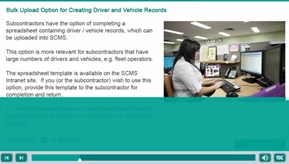
I'm reaching out for support on a strange Captivate 8 issue where the transcript of audio is not remaining on screen after the audio has played. In an ideal world, the user selects the Transcript button and the text remains until the user manually closes the box.
This issue of text appears to be random as some slides which basically have the same structure sometimes show the captions all throughout, and sometimes they disappear. The normal behaviour we expect would be to remain on screen.
We have tried numerous ways to attempt to resolve the problem:
- Moved pauses of buttons/clickboxes to kick in after/before the audio (sometimes, this worked)
- Reset and removed the transitions
- Removed the audio and added back in. Also tried renaming it so it becomes a new item in the library.
- Create a new slide. (sometimes this worked)
- Removed and re-added the captions.
- Re-timed the audio - delayed it a few seconds to start.
- Removed all buttons that pauses the slide.
We have exhausted all options and hoping the community could help. In the interest of our clients confidentiality with material, I have not posted links to the source files - but I'm happy to share with a guru on here privately if they were keen to dig around and assist with a solution.
Hope someone can help 


 AdChoices