Inspiring
May 13, 2015
Question

Translated Captions Not Importing

  • May 13, 2015
  • 4 replies
  • 556 views

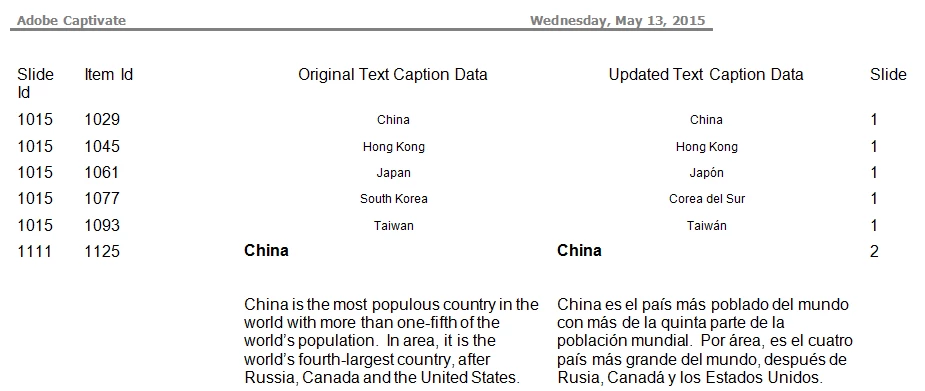
Does anyone know why this Word file will not import correctly into Captivate 8?
    This topic is closed to new replies. Start a new post to keep the conversation going.

    4 replies

    SM6601Author
    Inspiring
    May 13, 2015

    I exported the Captions from the CP file, then made a slight text change to it. The change is not showing up on the import. The Thumbnails did not show being imported, so it doesn't appear the import is taking place correctly.

    SM6601Author
    Inspiring
    May 13, 2015

    Hi there,

    Please rename the preferences folder for captivate, Location for Captivate Preferences folder:

             Windows 7: C:\Users\[user name]\AppData (hidden folder)\Local\Adobe\Adobe Captivate 6 folder

               Windows XP:  C:\Documents and Settings\[user name]\Local Settings\Application Data\Adobe\Adobe Captivate 6 folder

               Mac:  /Users/[user name]/Library/Preferences/Adobe Captivate 6 folder

    Rename Captivate 6 to OLDCaptivate 6

    Now run Captivate as administrator. (Right click on Captivate and run as admin) and then export, edit and import the captions.

    Known Participant
    May 9, 2016

    Did this ^^^ work for you?
