
Participant
November 26, 2009
Question

Transparent Text Captions - half blurry

  • November 26, 2009
  • 2 replies
  • 846 views

I have created a project in capativate 3 with  transparent text captions.  I have:

has a single character with #c0c0c0 highlight

bullet hidden from veiew

Don't Anti Alias

Imagine a diagonal line from bottom right to top left, cutting from the word systems on bottom line to the word computer on first fine.  The systems half the text is crisp and the computer half looks sightly blurry .
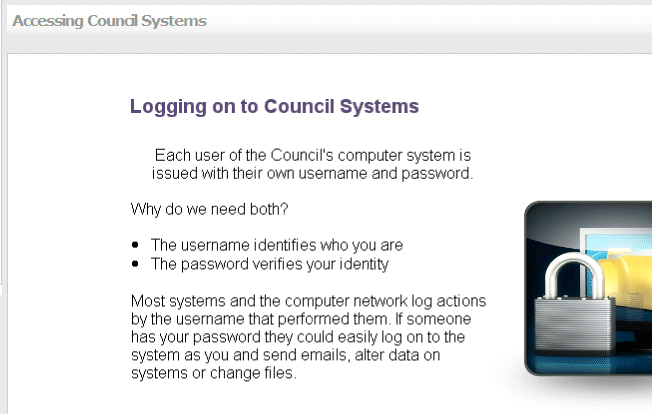
It isn't the image because iit happens on slides without images.  It all looks fine in preboew only when I load it on to my elearning platform.

Any ideas?

Thanks

Michelle

This topic has been closed for replies.

2 replies

Inspiring
December 2, 2009

What does it look like it you DO anti-alias the text in Captivate?  --Leslie

meamesAuthor
Participant
December 2, 2009

It is still exactly the same.  However I have discovered the issue is to do with how it renders.  The project was created at 640 x 480, if I have it displayed at 641 x 481 it is fine.

Lilybiri
Legend
December 2, 2009

Hello,

Did you try to deactivate 'Anti-alias Transparent Captions' in Preferences, Project, SWF size and quality?

Lilybiri

Captiv8r
Legend
November 26, 2009

Hi Michelle

This one is really odd to be sure. You say it only occurs when you view the Captivate from the eLearning system? If so, it would seem you have taken all the steps you need to on the Captivate side and there really isn't much to do but point the finger at the LMS and begin investigating why it presents differently.

One hunch I have is to say you should begin by examining the physical dimensions the project is being presented at. Perhaps introduce a blank slide that is bright red with a Click Box or Button to pause it. Then upload and play via the LMS. Screen capture the result or use a tool to measure the pixel dimensions of the whole thing and see if the LMS is presenting at a different pixel size than your project actually is.

Cheers... Rick

Helpful and Handy Links

Captivate Wish Form/Bug Reporting Form

Adobe Certified Captivate Training

SorcerStone Blog

Captivate eBooks