
Participating Frequently
September 10, 2015
Answered

Trying to preview my project Captivate 9

  • September 10, 2015
  • 1 reply
  • 403 views

I am trying to preview my project and when i select preview the document opens in notepad. in 8 i never had problems would also open in a browser.

Seems like all i would need to do is change a default setting somewhere but i cannot seem to find where that would be.
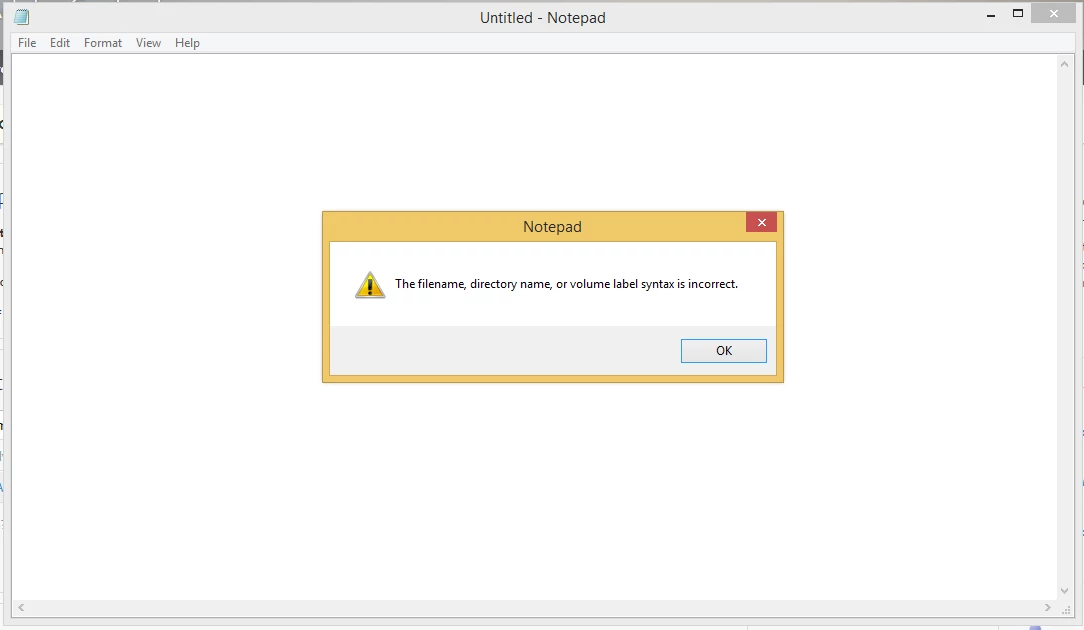
That is the warning i get when i select any type of project preview

    This topic has been closed for replies.
    Correct answer Lilybiri

    It looks like you have associated (defined as default application to open with) html extension with Notepad as application.

    Are you on Windows (I'm not a Mac user)? If yes use the right-click menu on a file with extension html or htm, Properties and the mention 'Opens with' should point to your default browser, not to Notepad.

    1 reply

    Lilybiri
    LilybiriCorrect answer
    Legend
    September 10, 2015

    It looks like you have associated (defined as default application to open with) html extension with Notepad as application.

    Are you on Windows (I'm not a Mac user)? If yes use the right-click menu on a file with extension html or htm, Properties and the mention 'Opens with' should point to your default browser, not to Notepad.

    Participating Frequently
    September 10, 2015

    okay thanks i missed switching the htm default to web browser. it was still set to notepad, stupid work computers stuff is always messed on them.

    now it just continues to spin and load and never actually plays the preview....

    Participant
    November 2, 2015

    Hi Andrew,

    Did you resolve this problem?

    I'm having similar problems myself and would appreciate any hints!

    Richard.