



Question
Turn PowerPoint presentations into interactive eLearning with Adobe Captivate 13
Creating engaging eLearning content doesn’t have to start from a blank slide. Got a great PowerPoint deck? Don’t reinvent the wheel; import it into Captivate 13 and transform it into a dynamic, interactive course in just a few clicks. The new Import PPTX workflow makes it faster and easier than ever to reuse your existing content while adding media, animations, and interactivity. And once imported, you can supercharge your course with generative AI—refine text, add visuals, and even create avatar-driven narration for a truly immersive experience.
Read the article on how to import PowerPoint projects into Adobe Captivate for detailed information and step-by-step guides.
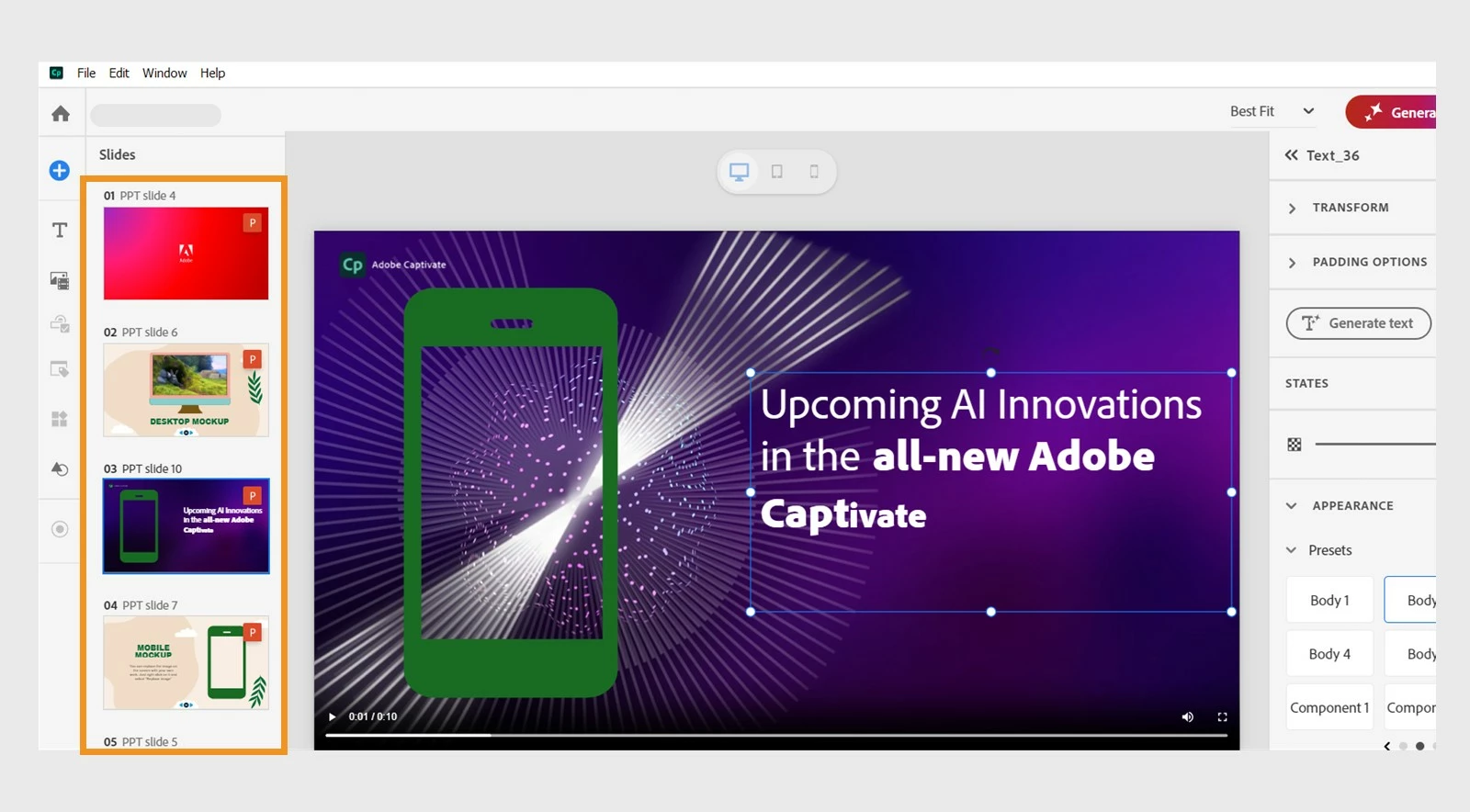
Why you’ll love it
- Save time – Convert presentations into eLearning courses without rebuilding slides.
- Add interactivity – Enhance static slides with quizzes, interactive buttons, widgets, and animations.
- Maintain your design – Preserve your original layouts while making them more accessible for learners.
What you can do
- Work with text – Edit and format text from imported slides to fit your course design.
- Work with shapes – Customize shapes for better visual appeal and interactivity.
- Add media – Insert images, audio, and video to make your content engaging.
- Add interactions & animations – Bring slides to life with clickable elements and motion effects.
- Enhance with generative AI – Once imported, you can elevate your eLearning course even further with generative AI features. Generate text, images, transcripts, or create comprehensive learning experiences with avatar-driven AI narration.
Ready to turn your PowerPoint into engaging eLearning courses?
Start importing your PPTX files today and turn them into interactive, learner-centric experiences with Adobe Captivate 13. Faster, smarter, and more engaging than ever!
 AdChoices