
Participant
July 7, 2016
Question

Unable to download Assets in Captivate 9

  • July 7, 2016
  • 2 replies
  • 258 views

Hello - I'm running the latest update to Cap 9 on a Windows 7 machine. All of the Captivate features I'm currently using are working great except when I attempt to download elearning brother assets. I just get an empty Download Status box and the 'browser' window does not close, causing me to force quit it (end process)!

I've tried restarting. I've changed internet connections from wifi, to hardline, to 4G, and there's no change. Here's what it looks like:
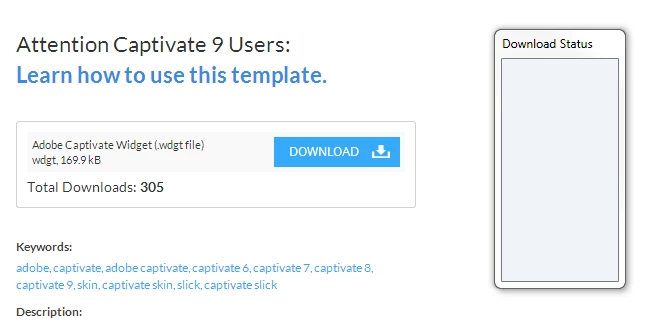
This topic has been closed for replies.

2 replies

christophet11731756
Inspiring
July 12, 2016

Hello that's strange.

I send you a capture from my captivate.

Maybe your computer has spyware or warm inside.. You should try with another computer, or use cccleaner in order to clean all.

Chris !

Lilybiri
Legend
July 7, 2016

Can you clear the cache (Preferences, General Settings)?  If that is not helping, try to Clean the Preferences: run the CleanPreferences file suited for your OS which you can find in the subfolder 'Utils' under the Captivate installation folder.
Did you install the update? The present version is 9.0.1.320