
Known Participant
April 27, 2016
Question

Unable to get property 'id' of undefined or null reference

  • April 27, 2016
  • 3 replies
  • 3060 views

HTML 5 output in captivate 9 generates following Java Script error on Internet Explorer 11 when user navigates between slides within the topic.

Line: 565

Error: Unable to get property 'id' of undefined or null reference
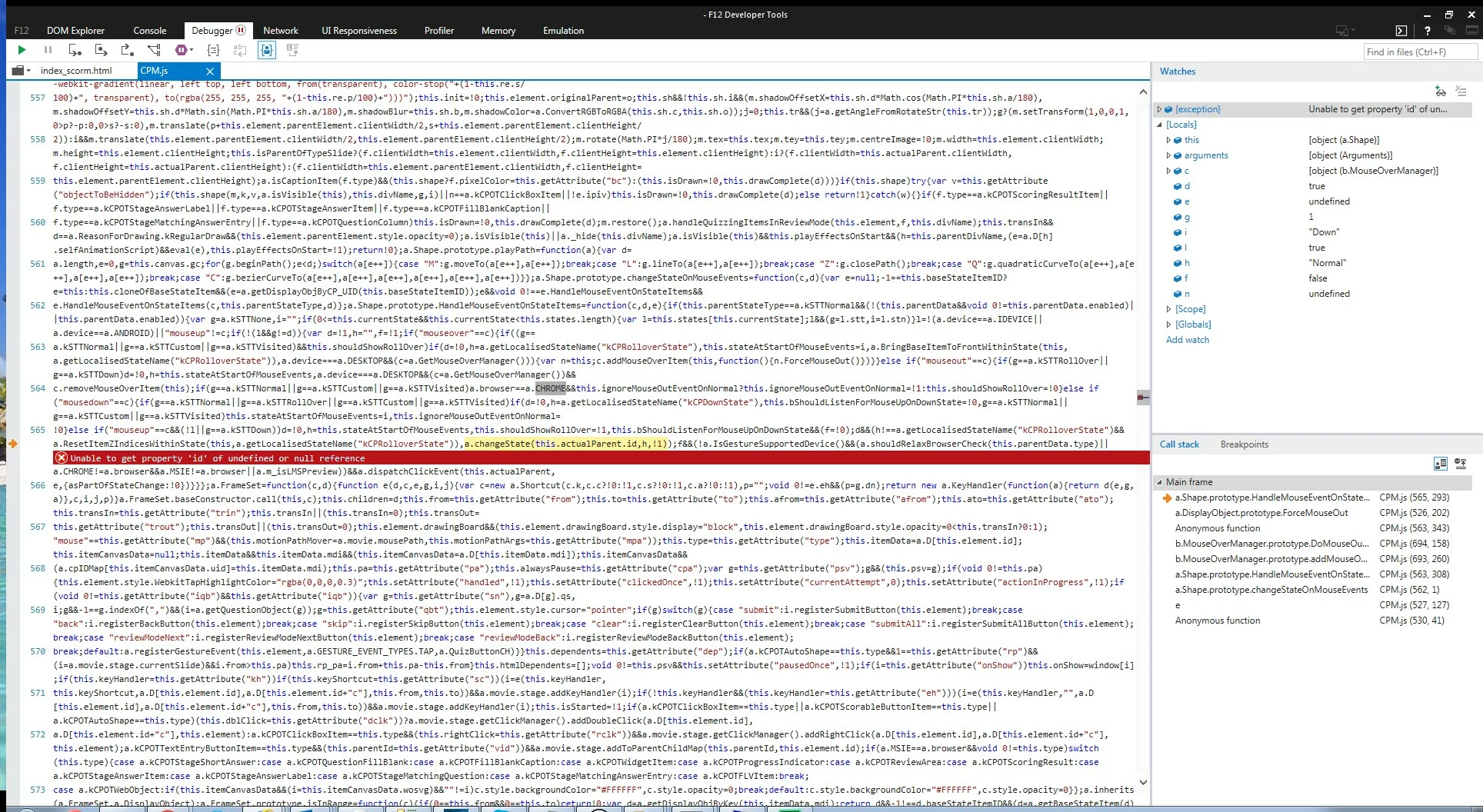
Has anyone experienced same issue?

This topic has been closed for replies.

3 replies

Participant
May 2, 2018

Hello,

I have encountered this problem (Captivate 2017). This error happened on a image button with different states. Captivate creates 3 states by default, but sometimes, 2 states only are needed : the "Normal-default" state and the "Roll over" state.

The 3rd state, "inactive" is, in fact, often useless. For that reason, in my case, this state had been deleted. Thus, this button had only 2 states and it is only on this button that the error occured.

I have fixed the problem by deleting this 2 states button and building again this button keeping the 3 states, even if "inactive" state is not used, because it doesn't change anything for the UX (in my case).

Hope that this story can help. Sorry for my approximate English and good luck !

Lilybiri
Legend
May 2, 2018

The three InBuilt states of any button are Normal (not hovering over the button), Rollover and Down. I never heard about an 'Inactive' state at all. There is fourth InBuilt state in CP2017, 'Visited' which is not created by default but has to be added. I often delete both Rollover and Down states without having any problems.  I have to say that I never use image buttons anymore since shape buttons appeared, but I don't think that changes anything.

Participant
May 2, 2018

Hello,

In the Captivate version I'm using (Adobe Captivate Release 2017 - French language), it looks like that :

I think that what could be interesting to note, whatever is the labels of the states, is the fact that deleting an InBuilt button seems to be responsible of the error.

EdcommAuthor
Known Participant
April 28, 2016

We're not suing objects with states.

It happens randomly on certain slides.

Error doesn't stop project from running, but I would like to resolve it before going to production.

TLCMediaDesign
Inspiring
April 27, 2016

No, but are you using objects with states on the slide you are leaving?

Does it happen just on one slide?

Is the error stopping your project from running or do you just notice it with the debugger open?