
Inspiring
May 10, 2016
Answered

Unable to insert voice over as WAV in Captivate 9

  • May 10, 2016
  • 1 reply
  • 407 views

Hi,

I am at the stage in my project where I have recorded voice overs and now I just need to add them on the slide in my project. Easy you would think! I'm a newbie to Captivate 9. Use Camtasia audio so did not think of it as a problem. But now at this enth hour, I'm stuck.

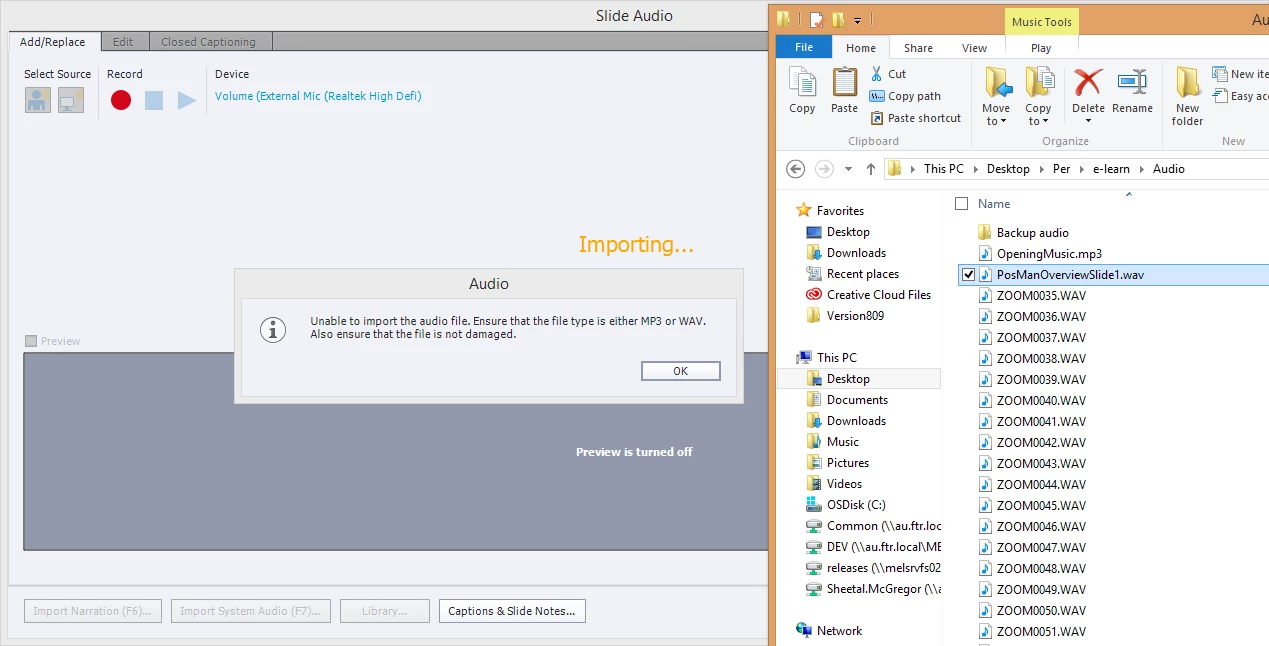
I use the Add Audio button in the Properties inspector and this is what I get....As you can see, my audio is WAV but Captivate is still complaining.

This bring my project to a screeching halt....Your timely help would be most appreciated. Here is a screenshot. Thank you very much.
    This topic has been closed for replies.
    Correct answer RodWard

    This error message is probably because your audio files are NOT of the correct bit depth and type for Captivate. 

    You are on the right track by using WAV files because these are uncompressed and retain the maximum amount of audio data.

    However, you probably didn't realise that these WAV files need to be 16 bt PCM, not 24bit or 32 bit.

    Hopefully you either have Adobe Audition or some other audio editing app that you can use to convert your current audio to this format and then you should be able to import them into Captivate.

    1 reply

    RodWard
    Community Expert
    RodWardCommunity ExpertCorrect answer
    Community Expert
    May 10, 2016

    This error message is probably because your audio files are NOT of the correct bit depth and type for Captivate. 

    You are on the right track by using WAV files because these are uncompressed and retain the maximum amount of audio data.

    However, you probably didn't realise that these WAV files need to be 16 bt PCM, not 24bit or 32 bit.

    Hopefully you either have Adobe Audition or some other audio editing app that you can use to convert your current audio to this format and then you should be able to import them into Captivate.