
Unable to print handouts or export captions in Adobe Captivate 2017 (Mac)
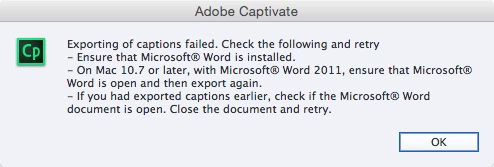
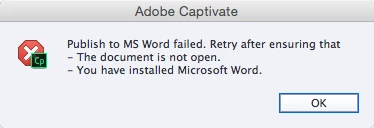
I've had this issue with previous Captivate releases, and I'd hoped it would be resolved with 2017, but it persists. I'm working in OS X Yosemite, running Captivate 2017 (v. 10.0.0.192) and Microsoft Word 2016 (v. 15.33). I've attempted exporting project captions and closed captions as well as printing handouts w/slide notes, both numerous times, and each time I get the following error messages:
When exporting captions:
When printing handouts:
I've tried, as some have suggested, the workaround of saving Adobe Captivate.dot as Handouts.doc in the Gallery > Print Output folder, as well as attempting the operations with blank Word documents open, Microsoft Word closed completely, and everything in between. Not sure what else to try, but I'm open to suggestions. I have many, many slide notes to print, and I'd hate to copy them slide-by-slide. Any thoughts?


 AdChoices