

Ping.Shrad
Participant
August 18, 2021
Question

Unable to understand State View in Adobe Captivate

  • August 18, 2021
  • 4 replies
  • 252 views

Hi all,

I am new to using Captivate and trying to learn it by myself. So, still in the infant stage. I have attached a screenshot where I am stuck.
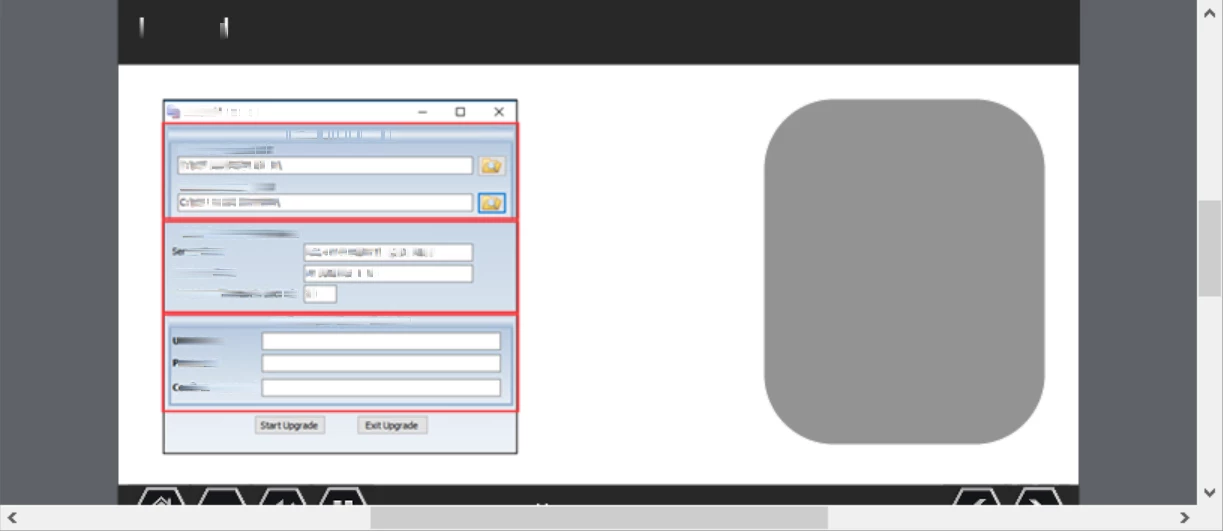
So, the Gray Shape is not being visible when am clicking the Red buttons although I have provided the following action - 
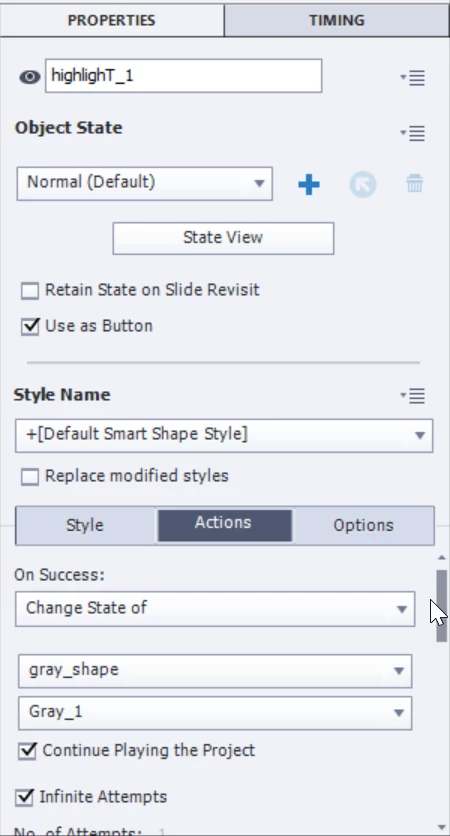
Here, highlight_1 is the button name. When am using the Preview, the screen is coming without the Gray Shape. When am clicking the Red buttons, still nothing. I have tried placing the Gray Shape in the timeline above or below the red buttons but still not showing. Please help. 


    This topic has been closed for replies.

    4 replies

    colorito_elearning
    Participating Frequently
    August 18, 2021

    My best guess is one of two things:


    1.) You may have accidentally toggled the "eye icon" to be off next to the name field for highlight_1. I would double check there isn't a red slash going through it.


    2.) You likely have a pause point somewhere in your timeline and your grey object is sitting futher beyond the pause point. I would ensure there isn't a hidden pause and that your grey object appears after 0 seconds.


    Hope this helps! 🙂


    Ping.Shrad
    Participant
    August 30, 2021

    Hi all,

    So i realized that I was wrong in the timeline part. after placing the Gray shape properly in the timeline, it worked. I did not want my users to see the shape from the beginning, so in state view I changed the initial state to white (matching my screen) and then kept the buttoned states to other deeper tones. This served my purpose. 


    Thanking you for all your helps. 

    Lilybiri
    Legend
    August 18, 2021

    Not only the timeline but also the State Objects panel for the gray shape to see the exact situation 

    Are you sure that you didn't select the eye button in the Properties panel of the gray shape to make it hidden?

    Moreover: you have a simple action (Change State...) for the highlighT_1 button, and kept the feature 'Continue Playing the Project'. That means that the playhead will be released with the action, and I suspect you don't want that to happen at all.

    If you ever read one blog post for Captivate, please read this one:

    http://blog.lilybiri.com/pausing-captivates-timeline

     Not understanding the timeline is one of the primary causes for problems with starting Captivate users. As for the multistate objects, here is another link:

    http://blog.lilybiri.com/about-state-commands-and-a-progress-bar


    TLCMediaDesign
    Inspiring
    August 18, 2021

    Can you post an image of the timeline?

    LinSims
    Community Expert
    Community Expert
    August 18, 2021

    Let me move this to the Captivate forum for you, which is the appropriate forum for your question.

    The Using the Community forum is for help in using the Adobe Support Community forums, not for help with specific programs. Product questions should be posted in the associated product community.