


jdr9248739
Participant
March 9, 2021
Question

Unknown Exception error

  • March 9, 2021
  • 1 reply
  • 815 views

Hello all, I'm receiving this Unknown exception error message with every Captivate File I try to update/save.
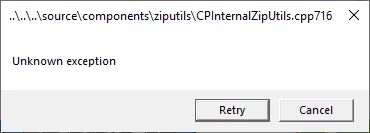
I have already tried restarting my computer and Adobe Captivate. When I click to "retry" I get a "fatal error" has occured error message.
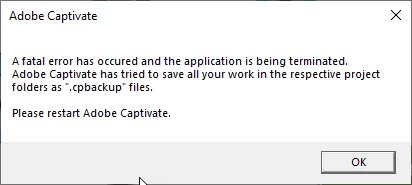


I'm working on a training module and need to update it for release, but cannot get passed these messages.


I have Captivate 2019 version 11.5.1.499


Any ideas? TIA

    This topic has been closed for replies.

    1 reply

    Lilybiri
    Legend
    March 9, 2021

    You missed some updates, the most recent version is 11.5.5.553 for Windows.

    Did you find the backup file which was created? There should be a dump file in the Captivate folder as well.


    Can you check the Cache? Enough space on the disk? Did you try to clean the Preferences?

    jdr9248739
    Participant
    March 9, 2021

    Thank you for the suggestions. I have a request in with my IT department to update to the latest version.


    I'm may not be as tech savvy as I think I should be...

    I'm looking for the backup/dump files, but not turning up anything yet. As for space, shouldn't be an issue as I'm only using about 40gb of 2tb. And not sure what you mean "clean the preferences"