Participating Frequently
September 1, 2010
Question

Update audio in library

  • September 1, 2010
  • 1 reply
  • 716 views

Hello,

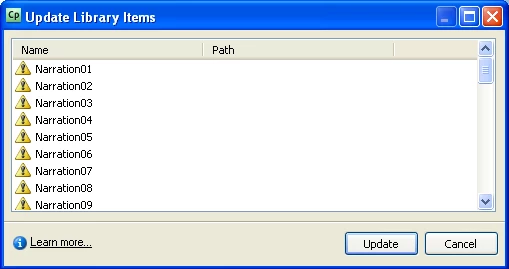
After I recorded a demo with Captivate, I exported all audio files in library and edited these files with another software. But when I imported these audio into library, I found that I cannot replace orginal audio with new audio using "update" option at a time. Because there are so many audio files in this .cp file, update these audio separately will waste much time. Is there any way that I can update all audio in library at a time? Thank you!
Judy

This topic has been closed for replies.

1 reply

Participating Frequently
September 1, 2010

Hi,

Looking at your workflow, you wont be able to update these all files with a single click.

Just wanted to know what kind of editing you wanted to achieve using other tools?

Also if you are using e-Learning Suite 2.0, you can edit all the recorded narration directly in Soundbooth and the changes will reflect in Captivate. This integration between Captivate and Soundbooth is possible only in e-Leaning Suite though! I think this integration would solve your problem.

Regards,

Mukul

JudyYangAuthor
Participating Frequently
September 1, 2010

Thank you, Mukul!

I want to reduce noise of audio with other software, because captivate cannot do it. Seems I need to buy soundbooth...

Captiv8r
Legend
September 1, 2010

Welcome to our community, Judy.

Note that simply acquiring Soundbooth won't do the trick for the mass update. Mukul said this was only possible if you purchased and installed the eLearning Suite. If you just install Soundbooth, Captivate will still be unaware of it and won't work in the manner you are seeking. But you will be able to use it to edit audio clips you export from Captivate.

Cheers... Rick

Helpful and Handy Links

Begin learning Captivate 5 moments from now! $29.95

Captivate Wish Form/Bug Reporting Form

Adobe Certified Captivate Training

SorcererStone Blog

Captivate eBooks