peter.huff
Participant
May 21, 2021
Question

Update Requested for Multiple TEB's - one Submit

  • May 21, 2021
  • 2 replies
  • 701 views

Would it be possible for one of our Captivate Guru's to update the following tutorial with information and images that are relevant to Captivate 2019 (http://kb2.adobe.com/community/publishing/890/cpsid_89018.html)? I feel this may help novice users understand the concept of advanced actions a little better.


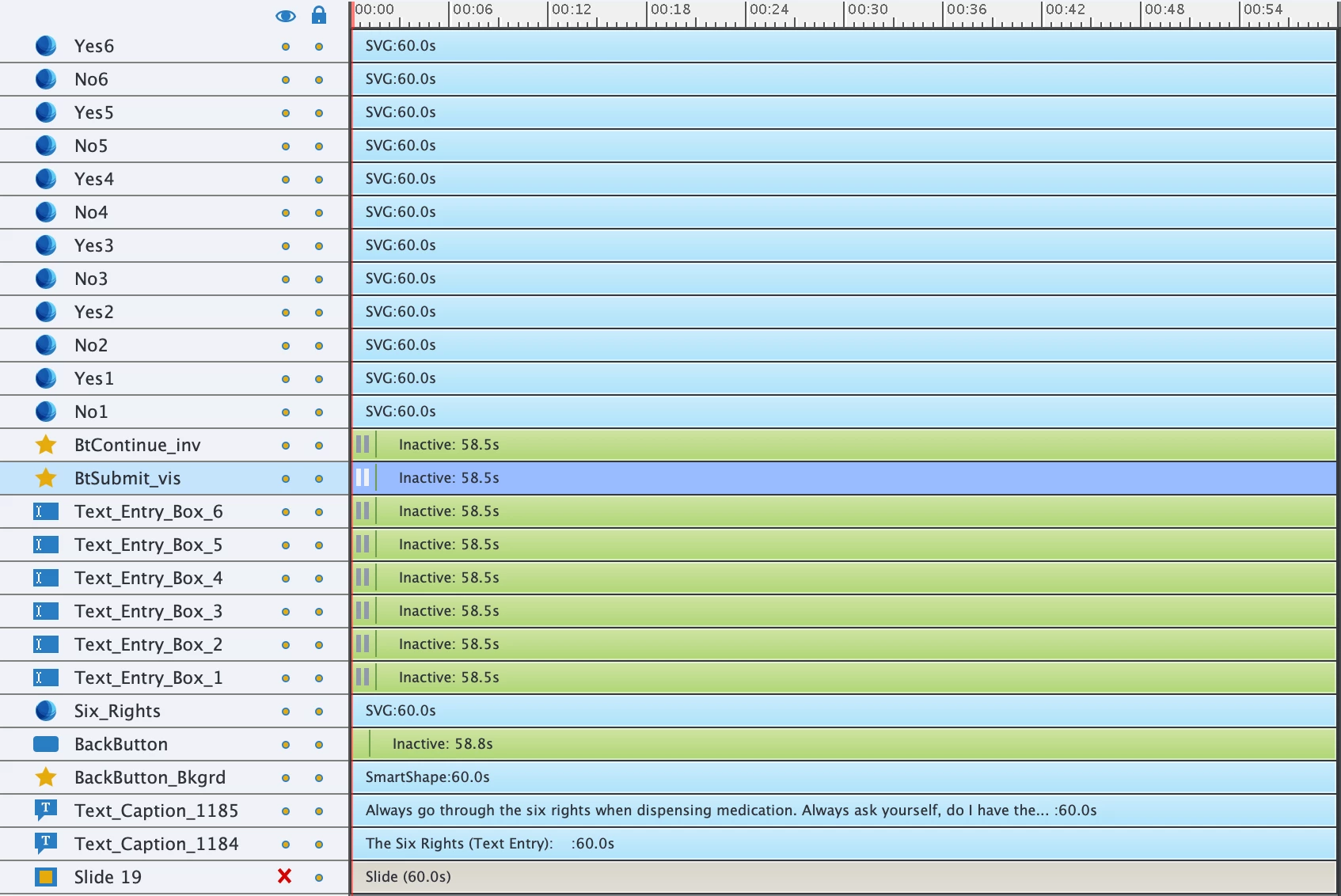
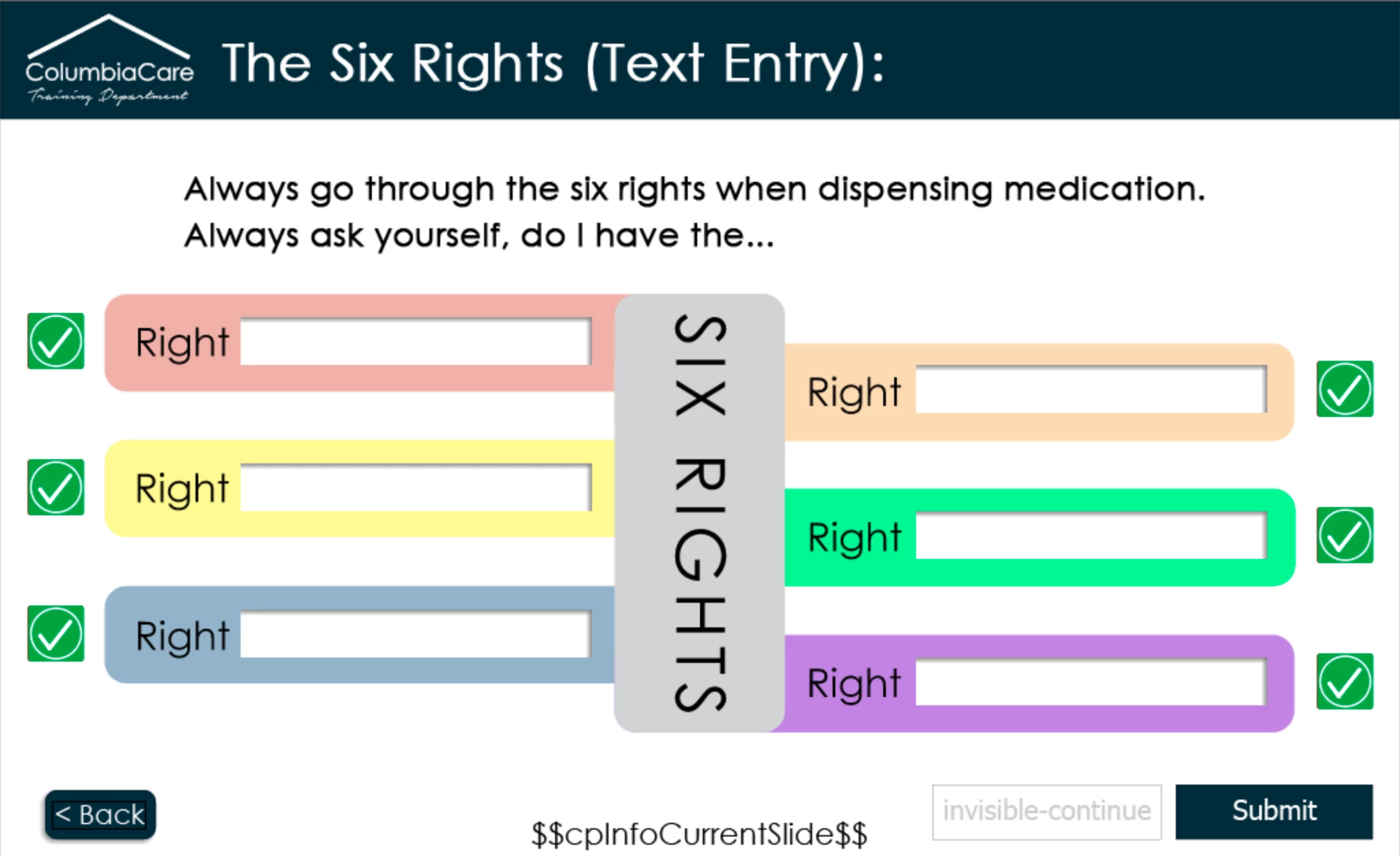
The information is outdated (since it was last updated on 02/04/2011) and references a "Sample SWF." I apologize in advance if this seems ridiculous, but I am a new Captivate 2019 user and I would like to create six TEB's with one submit button for the slide shown below.


I am using Adobe Captivate 2019 version: 11.5.4.613


Thank you in advance for your time and consideration regarding my request.


(P.S. The "No" Symbols are located directly underneath the green "Yes" symbols)


This topic has been closed for replies.

2 replies

Lilybiri
Legend
May 22, 2021

That is one of the blog posts I wrote 10 years ago. You will also find it on my personal blog. Too bad that Adobe is not even acknowledging the author of that document.

At that moment it was possible to add articles to the Captivate Help, but nowadays only Adobe Staff is allowed to do so. It is completely IMPOSSIBLE for me to update outdated articles which are included in the Adobe archive. Sorry about that.


From the screenshot you posted, I can deduct indeed that you are very new to Captivate. Before diving into Advanced actions (majority of my blog posts is about shared and advanced actions) it would be good to learn the basics of Captivate. Here is a basic article about Text Entry Boxes:

http://blog.lilybiri.com/text-entry-boxes-back-to-basics

You will learn about their pausing point, about the associated variables etc.


Secondly: learn about the significance of pausing points. Of course, the screenshot is incomplete, but you have a very long slide duration, which is only necessary when you have added slide narration (not visible since the bottom layers are not included). You pause the slide at 1.5 seconds? This is perhaps the most important blog post I ever wrote, which may clarify :

http://blog.lilybiri.com/pausing-captivates-timeline


I see SVGs for the checkmarks, do not know how you use them, but any case I would have preferred to put them in a multistate object. Not only will the layers be easier to manage (which can also be done by grouping objects) but it has a lot of advantages over show/hide workflows which I suspect you are using.

If you explain exactly what you want to do with the unique Submit button? Do you need to validate anything, if yes, what exactly?

Here is one blog about checking TEB entry without using the validation option:

http://blog.lilybiri.com/where-is-null-in-cp2017

It may be a better introduction to the pair TEB-advanced action before you explain the goal of the one on this slide.


peter.huff
Participant
May 24, 2021

Hello Lilybiri,


Thank you for your candor and context in your reply. I appreciate the fact that you actually reviewed my screenshots and had constructive feedback. I will study the links you provided and make changes accordingly.


In regards to the SVG's, I made an assumption as to the meaning of the word "symbol" in the tutorial, so I spent a while searching for "symbol" with Adobe Captivate 2019 and did not find anything useful. Setting up the SVG as a multistate object is a great idea and I will make it happen!


The submit button will validate all six TEB's and I have entered each word needed for validation in the 6 TEB's (see attached screenshot).


Over the past two weeks I have searched/reviewed some of your blog entries and watched YouTube videos from Paul Wilson on TEB's, allowing me to get as far as I have. I really appreciate your dedication to helping the Captivate community and look forward to attending your Custom Interactions Workshop at ELW in September!


Lilybiri
Legend
May 24, 2021

That article was written for version 5.5 if my memory is correct. Captivate didn't accept SVGs at that moment, only bitmap images.


Hmmm... you want validated TEBs, but with so many choices? 


My Captivate intution tells me you may be better off using the dropdown interaction insteadof using a Text Entry Box where the learner needs to type in a word, whereas with a dropdown interaction he can just choose one of the options.


What do you want to do with the results? 

RodWard
Community Expert
Community Expert
May 22, 2021

Have you attempted to follow the instructions in that outdated post?


Although there are minot differences to the look of the Advanced Actions dialog in the latest Captivate versions, everything (as far as I could see) about what it's telling you to do is more or less the same. 


The SWF mentioned in the article is not a component required for the interaction to work, simply a published output to show it in action.  Nowadays you would just use HTML5.


Perhaps someone on this forum has the time on their hands to update the page, but if I were you I would just dive in and try it rather than wait for someone to fix it.