


Answered
"Use the current mouse pointer for all slides" does not work
Captivate 2019 Release
Windows 10 Enterprise
Software Demo Training Simulation
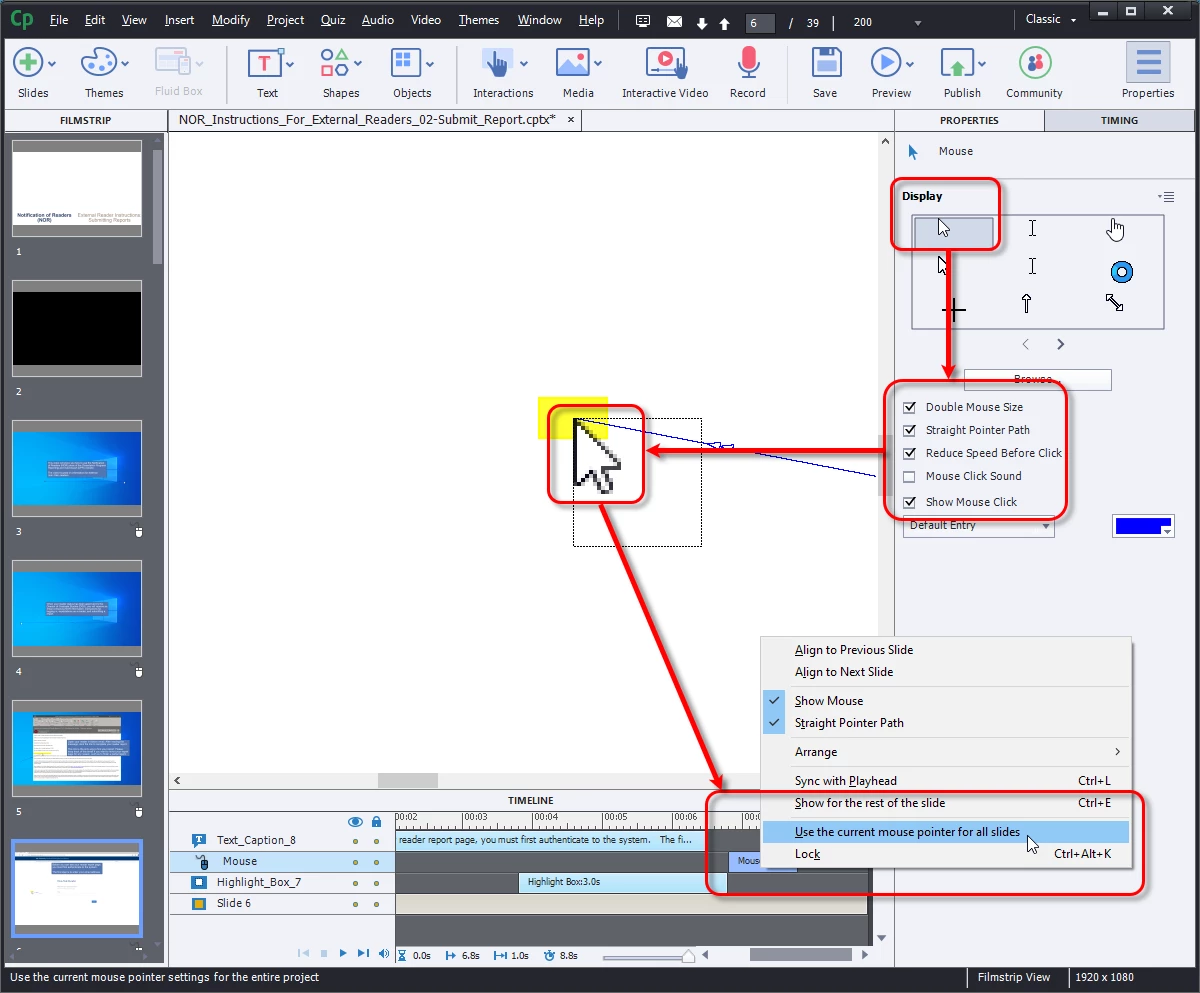
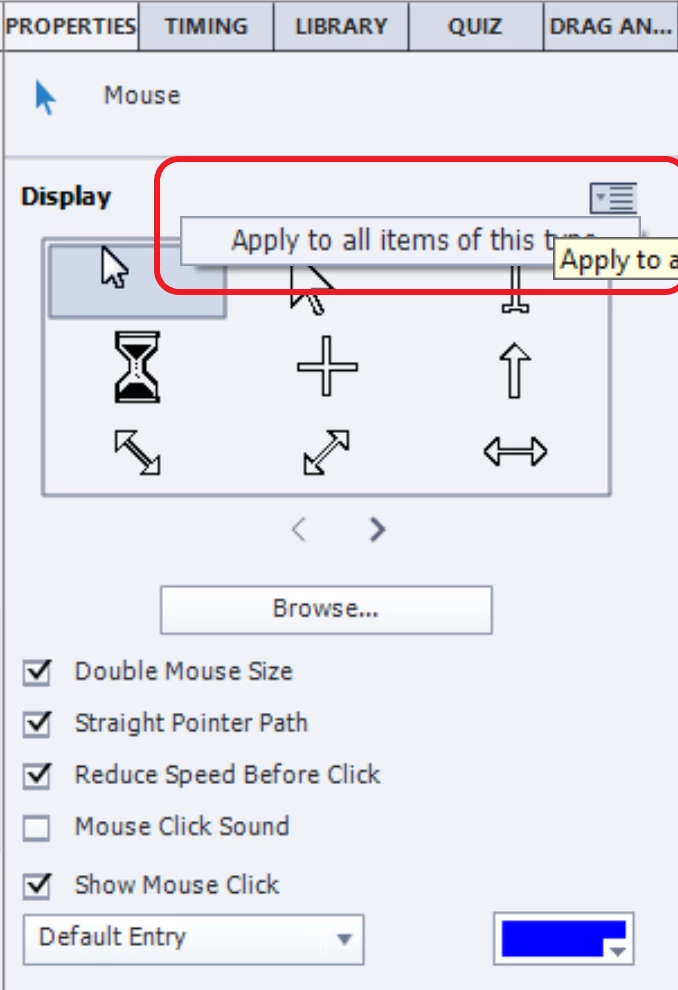
I'm using the default mouse pointer but selecting the following options:
- Double Mouse Size
- Straight Pointer Path
- Reduce Speed Before Click
- Show Mouse Click
I apply the setting and I can see that it has appllied to the slide I'm working on. I right-click on the mouse object in the timeline, then selecting the option to "use the current mouse pointer for all slides."
It isn't working. I have to manually edit each mouse pointer on all slides.
The project was recorded and is being edited in the same version of Captivate, on the same computer.

 AdChoices