Known Participant
April 1, 2021
Answered

User defined status locked

  • April 1, 2021
  • 1 reply
  • 878 views

Hi,


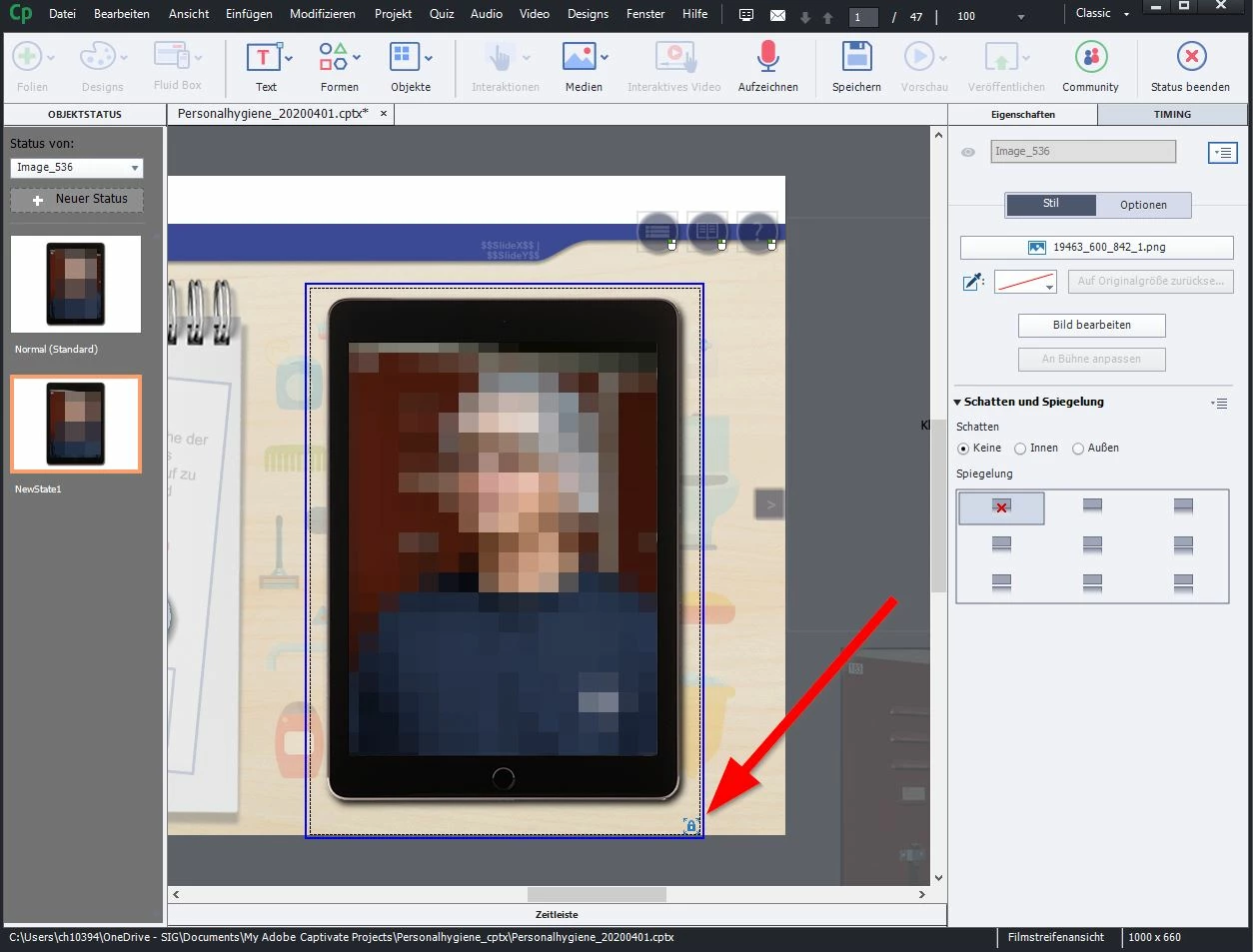
is there a possibility that I can freely move and scale the objects in a custom state? I can't change anything with the lock, but I don't know how to get rid of the lock.


Thanks for any help.

    This topic has been closed for replies.
    Correct answer Lilybiri

    Ok, so thats an interactive object. Thank you.


    I want to replace the rollover function with an click funktion. So i click on a picture, another picture appears. I click a second time, it shows the picture before. That is all i want But it should work in the future for tablets with touch function.

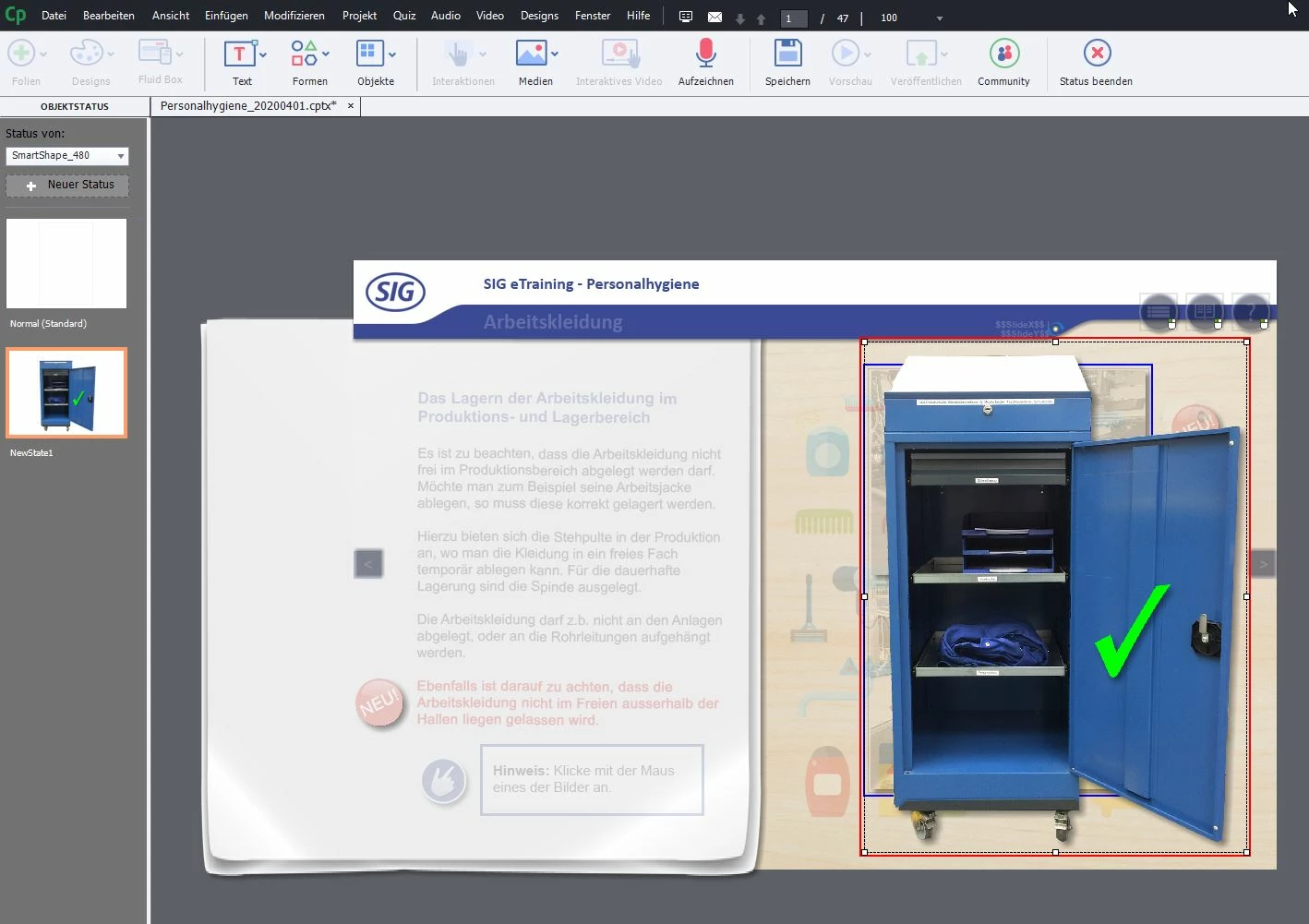
    I know it can work! See here in thos example, there i have no lock and i can resize the image that popups bei klicken on a shape below. There is no lock! But i dont understand what i do wrong. I activate the "'Use as button" und create a new cutom state.


    I tried to explain, but you don't seem to understand. You are very new to Captivate? Probably using German version? Or another language anyway. If it is German, I understand even if you write in Goethe's language.

    That example can even be a button. Itt has a Normal state which is empty (will probably be a shape with Alpha and stroke set to 0).  What you show in the screenshot for the custom state has a RED border. The locked state in your first screenshot has a BLUE border, which is indicating the locked size of the original Normal state.  Just add another image either with the Media button or by dragging from the Library: it will have a RED border and is completely unlocked.

    Repeating if I understand your request well, which more like a flip card than a real rollover (for a real rollover the original image will remain and the extra image appears elsewhere):

    • Select the custom state in the Object State panel. 
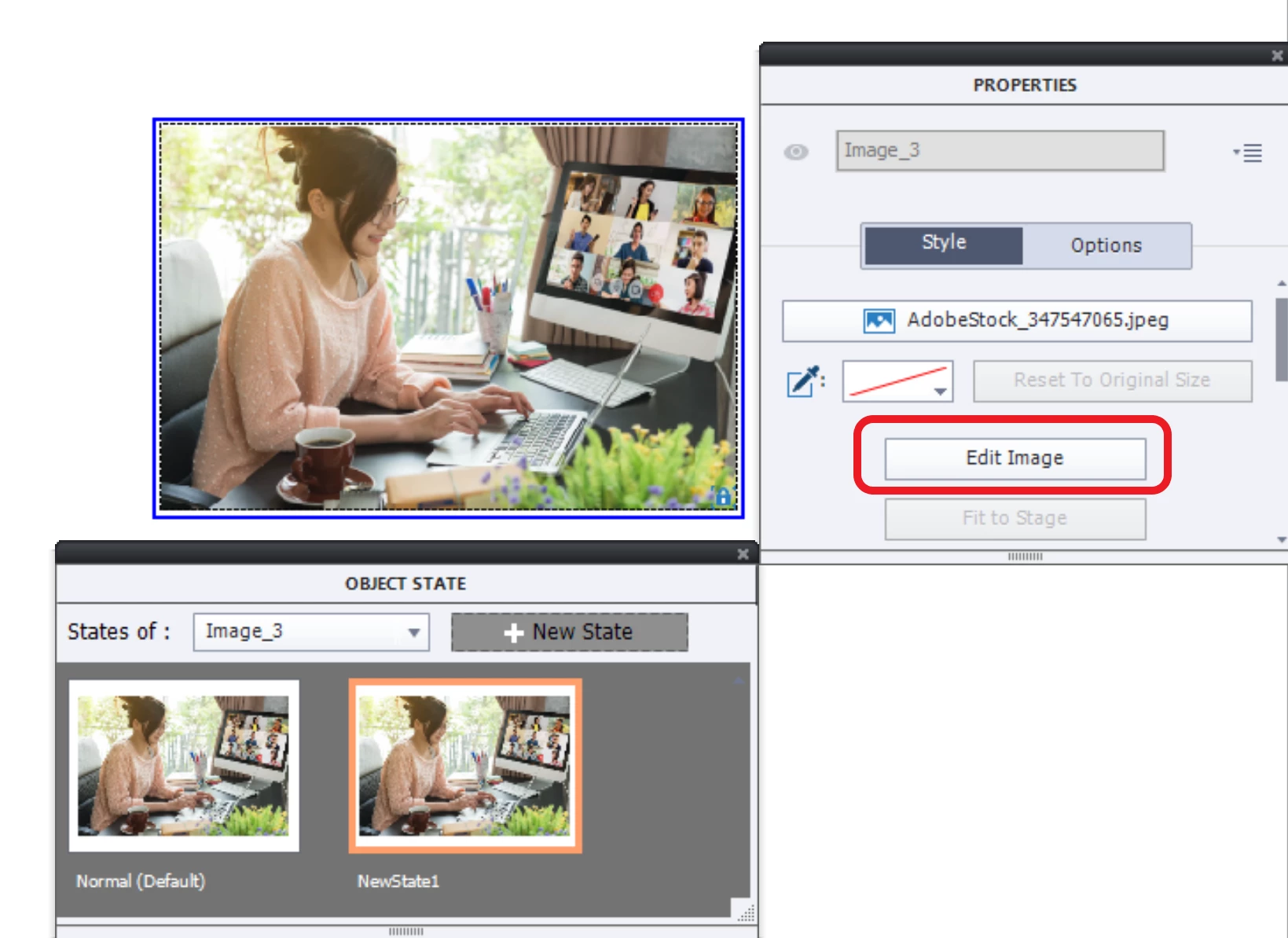
    • In the Properties panel for that image select Edit Image. You see the BLUE border.
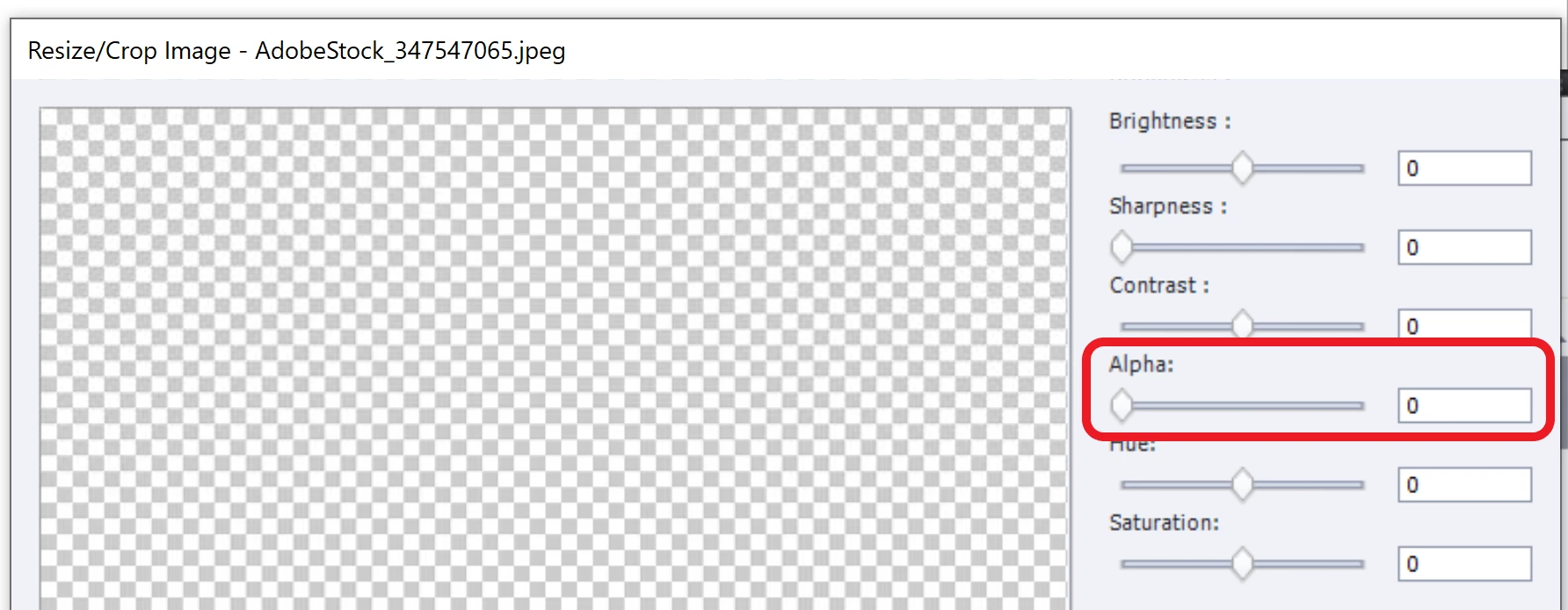
    • Set the Alpha to 0 to make that image invisible
    • Close that dialog box. Back in the Object state panel, add the image you want to show when the image (button) is clicked. You'll see that it has a blue border and can be put anywhere. It has a RED border:
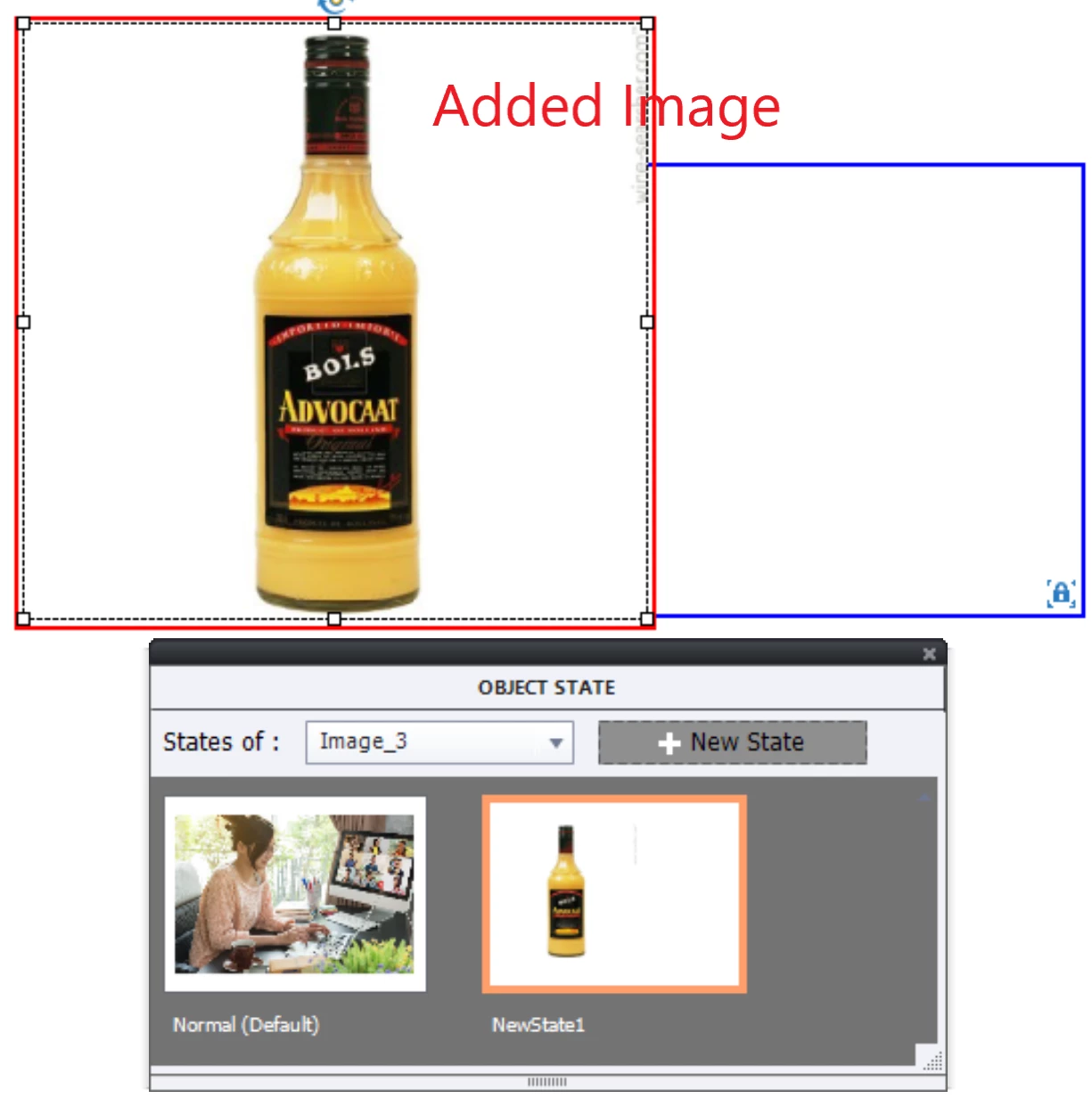
    • Exit Object state. Add the command 'Go to Next State' to the image used as button.

    1 reply

    Lilybiri
    Legend
    April 1, 2021

    I think something is missing in your question.

    If this is a NON-interactive object, there should not be a locking of states. Lock only occurs for interactive object states and for InBuilt state for Drag&Drop objects.

    Did you activate the option 'Use as button' for this image? That is possible only in version 11.5, but you don't mention which version you are using. Have a look at this blog:

    http://blog.lilybiri.com/about-state-commands-and-a-progress-bar


    Even for buttons there is a workaround: keep the Normal state empty, and add the Image to that state as an individual object. Beware: this is only possible in a non-responsive project. For a responsive project you need a static fluid box to enable this. Here is a link to another blog where I used this workaround to mimick a rotating button:

    http://blog.lilybiri.com/how-to-rotate-a-button-when-clicked


    Dane V.Author
    Known Participant
    April 1, 2021

    Hi!

    im using 11.5, and yes i used the "Use as button" function like here: http://blog.lilybiri.com/click-slash-reveal-interactions-back-to-basics


    Im not sure if its a NON-interactive oder interactive object. When im earching for the word "interactive" i dont find anything at your "Replace Rollovers: Click/Reveal interactions (back to basics)" blog article that i use for this solution.

    Lilybiri
    Legend
    April 1, 2021

    If you activate 'Use as button' it has become an interactive object, hence the appearance of that lock symbol.

    Terminology can be daunting in Captivate. Normally its timeline should have become green (which is another indicator of being interactive) but due to a UI flaw that is not happening for Images used as buttons. Have been blogging so much, you cannot expect to find all information in one tiny blog. That was meant to offer a very easy way to replace rollovers. Meanwhile I published another blog proposing that workflow and two more:

    http://blog.lilybiri.com/swf-to-html-replacing-rollover-caption-slash-image


    You probably are using that simple workflow for another purpose?  You can still add text containers or other objects to the locked custom state. The locking is only for the 'button' core, which is the image in this case. You can edit that image (make it transparent is possible), replace it but the clickable area needs to remain. For that reason it is locked to the Normal state. 


    If your goal is different, use the cheating I explained for the rotating button.