Question
Using commas in widgets
If anyone needs to use commas in widgets that don't support the use of commas, such as the checkbox widget because a comma causes all the following text to end up on a new line, you can use the special character Single Low-9 Quotation Mark instead as it appears identical to a comma but prevents the text from moving to a second line in the widget.
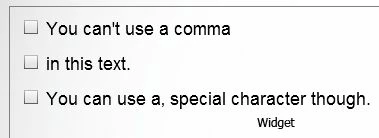
The first line of the checkbox widget is using a comma. The second line is using the low-9 quotation mark.
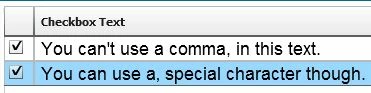
When it appears on a slide, the line with the comma gets separated into two lines while the line using the special character stays together.
On a PC the keystroke combination is Alt+0130. I tried looking up what the combination is on a Mac but couldn't find anything online for it.
 AdChoices