
August 15, 2013
Answered

Using variables & advanced actions Captivate 6

  • August 15, 2013
  • 3 replies
  • 1134 views

Hi,

I'm working on a project with only 2 slides.  The second slide has a folder with 8 tabs.  When the user clicks on the tab information for that tab appears and a check mark appears over the tab to let them know the tab has been viewed.
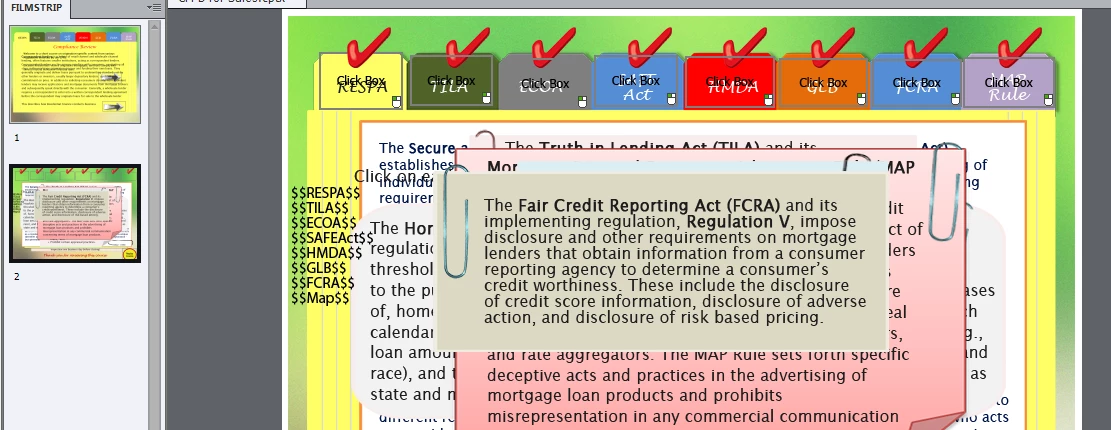
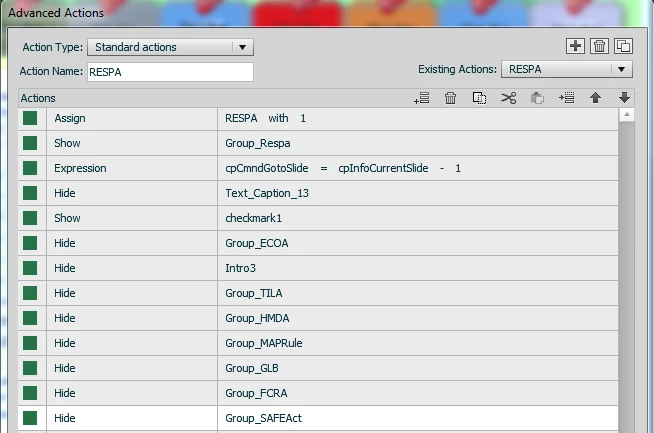
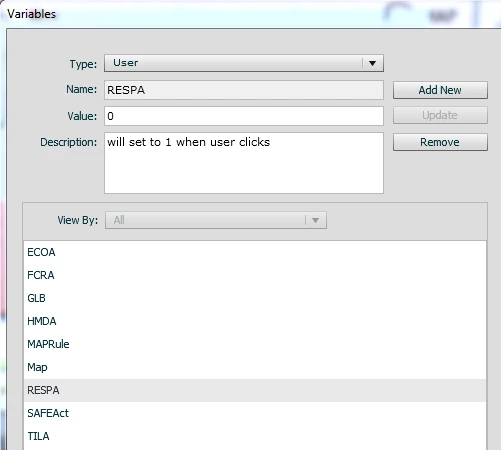
I used variables and standard actions to make the correct text and completion checkmarks work (everything is fine with that)
After the user has viewed all the tabs I didnt want it to seem wierd that nothing else happens or to confuse them about the rest of the course (bc there's not quiz or interaction - I just need them to read the info).  I created a conditional action to make "Thanks for taking this course" appear and a replay button so learners understand the course is over.
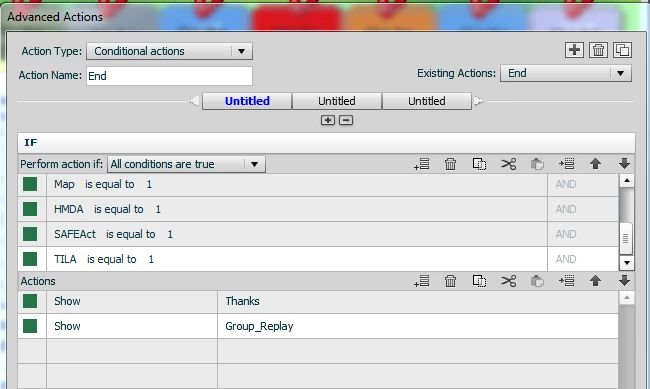
The conditional action says if each variable is equal to 1 (because the variables start at 0 and change to 1 when clicked) that it will show the Thanks message and Replay button (I unchecked the visability buttons on them) and added the condtional action to the slide itself.
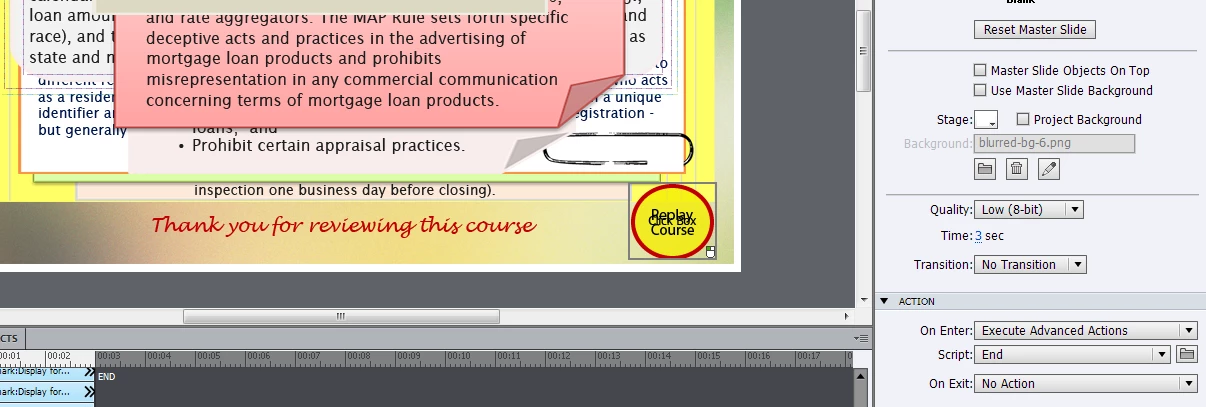
I dont know why this isnt working!  I even displayed the variables on the screen to make sure they are all changing to 1 when clicked and they are but the Thanks text and replay button dont display.  What am I doing wrong?  I'm on captivate version 6.0.1.240.

Thanks

    This topic has been closed for replies.
    Correct answer RodWard

    That was my thought as well.  Since you don't appear to be leaving the slide until all tabs have been clicked, there would only appear to be click events available for you to trigger the actions.

    If I had to create this interaction, I would have used Conditional Advanced Actions executed by clicking each tab rather than just Standard Actions.  The first part of the CAA would be to show the relevant tab and hide all the others, and then the next part of the CAA would be to check whether all variables have been set to 1.

    3 replies

    RodWard
    Community Expert
    RodWardCommunity ExpertCorrect answer
    Community Expert
    August 15, 2013

    That was my thought as well.  Since you don't appear to be leaving the slide until all tabs have been clicked, there would only appear to be click events available for you to trigger the actions.

    If I had to create this interaction, I would have used Conditional Advanced Actions executed by clicking each tab rather than just Standard Actions.  The first part of the CAA would be to show the relevant tab and hide all the others, and then the next part of the CAA would be to check whether all variables have been set to 1.

    August 15, 2013

    I'm going to try this.  So Im going to move the standard action to the first "decision" in the conditional action and have the second "decision" as if all variables =1 show the "Thanks for taking the course" message

    Lilybiri
    Legend
    August 15, 2013

    Could you explain what you mean by this sentence '...added the conditional action to the slide itself'??? Which event is triggering that action?

    http://blog.lilybiri.com/events-and-advanced-actions

    Lilybiri

    August 15, 2013

    The conditional action is just setting on the slide, which after reading the link I guess isnt triggering the action. 

    My initial thought was the cpCmndGotoSlide=cpInforCurrentSlide -1 on each tab click was making you re-enter the slide.

    Lilybiri
    Legend
    August 15, 2013

    Indeed, that is what I suspected right away: this action is only executed on entering the slide, not later on when the click boxes have changed the variables. You have to combine standard with conditional as Rod points out. Here is an old article in which I explained how to do that:

    http://kb2.adobe.com/community/publishing/862/cpsid_86254.html

    Lilybiri

    Captiv8r
    Legend
    August 15, 2013

    Hi there

    Silly question here. Are the missing items at the top of the list in the Timeline? My thought is perhaps they are being covered by another image.

    Cheers... Rick

    August 15, 2013

    Hey Rick,

    I moved them to the very top and they still dont show.